
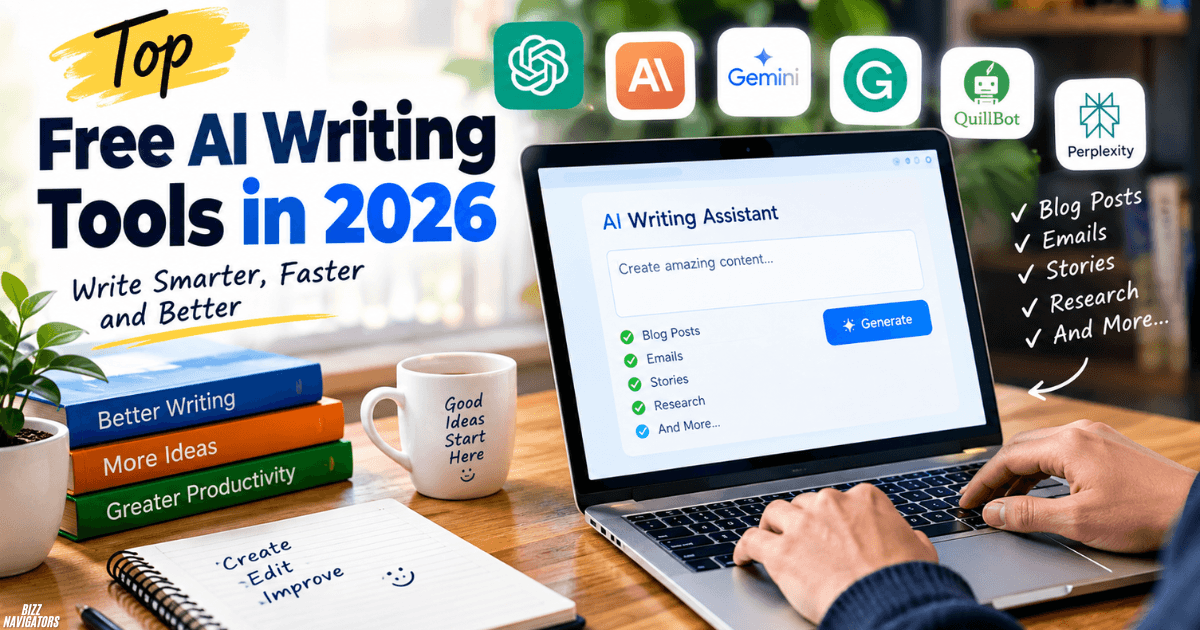
The top free AI writing tools in 2026 include ChatGPT, Claude, Google Gemini, Grammarly, QuillBot, and Perplexity. Each tool serves a different purpose, from drafting articles and writing stories to checking grammar and researching facts. Your best choice depends on the type of content you create, the writing quality you need, and each free plan’s limits.
You don’t need to pay for multiple subscriptions to get started. Choose one tool for drafting, another for editing if necessary, and always review the final text before publishing.
What Are the Best Free AI Writing Tools in 2026?
Here are the main options to consider when you want to write better content without an upfront cost.
| AI writing tool | Best for | Main advantage |
| ChatGPT | Articles, emails, brainstorming, and general writing | Versatile writing assistance |
| Claude | Long-form content, stories, and thoughtful drafts | Natural-sounding prose |
| Google Gemini | Everyday writing and research | Google ecosystem integration |
| Grammarly | Grammar, spelling, and clarity | Quick writing corrections |
| QuillBot | Rephrasing and summarizing | Alternative wording |
| Perplexity | Research and fact-checking | Source-linked answers |
| Hemingway Editor | Improving readability | Identifies difficult sentences |
Free features and usage limits can change, so check each provider’s current plan before choosing a tool. ChatGPT, for example, offers free access to writing assistance and other features, subject to usage limits. ChatGPT Free plan.
Which AI Is Currently Best for Writing?
ChatGPT is a strong all-around choice for writing, particularly when you need help with different formats, such as blog posts, emails, product descriptions, and outlines. Claude is also worth trying when you want a thoughtful long-form draft or a more natural writing style.
There is no single winner for every writing task. Test the same prompt in two or three tools, then compare accuracy, tone, structure, and editing effort.
Is ChatGPT or Claude Better for Writing?
ChatGPT is a good starting point for varied writing tasks, while Claude is worth comparing for long-form writing and nuanced prose.
Choose ChatGPT when you need to brainstorm, organize ideas, rewrite paragraphs, or switch between different content formats. Try Claude when you want a detailed draft with a consistent tone, especially for essays, stories, and longer articles.
Neither tool guarantees publication-ready content. You still need to check facts, remove repetition, and make the writing reflect your own voice.
Is ChatGPT Still the Best AI?
ChatGPT remains one of the most versatile AI assistants, but it is not automatically the best option for every writer. Its free plan can help you brainstorm, draft, edit, summarize, and organize content.
Claude may suit you better for certain long-form writing tasks, while a research-focused tool such as Perplexity can help you locate sources before drafting. Your best choice depends on the job rather than the popularity of the tool.
Which AI Is Better Than ChatGPT for Writing?
No AI writing tool is better than ChatGPT in every situation. Claude may be a better fit for some creative and long-form tasks, Grammarly is more focused on proofreading, and Perplexity is useful when you need source-linked research.
If you regularly write blog posts, try ChatGPT and Claude with the same outline. If your main problem is grammar, use an editing tool instead of switching between several chatbots.
Do Professional Writers Use ChatGPT?
Yes, some professional writers use ChatGPT to brainstorm, outline, summarize research, explore alternative headlines, and improve early drafts. Others prefer different tools or avoid generative AI in parts of their workflow.
The important distinction is how you use it. AI can help you work through a blank page, but your research, judgment, experience, and editing determine the quality of the finished piece. If you write for clients or publishers, follow their AI-use and disclosure policies.
Is Claude or GPT Better at Writing?
Claude and GPT-based ChatGPT models can both produce useful writing. Claude is worth testing for natural flow and long-form consistency, while ChatGPT offers a flexible environment for drafting, brainstorming, rewriting, and everyday communication.
For a fair comparison, give both tools the same instructions and assess their outputs against your needs. Look for clear arguments, specific details, correct facts, and minimal repetition instead of judging only by length.
Is Claude the Best AI for Writing?
Claude can be an excellent choice for essays, creative writing, and detailed drafts, but it is not the best fit for everyone. You may prefer ChatGPT for its broad range of tasks or Grammarly for sentence-level corrections.
Try Claude’s free plan first and see whether its output requires less editing for your particular writing style. Remember that free access has usage limits, which can affect how much work you complete in one session.
Which AI Is Best for Writing?
The best AI for writing depends on your goal:
- Blog posts and general content: ChatGPT or Claude.
- Long-form drafts and stories: Claude or ChatGPT.
- Research-supported writing: Perplexity, followed by a writing assistant.
- Grammar and proofreading: Grammarly or LanguageTool.
- Rephrasing: QuillBot.
- Readability improvements: Hemingway Editor.
You can combine two free tools instead of expecting one assistant to handle every stage perfectly.
Which Is Better for Writing: ChatGPT, Gemini, or Claude?
ChatGPT, Gemini, and Claude are all useful, but their strengths differ. ChatGPT is a versatile option for drafting and editing, Claude is worth testing for long-form prose, and Gemini can be convenient if you already work with Google’s services.
Compare them using the same task, such as writing a 700-word article or improving a job application. Review the factual accuracy, tone, structure, and number of changes required before deciding which one works best for you.
Which Is Better for Writing Job Applications, Claude or ChatGPT?
Both Claude and ChatGPT can help you prepare a résumé, cover letter, or job application. ChatGPT is useful for adapting content to a job description, while Claude can help refine the wording and maintain a consistent tone.
For better results, provide your real skills, work history, achievements, and the job requirements. Ask the tool to improve clarity without inventing qualifications or experience. Always check the final application yourself before submitting it.
Which AI Is Better at Writing: ChatGPT or Claude?
For this comparison, focus on the type of writing you produce most often. ChatGPT can handle a wide variety of content formats, while Claude is worth trying when you want a detailed draft with a consistent voice.
Neither produces perfect work every time. Test both tools on a real assignment and compare the quality of their first drafts, how well they follow instructions, and how much editing you need to do.
Which AI Is Better Than Claude for Writing?
ChatGPT may be a better option if you need a versatile assistant for drafting, brainstorming, and editing across multiple formats. Gemini may fit your existing Google-based workflow, while Grammarly can be more practical when your main goal is correcting mistakes.
Claude remains a strong option for long-form prose. Instead of assuming one tool always wins, choose the assistant that produces the most accurate and useful result for your specific task.
Can AI Be Used for Content Writing?
Yes. You can use AI for blog posts, website copy, product descriptions, newsletters, social media posts, outlines, and other content. It can help you organize ideas, improve sentence structure, and produce an initial draft more quickly.
However, AI-generated text can contain errors, generic claims, and outdated information. Add original insights, verify important facts, and revise the content for your audience before publishing.
Is It Okay to Use AI as a Tool for Writing?
Yes, using AI as a writing aid is generally acceptable, but the rules depend on your purpose and the organization receiving the work. Personal blogging, school assignments, client projects, and publishing contracts may have different requirements.
Use AI to support your own thinking rather than automatically accepting everything it produces. If a client, teacher, employer, or publisher requires disclosure, follow that requirement.
Can AI Create Content?
Yes. AI writing tools can generate articles, stories, summaries, email drafts, advertisements, captions, outlines, and other text from your instructions.
The result depends on the prompt and the model. Give the tool a clear audience, purpose, tone, format, and relevant facts. Then review the draft for accuracy, originality, clarity, and usefulness.
What’s the Best AI for Writing Content?
For general content writing, start with ChatGPT or Claude. Use Perplexity when you need to research a topic and find supporting sources, then verify those sources before incorporating the information into your draft.
For a practical workflow, generate an outline, draft each section, check the facts, and edit the final article for your readers. This approach is more reliable than publishing the first output unchanged.
Does AI Write News Articles?
Yes. AI can generate news-style articles, summaries, headlines, and reports from supplied information. Newsrooms may also use AI to assist with routine tasks, depending on their editorial policies.
AI-generated news still requires human oversight. Verify names, dates, quotes, figures, and claims against reliable sources. Never publish an unverified AI-generated report as confirmed news, especially when it concerns public safety, elections, legal matters, or breaking events.
Can You Tell If an Article Has Been Written by AI?
You can sometimes identify signs of AI-generated writing, such as repetitive wording, generic explanations, predictable transitions, and a lack of specific evidence. However, these patterns are not proof that AI wrote the article.
AI-detection tools can also produce false positives and false negatives. Human writers may sound formulaic, and AI-assisted text may be heavily edited. Do not rely on a detector alone to judge authorship.
Can You Create a Book With AI?
Yes. You can use AI to develop a book outline, brainstorm characters, organize chapters, research background information, or revise passages. It can be useful for both fiction and nonfiction when you provide clear direction.
For a stronger result, make the central ideas, creative decisions, and final revisions your own. Check every factual claim in nonfiction and review character development, plot consistency, and originality in fiction.
Can I Sell a Book I Wrote With ChatGPT?
You may be able to sell a book created with ChatGPT, subject to the publishing platform’s terms, applicable law, and any disclosure requirements. Selling a book and owning copyright in every part of it are separate questions.
Before publishing, check for factual errors, accidental similarities to existing works, and any material you do not have permission to use. Review the relevant platform’s current rules rather than assuming all AI-generated books are treated the same way.
Can You Write a Book Using AI and Sell It?
Yes, you can use AI as part of a book-writing workflow and potentially sell the finished book. Your ability to publish it does not automatically mean every AI-generated passage qualifies for copyright protection.
Develop the manuscript carefully, make meaningful creative decisions, edit the language, and follow the publisher’s or marketplace’s disclosure rules. For legal certainty, check the laws that apply in your country.
Is It Illegal to Publish a Book Written by AI?
Publishing a book written with AI is not automatically illegal. The legal issues depend on factors such as copyright, the use of protected material, misleading claims, contracts, and local law.
Do not assume that an AI tool’s output is automatically original or legally risk-free. Review the content, obtain permission where needed, and check your publisher’s requirements before releasing the book.
Can I Legally Write a Book Using AI?
In many circumstances, you can use AI to help write a book. However, the legal position varies by jurisdiction and by how the tool is used.
For example, under the U.S. Copyright Office’s current published guidance, copyright protection depends on sufficient human authorship. Simply entering a prompt does not automatically make AI-generated expression copyrightable, although human-authored material and sufficiently creative human contributions may qualify. U.S. Copyright Office guidance.
If you plan to publish commercially, keep records of your own contributions and review the applicable laws and publishing terms.
Can I Copyright a Book I Wrote With AI?
You may be able to copyright the human-authored portions of a book that uses AI, but protection is not automatic for every passage. In the United States, the Copyright Office distinguishes between AI assistance and expression generated by AI without sufficient human authorship.
Your original writing, creative selection, arrangement, and meaningful modifications may qualify, depending on the circumstances. The rules can differ in other countries, so do not treat U.S. guidance as universal legal advice.
Can AI-Created Works Be Copyrighted?
AI-created works do not automatically receive copyright protection simply because someone generated them. In the United States, the Copyright Office’s January 2025 report states that protection depends on sufficient human-authored expression.
A work that combines AI-generated material with original human writing or creative arrangement may qualify for protection in the human-authored elements. The outcome depends on the work itself and the law that applies.
What Is the 30% Rule for AI?
The so-called 30% rule for AI is not a universal legal standard. You may see claims that changing 30% of AI-generated text makes it original, copyrightable, or safe to publish, but there is no general rule that guarantees any of those outcomes.
Copyright, plagiarism, and originality are different issues. Rewriting a percentage of a passage does not automatically make it legally protected or remove the need to credit sources. Focus on original contribution, proper attribution, factual accuracy, and the requirements of your publisher or institution.
What Software Does J.K. Rowling Use to Write?
J.K. Rowling has discussed her writing process, creative routine, and writing spaces in official interviews, but you should not assume that a particular word processor is her confirmed choice without a reliable source.
If you are looking for software to write your own novel, you can start with Microsoft Word, Google Docs, or Scrivener. Choose a tool that makes it easy to organize chapters, track revisions, and maintain backups. You do not need the same software as a famous author to write a good book.
How to Choose the Right Free AI Writing Tool
Before committing to a tool, consider these five points:
- Writing purpose: Decide whether you need articles, stories, emails, research, or proofreading.
- Output quality: Compare drafts using the same prompt and check how much editing they require.
- Free usage limits: Check message caps, available features, and whether limits change during busy periods.
- Privacy: Review how the provider handles your prompts, uploaded documents, and personal information.
- Your final review: Make sure you can verify facts, add original insights, and control the final wording.
You can begin with a free general-purpose assistant and add a dedicated editing or research tool only when it solves a real problem.
Final Recommendation
The best free AI writing tool in 2026 depends on what you want to create. Start with ChatGPT for general writing, test Claude for long-form drafts, use Grammarly for proofreading, and turn to Perplexity when research and source links matter.
Whatever tool you choose, treat its output as a draft rather than a finished product. Your own judgment, fact-checking, and editing remain essential for producing useful, trustworthy content.

At BizzNavigators, we answer the questions you’re actually searching for, honestly and clearly. We check our facts before we publish anything, and if we’re not sure about something, we tell you instead of guessing. Whatever you’re looking for- a tech fix, a business tip, or a simple how-to- we want to give you an answer you can trust.