
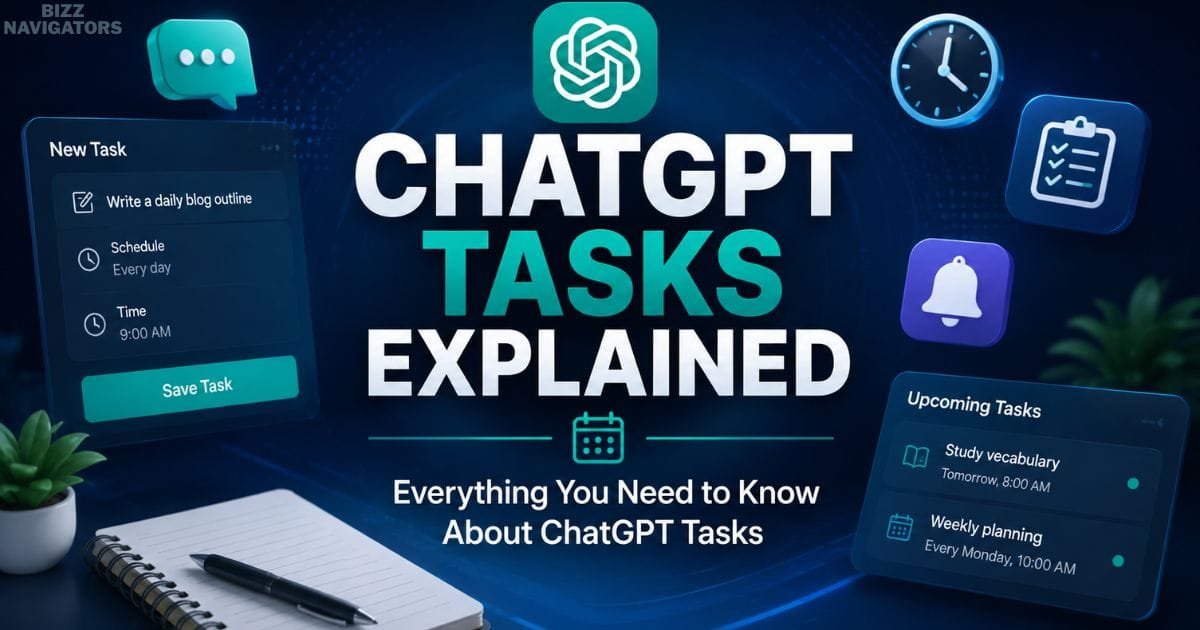
What Are ChatGPT Tasks?
If you’re searching for ChatGPT tasks explained, you’re probably wondering what ChatGPT Tasks are, how they work, and whether they’re worth using. This feature lets you schedule one-time or recurring AI interactions to automate reminders, build productive habits, and reduce repetitive work. Unlike traditional reminder apps.
ChatGPT Tasks combines scheduling with intelligent AI assistance to make everyday planning more efficient. In this guide, you’ll learn how ChatGPT Tasks works, its key features, benefits, limitations, and whether it’s the right productivity tool for your personal or professional workflow.
What Are ChatGPT Tasks?
ChatGPT Tasks is a scheduling capability that allows users to create prompts that run at a specific time or on a recurring schedule. Instead of asking ChatGPT the same question every day, you can save that request as a task and receive assistance according to the schedule you define.
The feature is designed to simplify repetitive interactions. Whether someone needs regular writing guidance, study reminders, project planning assistance, or routine productivity support, Tasks eliminates the need to repeat identical prompts manually.
Unlike basic reminder applications that only display notifications, ChatGPT Tasks combines reminders with intelligent responses. When a scheduled task is triggered, the interaction can provide useful context, guidance, or information rather than a simple alert, creating a more productive experience.
How ChatGPT Tasks Works
The concept behind ChatGPT Tasks is straightforward. A user creates a prompt, chooses when it should run, and saves it as a scheduled task. Once the selected time arrives, ChatGPT delivers the scheduled interaction according to the user’s settings.
Tasks can generally be configured as one-time events or recurring schedules, allowing them to support both occasional reminders and long-term routines. This flexibility makes the feature suitable for personal organization as well as professional workflows where consistency is important.
Because the feature focuses on recurring AI conversations rather than simple alerts, every scheduled interaction has the potential to provide fresh insights, suggestions, or assistance based on the original prompt.
Why ChatGPT Tasks Matter
Many people use ChatGPT repeatedly for similar activities. They ask for writing ideas every morning, request study assistance each evening, review project priorities every Monday, or plan weekly goals before starting work.
Repeating these conversations manually is time-consuming and often leads to inconsistent routines. ChatGPT Tasks removes that repetition by allowing those interactions to happen on a predefined schedule. This helps users spend less time initiating conversations and more time focusing on meaningful work.
The feature is particularly valuable for individuals who rely on structured routines. Writers, students, marketers, freelancers, and business professionals often perform recurring tasks that benefit from automation. By scheduling those interactions in advance, they can maintain consistency without depending entirely on memory.

Who Can Benefit from ChatGPT Tasks?
Although ChatGPT Tasks is useful for almost anyone, its value becomes more apparent when recurring activities are involved.
Students can use scheduled AI sessions to maintain consistent study habits and reinforce long-term learning. Writers can organize regular brainstorming sessions and maintain publishing schedules without repeatedly entering the same instructions. Marketing professionals can establish recurring content planning sessions, while business owners can schedule routine planning and performance reviews to keep projects moving forward.
Freelancers and remote workers also benefit because much of their work depends on managing deadlines, planning projects, and maintaining productivity across multiple clients. Rather than relying solely on traditional reminders, they receive AI-powered assistance that supports the task itself.
This combination of scheduling and intelligent guidance distinguishes ChatGPT Tasks from ordinary productivity tools.
What Are the Tasks in ChatGPT?
One of the most common questions users ask is, “What are the tasks in ChatGPT?“ The answer extends beyond scheduled reminders.
ChatGPT can assist with a wide variety of recurring activities, including content creation, learning, project planning, brainstorming, language practice, coding support, business organization, research assistance, and personal productivity. The Tasks feature allows these interactions to be scheduled so they occur automatically instead of requiring users to initiate each conversation manually.
Rather than creating entirely new capabilities, Tasks enhances existing ChatGPT functionality by introducing automation into recurring workflows. This makes the platform more useful for people who regularly depend on AI assistance as part of their daily routine.
What Does Create Task in ChatGPT Do?
The Create Task option allows users to save a prompt with a future schedule. Once created, ChatGPT remembers both the instruction and the selected timing, enabling the interaction to occur automatically according to the chosen recurrence.
This feature reduces repetitive work while encouraging consistency. Instead of remembering to ask ChatGPT the same question every day or every week, users only need to define the task once. After that, the schedule manages itself, making recurring AI assistance significantly more convenient.
For individuals who depend on structured routines, this simple capability can improve organization while reducing the mental effort associated with remembering recurring activities.

ChatGPT Tasks Compared with Traditional Reminder Apps
Although ChatGPT Tasks includes reminder functionality, it should not be viewed as a direct replacement for traditional reminder or calendar applications.
Dedicated reminder apps primarily focus on notifying users about events or deadlines. Their role usually ends once the notification has been delivered. ChatGPT Tasks extends beyond notifications by providing AI-generated assistance at the scheduled time, making each interaction more useful and context-aware.
| Feature | ChatGPT Tasks | Traditional Reminder Apps |
| Scheduled reminders | Yes | Yes |
| AI-powered conversations | Yes | No |
| Writing and brainstorming assistance | Yes | No |
| Personalized productivity support | Yes | Limited |
| Learning assistance | Yes | No |
| Simple event reminders | Yes | Yes |
For users whose work involves planning, learning, writing, or creative thinking, ChatGPT Tasks offers capabilities that standard reminder applications cannot provide on their own.
Benefits of Using ChatGPT Tasks
The primary benefit of ChatGPT Tasks is consistency. Many productive habits fail not because people lack motivation, but because they forget to perform them regularly. By automating recurring AI interactions, users reduce that friction and establish more reliable routines.
Another significant advantage is efficiency. Reusing scheduled prompts eliminates repetitive conversations while ensuring that important activities receive regular attention. Over time, this can improve organization, strengthen learning habits, support ongoing projects, and increase overall productivity.
The feature also encourages more intentional use of artificial intelligence. Instead of opening ChatGPT only when a problem appears, users can integrate AI into their daily workflow as an ongoing assistant that supports planning, creativity, learning, and decision-making.
What Are the Limitations of ChatGPT Tasks?
Although ChatGPT Tasks improves productivity and helps automate recurring AI interactions, it is important to understand that the feature has practical limitations. Knowing what it can and cannot do helps users set realistic expectations and choose the right tool for their workflow.
One limitation is feature availability. ChatGPT Tasks may not be accessible on every ChatGPT plan, platform, or region. Availability can change over time as new features are introduced or expanded.
Another limitation is that Tasks relies on the instructions provided by the user. It does not independently monitor your work, identify missing deadlines, or create reminders automatically. The quality of each scheduled interaction depends largely on how clearly the original task is written.
Notifications also depend on your device and account settings. If notifications are disabled or the application is not configured correctly, scheduled reminders may not reach you as expected.
Finally, ChatGPT Tasks is not intended to replace dedicated project management or workflow automation software. While it can support recurring AI conversations and reminders, it is not designed to control external systems or automate every business process.
What Are the 5 Things You Shouldn’t Tell ChatGPT?
As AI becomes more integrated into everyday work, protecting personal and business information remains essential. Regardless of how useful ChatGPT is, users should avoid sharing sensitive information unless it is necessary.
The following types of information should never be entered into ChatGPT unnecessarily:
Passwords, login credentials, or authentication codes.
Credit card numbers, banking information, or financial account details.
Government-issued identification numbers or confidential legal documents.
Private medical records containing sensitive personal information.
Confidential company information, trade secrets, or client data that you are not authorized to disclose.
Following these basic privacy practices helps reduce unnecessary security risks while ensuring responsible use of AI tools.
Common Mistakes Users Make with ChatGPT Tasks
Many users create their first task and expect perfect results immediately. In reality, the usefulness of ChatGPT Tasks depends heavily on how well each task is planned.
One common mistake is creating prompts that are too vague. General instructions often produce generic responses, while specific prompts provide more focused and valuable assistance.
Another mistake is scheduling too many recurring tasks. Filling every hour with AI reminders can quickly become overwhelming and reduce productivity instead of improving it.
Some users also forget to review existing tasks after their priorities change. Keeping outdated schedules active can create unnecessary notifications and reduce the overall effectiveness of the feature.
Ignoring notification settings is another frequent issue. Even a well-designed task cannot help if reminders never appear because notifications are disabled.
Regularly reviewing scheduled tasks and keeping prompts clear, concise, and goal-oriented generally produces the best long-term results.

Best Practices for Getting Better Results
Creating effective ChatGPT Tasks is not only about choosing a schedule. The wording of each task has a significant impact on the quality of the responses you receive.
Write prompts that clearly describe the desired outcome rather than broad objectives. Well-defined instructions help ChatGPT provide more relevant guidance during each scheduled interaction.
It is also beneficial to focus each task on a single objective. Combining multiple unrelated requests into one recurring prompt often produces less organized responses.
Review recurring tasks periodically to ensure they still align with your current priorities. As projects, studies, or business goals change, updating scheduled prompts keeps your workflow efficient.
Finally, use ChatGPT Tasks to support habits rather than replace personal planning. AI works best as an assistant that reinforces productive routines instead of becoming the only system you rely on.
When Should You Use ChatGPT Tasks?
ChatGPT Tasks delivers the greatest value when your work involves recurring activities that benefit from AI assistance.
It is particularly effective for maintaining study schedules, planning content strategies, reviewing ongoing projects, organizing weekly priorities, building consistent learning habits, and supporting creative work.
Because the feature automates repetitive interactions, it allows users to spend more time completing meaningful work instead of repeatedly initiating identical conversations.
When ChatGPT Tasks May Not Be the Best Choice
Despite its flexibility, ChatGPT Tasks is not the ideal solution for every situation.
If your workflow depends on complex calendar management, team scheduling, project dependencies, or enterprise-level automation, dedicated productivity platforms are generally more suitable.
Similarly, if you require AI to trigger actions across multiple external applications automatically, ChatGPT Tasks may not provide the level of automation needed for those workflows.
Understanding these boundaries helps users choose the most appropriate productivity tool while using ChatGPT Tasks where it delivers the greatest value.

ChatGPT Tasks at a Glance
| Feature | Details |
| Primary Purpose | Schedule AI-powered reminders and recurring conversations |
| Supports Recurring Tasks | Yes |
| One-Time Scheduling | Yes |
| Personalized AI Responses | Yes |
| Productivity Assistance | Yes |
| Learning Support | Yes |
| Writing Assistance | Yes |
| Calendar Replacement | No |
| Enterprise Workflow Automation | Limited |
| Best For | Students, writers, marketers, professionals, freelancers, and business owners |
Key Takeaways
ChatGPT Tasks represents an important step toward making artificial intelligence part of everyday productivity rather than simply a tool for answering questions. By allowing users to schedule recurring AI interactions, it helps build consistent habits, improve organization, and reduce repetitive work.
Whether the goal is learning a new skill, managing content production, organizing business activities, or maintaining personal routines, ChatGPT Tasks provides a practical way to integrate AI into daily life. While it has limitations and should not replace dedicated project management or calendar software, it offers significant value for individuals who want ongoing AI assistance delivered on a schedule.
Understanding ChatGPT tasks explained means recognizing that the feature is designed to automate conversations—not just reminders. Used correctly, it can become an effective productivity companion that supports both personal and professional growth.
Conclusion
Understanding ChatGPT tasks explained is about recognizing how this feature goes beyond simple reminders to deliver scheduled AI assistance that improves productivity, organization, and consistency. Whether you’re a student, professional, content creator, or business owner, ChatGPT Tasks can help automate recurring activities and reduce repetitive work.
While it isn’t a replacement for dedicated project management software, it’s an effective productivity tool for anyone looking to integrate AI into their daily workflow more efficiently.
Frequently Asked Questions
Is ChatGPT Tasks available for every user?
Availability depends on your ChatGPT subscription, supported platform, and regional rollout. New features are often introduced gradually, so access may vary between users.
Can I edit or delete an existing task?
Yes. Scheduled tasks can generally be modified, paused, or deleted through the task management interface, allowing users to keep their schedules aligned with changing priorities.
Does ChatGPT Tasks work offline?
No. ChatGPT requires an internet connection to process requests and deliver AI-generated responses, so scheduled interactions depend on connectivity and supported app functionality.
Can ChatGPT Tasks replace a calendar application?
Not completely. While it is useful for recurring AI-powered reminders and productivity assistance, dedicated calendar applications remain more suitable for complex scheduling, event management, and team collaboration.
Is ChatGPT Tasks useful for businesses?
Yes. Businesses can use ChatGPT Tasks to support recurring planning sessions, content workflows, team preparation, learning initiatives, and productivity routines. However, it should be viewed as an AI assistant rather than a full business automation platform.
Are ChatGPT Tasks secure?
ChatGPT is designed with privacy and security considerations, but users should avoid entering passwords, financial information, confidential business documents, or other highly sensitive personal data unless necessary and appropriate.

At BizzNavigators, we answer the questions you’re actually searching for, honestly and clearly. We check our facts before we publish anything, and if we’re not sure about something, we tell you instead of guessing. Whatever you’re looking for- a tech fix, a business tip, or a simple how-to- we want to give you an answer you can trust.
1 thought on “ChatGPT Tasks Explained: Complete Guide”