
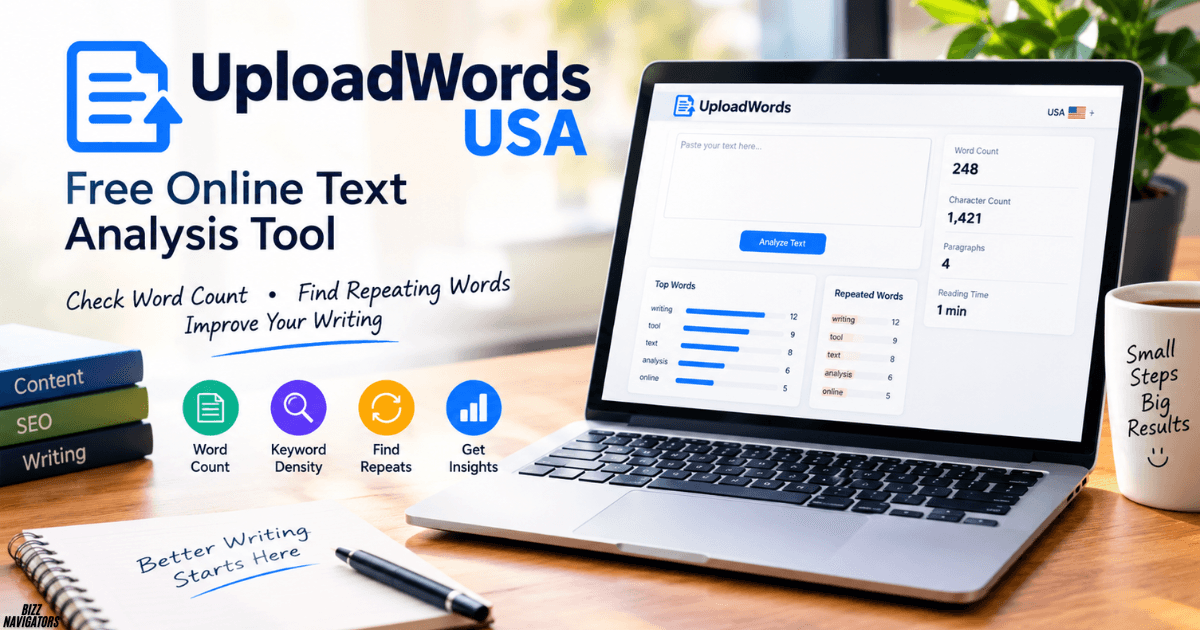
Anyone who writes regularly knows the feeling of wondering how long a piece really is, or whether it keeps repeating the same words. UploadWords USA was built for exactly these moments. It is a free online text analysis tool that gives people a clear picture of their writing in seconds, without the clutter that often comes with online tools.
What Is UploadWords USA?
UploadWords USA is a free, privacy-first online text analysis tool. A writer adds text, and the tool returns useful numbers and visuals right away: word count, character count, a list of top keywords, and a word cloud preview.
The idea is simple. Writers, students, marketers, and editors should be able to understand their text quickly, without paying for software or worrying about what happens to their content.
Why Text Analysis Matters
Every piece of writing has limits and goals. A school essay might need 1,500 words. A social media caption might need to stay under a character limit. A blog post might need to focus on a single topic. Text analysis helps with all of these.
When writers can see their numbers, they can make better choices. They can trim a paragraph that runs too long, expand a section that feels thin, or spot a word they have leaned on too often.
Key Features of UploadWords USA
Instant Word Count
Word count is the most common reason people reach for a text tool. UploadWords USA shows the total right away, so you don’t have to wait or count manually. This helps with assignments, articles, reports, and anything else with a length target.
Accurate Character Count
Character count matters just as much in many situations. Meta descriptions, ad copy, product listings, and social posts often have strict limits. A quick character count lets writers check their text before publishing, so nothing gets cut off at the wrong spot.
Top Keywords at a Glance
The top keywords feature shows which words appear most often in a text. This is useful in two ways:
- For clarity: Writers can notice repeated words and replace them with fresher alternatives.
- For focus: Content creators can confirm that the main topic of an article comes through clearly.
It works like a quick health check. If the most common words match the subject, the text is probably on track. If they don’t, the draft may need another look.
Word Cloud Preview
A word cloud turns text into a picture. The most frequent words appear larger, and less common words appear smaller. UploadWords USA offers a word cloud preview, which gives writers a fast, visual sense of what their content emphasizes. It is also a good way to present a text’s main themes in a more engaging format.
A Privacy-First Approach
Many free tools come with a catch, and the catch is often a lack of privacy. People may hesitate to paste in a draft, a work document, or a personal piece of writing.
UploadWords USA takes a different stance by putting privacy first. That matters for professionals handling sensitive material, students working on original assignments, and anyone who simply prefers to keep their words to themselves. Free and privacy-first together make the tool easy to trust and easy to use.
Who Can Benefit from UploadWords USA?
Students
Students can check essay length, stay within assignment limits, and see which words they overuse. The word cloud also makes a nice study aid for spotting the main ideas in notes.
Bloggers and Content Writers
Bloggers can confirm that an article meets its target length and stays focused on its topic. The top keywords list gives a quick sense of whether a post leans toward its main subject.
SEO Professionals and Marketers
Marketers can review keyword frequency in a draft, check character limits for titles and descriptions, and make sure content reads naturally rather than feeling repetitive.
Editors and Proofreaders
Editors can use the counts and keyword lists to review documents faster, which makes it easier to give clear feedback on length and word choice.
How to Use UploadWords USA
Using the tool is straightforward:
- Add the text. Paste or upload the content to be analyzed.
- Review the counts. Check the word count and character count straight away.
- Study the keywords. Look at the top keywords to see which words dominate.
- Explore the word cloud. View the preview to get a visual snapshot of the text.
- Refine the writing. Edit the draft based on what the results show, then check again if needed.
Tips for Getting the Most Out of Text Analysis
- Check early and often. Reviewing a draft at different stages helps catch problems before they pile up.
- Look beyond the numbers. A good word count doesn’t guarantee good writing, so use the data as a guide, not a rule.
- Vary the language. If the same word dominates the keyword list, try synonyms to keep the text lively.
- Match keywords to purpose. The top words should reflect the message the writer wants to send.
Why Use a Text Analysis Tool?
Numbers make editing easier. A writer can see when a draft is too long or too short. They can also see when one word shows up too often. Small fixes like these make writing clearer.
Final Thoughts
UploadWords USA proves that useful tools don’t have to be complicated or costly. With instant word counts, character counts, top keywords, and word cloud previews, all offered free and with privacy in mind, it gives writers of every kind a simple way to understand their text. For anyone who wants clearer, sharper, and better-focused writing, it is a handy tool to keep close.
Frequently Asked Questions
What does UploadWords USA do?
It counts words and characters, finds top keywords, and shows a word cloud preview.
Do I need to pay to use it?
No. The tool is free.
Can it help with SEO writing?
Yes. It helps check keyword frequency and character limits. It does not replace full keyword research.
What is a word cloud?
A word cloud is a picture made of words. Bigger words appear more often in the text.
Who should use it?
Anyone who writes. This includes students, bloggers, marketers, and editors.

At BizzNavigators, we answer the questions you’re actually searching for, honestly and clearly. We check our facts before we publish anything, and if we’re not sure about something, we tell you instead of guessing. Whatever you’re looking for- a tech fix, a business tip, or a simple how-to- we want to give you an answer you can trust.