
What Are OpenAI ChatGPT Connectors?
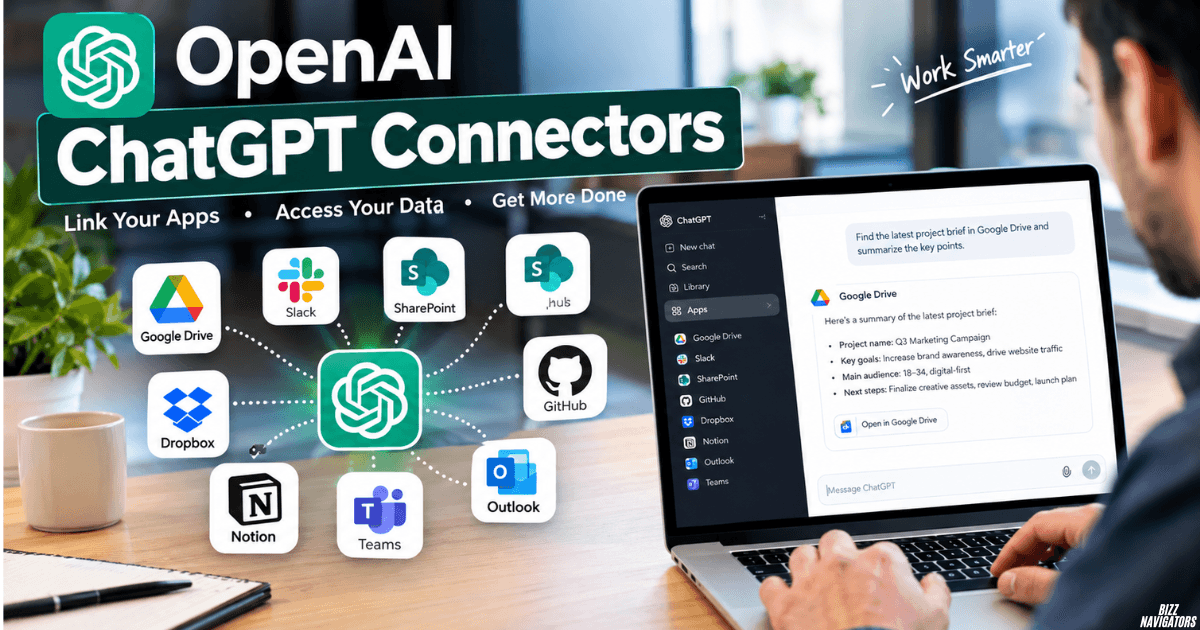
OpenAI ChatGPT connectors connect ChatGPT with external apps, tools, and data so you can search for information and complete supported tasks inside ChatGPT.
Examples include Google Drive, Slack, SharePoint, GitHub, Microsoft Teams, Outlook, Box, and Notion. The exact apps and features available depend on your account, plan, region, workspace, and ChatGPT interface.
There is also an important terminology update. OpenAI moved connectors into the app directory in December 2025, and in July 2026 the app directory was migrated to the Connector Directory. Today, apps remain the integrations that connect ChatGPT to external data and actions, while connectors can package apps, skills, and workflow templates.
How Do OpenAI ChatGPT Connectors Work?
They give ChatGPT an authorized way to access information or perform supported actions in another service.
For example, after connecting Google Drive, you can ask ChatGPT to find a project document and summarize it. With Slack connected, you can search permitted messages and channels.
The connection follows the permissions of the account you authorize. It does not automatically give ChatGPT access to everything in another account.
A typical setup looks like this:
- Open the Apps or Connectors area available in your ChatGPT account.
- Find the service or connector you need.
- Select Connect or follow the setup option shown.
- Sign in to the correct provider account.
- Review the requested permissions.
- Approve the connection if everything looks correct.
- Return to ChatGPT and use the connected service.
Some workplace connections also require administrator approval.
What Can ChatGPT Connectors Do?
The main purpose is to let ChatGPT work with information that already exists in your connected services.
Depending on the integration, you may be able to:
- Find files and documents
- Summarize connected content
- Search workplace messages
- Compare documents
- Reference project information
- Search repositories
- Create or update supported content
- Perform certain actions in connected services
Not every app supports every action. Some provide search and reference features, while others can also perform actions after the required permissions are enabled.
For example, a connected Slack account can let ChatGPT search messages, threads, and channels that you already have permission to access. Some supported Slack actions can also be performed on your behalf when enabled.
Which Apps Can ChatGPT Connect To?
ChatGPT supports a growing range of external apps, but availability changes by account and workspace.
Common examples include:
| App | Typical use |
| Google Drive | Search and work with supported files |
| Slack | Search messages, channels, and threads |
| SharePoint | Find and reference work files |
| GitHub | Work with connected repository information |
| Microsoft Teams | Access supported workplace content |
| Outlook | Work with supported email and calendar data |
| Box | Search and work with connected files |
| Notion | Reference connected workspace information |
Google also unified its Google file integrations under the Google Drive app, covering supported Docs, Sheets, and Slides actions.
Are Connectors and Apps the Same Thing?
Not exactly. Apps are the actual integrations that connect ChatGPT to external services, while connectors now provide a broader way to discover and activate workflows that can include apps.
This distinction matters because older articles may use “connectors” to describe what OpenAI now calls apps.
OpenAI’s July 2026 documentation says existing app connections remain unaffected by the move to the Connector Directory. A connector can include apps, skills, and app templates for a particular workflow.
So if you are searching for OpenAI ChatGPT connectors, you may see both terms used in current documentation.
How Do You Connect an App to ChatGPT?
Choose the available app, connect the correct provider account, and approve the requested permissions.
OpenAI recommends using the account that already has access to the files, messages, or other information you need.
For example, connecting your personal Google or Microsoft account will not give ChatGPT access to files that exist only in your separate work account.
If the connection requires administrator approval, you may need your organization’s admin to enable it before you can use the integration.
Are OpenAI ChatGPT Connectors Safe?
Connectors and apps use account authorization and permissions, but the exact data access depends on the connected service and your workspace settings.
Before connecting an app, check which account you are authorizing and what permissions it requests.
For business accounts, administrators can control available apps and actions. Some actions that change external data may also require additional approval.
Third-party services have their own privacy and data policies. For example, information used through the Slack integration can be transmitted to Slack and handled under its applicable policies.
The practical rule is simple: connect only the services you need and review permissions before approving access.
What Is the Difference Between Live Apps and Sync?
A live app connection lets ChatGPT access a supported service through an authorized account, while administrator-managed sync can index approved workspace content for search.
These are separate setups.
With administrator-managed sync, an eligible workspace administrator configures the source and controls its scope. Supported sources can include Google Drive, SharePoint, and Microsoft Teams, depending on the workspace and region.
A normal live app connection does not create an individually managed search index.
This difference is especially important for companies using ChatGPT with internal data.
Can ChatGPT Connect to SharePoint?
Yes. The SharePoint app can let ChatGPT search and reference SharePoint and supported OneDrive for work or school content that your Microsoft account can access.
Personal OneDrive accounts are not supported through the SharePoint app.
Depending on the permissions and actions enabled by the organization, ChatGPT may also support tasks such as creating folders, uploading or updating files, and managing sharing links.
Workspace administrators can control which actions are available.
Can ChatGPT Connect to Slack?
Yes. ChatGPT can connect to Slack and search messages, threads, and channels that your authorized account can access.
Depending on the workspace and enabled permissions, supported actions can include creating reminders, joining channels, uploading files, and updating a Slack profile.
This makes Slack useful when you need ChatGPT to find information from existing team conversations instead of copying those messages into a chat manually.
Can You Build Custom ChatGPT Connectors?
Yes. OpenAI supports custom integrations that can connect ChatGPT with proprietary tools and data.
OpenAI has supported custom connectors through the Model Context Protocol (MCP), allowing organizations to connect ChatGPT with their own systems.
The current connector model can also combine apps and skills into workflows. Availability and administrator controls depend on the ChatGPT workspace and the tools being used.
This is useful for businesses that need ChatGPT to work with internal systems that are not available as standard integrations.
Why Are OpenAI ChatGPT Connectors Useful?
They reduce the need to copy information from different services into ChatGPT manually.
Instead of downloading a document, copying Slack messages, or switching between multiple tools, you can ask ChatGPT to work with supported connected information directly.
For example:
“Find the latest project plan in SharePoint and summarize the open decisions.”
Or:
“Search Slack for the latest discussion about the product launch.”
The value comes from giving ChatGPT access to relevant information where it already exists.
Why Is a ChatGPT Connector Not Working?
The most common causes are account, permission, availability, or workspace restrictions.
Check these first:
- Make sure you connected the correct account.
- Check the provider permissions.
- Confirm the app is available for your plan and region.
- Check whether your workspace administrator disabled it.
- Make sure the provider has approved any required permissions.
- Check whether the feature is supported in your current ChatGPT interface.
OpenAI notes that app availability can depend on the plan, region, account, workspace, role, model, and ChatGPT surface being used.
Final Answer
OpenAI ChatGPT connectors let ChatGPT work with external apps, services, and data instead of relying only on information manually provided in the conversation.
Today, apps are the underlying integrations, while the Connector Directory provides a broader way to discover and activate workflows that can include apps and skills.
Google Drive, Slack, SharePoint, GitHub, Microsoft Teams, Outlook, Box, and Notion are examples of services that can work with ChatGPT when available.
The exact features depend on the app, permissions, plan, region, and workspace settings. For the best results, connect the correct account, review permissions, and use only the actions your workspace allows.

At BizzNavigators, we answer the questions you’re actually searching for, honestly and clearly. We check our facts before we publish anything, and if we’re not sure about something, we tell you instead of guessing. Whatever you’re looking for- a tech fix, a business tip, or a simple how-to- we want to give you an answer you can trust.