
What Is the Best AI Browser for Students?
The best AI browser for students is Chrome with Gemini in Chrome for most learners because it combines familiar browsing with AI-powered summaries, multi-tab comparison, YouTube assistance, and Google app integration. For deeper research and agent-style tasks, Perplexity Comet and Dia are strong alternatives, while the right choice ultimately depends on your device, study style, and privacy needs.
Students now spend a huge part of their academic life inside a browser. Research papers, online lectures, PDFs, university portals, Google Classroom, documentation, and study resources can quickly turn into dozens of open tabs.
AI browsers aim to solve that problem by understanding the content you’re viewing instead of simply displaying webpages.
The catch? Not every AI browser is equally useful for education.
Best AI Browsers for Students at a Glance
Here are the strongest options worth considering:
| AI Browser | Best For | Standout Feature | Student Verdict |
| Chrome + Gemini | Everyday studying | Multi-tab AI assistance | Best overall |
| Perplexity Comet | Research | AI search and web assistance | Best for research |
| Dia | Writing and studying | Study-focused AI workflows | Best for focused learning |
| Microsoft Edge + Copilot | Windows students | AI inside a familiar browser | Best Windows option |
| Traditional Chrome + AI tools | Budget-conscious users | Broad compatibility | Best simple setup |
The important distinction is that an AI browser should do more than generate answers. A good student browser should help you understand sources, compare information, organize research, and learn independently.
1. Chrome With Gemini — Best Overall
Chrome is the easiest recommendation for most students because it combines a mature browser ecosystem with increasingly capable AI features.
Gemini in Chrome can summarize lengthy webpages, compare information across multiple tabs, answer questions about YouTube videos, and work alongside Google services such as Gmail, Calendar, Maps, and YouTube.
That makes it particularly useful for students already using Google Workspace.
For example, imagine you’re researching climate change for an assignment. You could open several credible sources, ask Gemini to compare their findings, and then use the results to identify agreements and differences.
Chrome also has practical student features such as Google Lens, which can help analyze content on webpages and educational material.
Best for: College students, researchers, Chromebook users, and anyone already invested in Google services.
2. Perplexity Comet — Best AI Browser for Research
If research is your biggest priority, Perplexity Comet deserves serious attention.
Comet is a Chromium-based AI browser built around Perplexity. It combines conventional browser functionality with AI-powered search, page analysis, summarization, and assistance across open tabs.
Its research workflow is especially interesting because you can ask questions about information you’re already viewing rather than constantly switching between a browser and an AI chatbot.
For a university research project, you could use Comet to investigate a topic, summarize sources, compare information, and return to previously encountered information through its browsing context.
Perplexity also positions Comet as a personal AI assistant capable of research, translation, software guidance, and other web-based tasks. (Perplexity AI)
Best for: Research-heavy students, postgraduate learners, writers, and students who frequently work with multiple sources.
3. Dia — Best AI Browser for Focused Studying
Dia takes a more education-oriented approach.
Its dedicated student experience includes tools for creating essay outlines, formatting citations, generating flashcards, explaining difficult material, and connecting information across multiple tabs.
One particularly useful feature is its ability to let students highlight something on a webpage and ask for an explanation directly inside the browser.
Its Split View can also display up to three tabs together while allowing AI to connect information between them.
For example, you could keep a textbook source, academic article, and lecture material visible and ask the AI to identify the relationship between them.
There is one major limitation: Dia currently supports Apple macOS 14+ on Macs with M1 chips or later, according to its student page.
Best for: Mac students who want AI-assisted writing, studying, and research in one workspace.
4. Microsoft Edge With Copilot — Best for Windows Students
Microsoft Edge is another practical choice, particularly for students who already use Windows and Microsoft services.
Microsoft’s Copilot Mode is designed to bring AI directly into browsing. It can reason across multiple open tabs and maintain context around the webpage you’re working with.
This can be useful when comparing research sources, reading lengthy material, or working through several online resources simultaneously.
Edge becomes even more attractive for students who regularly use Microsoft 365 tools.
Best for: Windows users, Microsoft 365 students, and students who want AI without switching to a completely different browser.
Which AI Browser Is Best for Studying?
For pure studying, Chrome with Gemini and Dia are the strongest choices, but they serve slightly different needs.
Chrome is better if you want a general-purpose browser with AI features, Google integration, broad compatibility, and access to a huge extension ecosystem.
Dia is more interesting if you want the browser itself to behave like a study companion. Its student tools specifically include essay outlines, citations, flashcards, and explanations. (Dia Browser)
Google is also pushing Gemini further into education. Its newer Study Notebooks can create personalized lessons based on a student’s goals, diagnostic results, uploaded material, and progress.
That makes the Google ecosystem particularly compelling for structured exam preparation.
Which AI Platform Is Best for Students?
There isn’t one AI platform that wins every student use case.
Gemini is one of the strongest choices for students who want structured learning, particularly because Google has introduced study notebooks, guided learning, quizzes, exam preparation, and integration with NotebookLM.
ChatGPT is useful for explanations, brainstorming, writing support, coding, and general problem-solving.
Perplexity is particularly useful for research and finding information across the web.
The smartest approach is therefore not necessarily choosing one AI platform for everything. Students can use different tools according to the task while verifying important information against reliable sources.
What Should Students Look for in an AI Browser?
The best AI browser isn’t simply the one with the most impressive AI model.
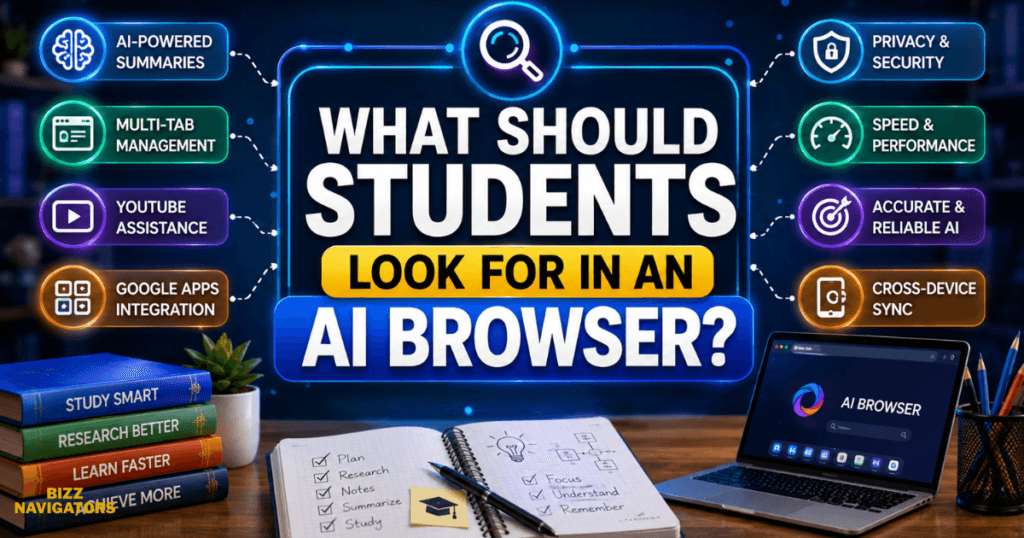
Look for these factors:
Research and Source Handling
A useful student browser should help you locate, summarize, compare, and understand information without hiding where that information came from.
Always check sources before using AI-generated claims in academic work.
Multi-Tab Intelligence
Students frequently research with multiple tabs open.
An AI browser that understands several tabs can save time by comparing articles, identifying repeated information, and connecting related concepts.
Study Assistance
Features such as explanations, quizzes, flashcards, study guides, and personalized learning can turn passive reading into active learning.
Google’s recent Gemini education updates are a good example of this direction.
Compatibility
A browser is only useful if it works properly on your device.
Check whether you use Windows, macOS, ChromeOS, Android, or iOS before choosing an AI-first browser.
Privacy and Security
This point is easy to overlook.
AI browsers can potentially process information from webpages, browsing activity, or connected services. Students should understand what data a browser can access and review its privacy controls before enabling advanced features.
AI browsers also aren’t immune to security problems. Recent research has demonstrated that prompt-injection attacks can create risks for AI systems that interact with webpages or perform actions on a user’s behalf. (WIRED)
For academic accounts, avoid giving an AI browser unnecessary access to sensitive university information.
How Students Can Use AI Browsers Without Cheating
AI browsers can support learning without replacing the student’s own thinking.
A good workflow is:
1. Read the source yourself.
2. Ask the AI to explain difficult concepts.
3. Compare multiple credible sources.
4. Create your own notes.
5. Use AI-generated quizzes for practice.
6. Verify important facts.
7. Write your final assignment in your own words.
8. Follow your school’s AI-use policy.
For example, instead of asking an AI browser to write an entire essay, ask it to explain the historical context, identify opposing arguments, or quiz you on the subject.
That turns AI into a learning assistant rather than a shortcut.
Best AI Browser for Students: Final Verdict
Chrome with Gemini is the best AI browser for students overall because it offers the strongest combination of familiarity, compatibility, research assistance, multi-tab intelligence, Google integrations, and growing education features.
However, students with different needs may prefer another option.
Best overall: Chrome + Gemini
Best for research: Perplexity Comet
Best for focused studying: Dia
Best for Windows users: Microsoft Edge + Copilot
Best for structured AI learning: Gemini
The bigger trend is clear: browsers are evolving from simple webpage viewers into AI-assisted workspaces.
For students, that can mean faster research, better organization, personalized explanations, and more effective revision—as long as AI remains a tool for learning rather than a replacement for it.
Frequently Asked Questions
Which browser is best for students?
Chrome with Gemini is the best overall choice for most students because it combines broad compatibility with AI-powered summaries, multi-tab assistance, Google integrations, and useful research features. (blog.google)
Which is the best AI-based browser?
There is no universal winner. Chrome with Gemini is strongest for general student use, while Perplexity Comet is particularly attractive for research and Dia stands out for focused study workflows.
Which OpenAI is best for students?
If you mean OpenAI, ChatGPT is a strong general-purpose AI option for explanations, brainstorming, writing support, coding, and learning. However, an AI chatbot and an AI browser are not the same thing.
Is an AI browser useful for studying?
Yes. AI browsers can summarize difficult material, explain concepts, compare sources, create study resources, and help students navigate large amounts of information. They are most effective when students verify information and remain actively involved in the learning process.
Can AI browsers replace normal browsers?
Not completely for every student. Traditional browsers remain excellent for compatibility and straightforward web access, while AI browsers add contextual assistance and automation. For many students, the best setup is a familiar browser with reliable AI features rather than choosing an AI browser solely because it has more automation.

At BizzNavigators, we answer the questions you’re actually searching for, honestly and clearly. We check our facts before we publish anything, and if we’re not sure about something, we tell you instead of guessing. Whatever you’re looking for- a tech fix, a business tip, or a simple how-to- we want to give you an answer you can trust.