
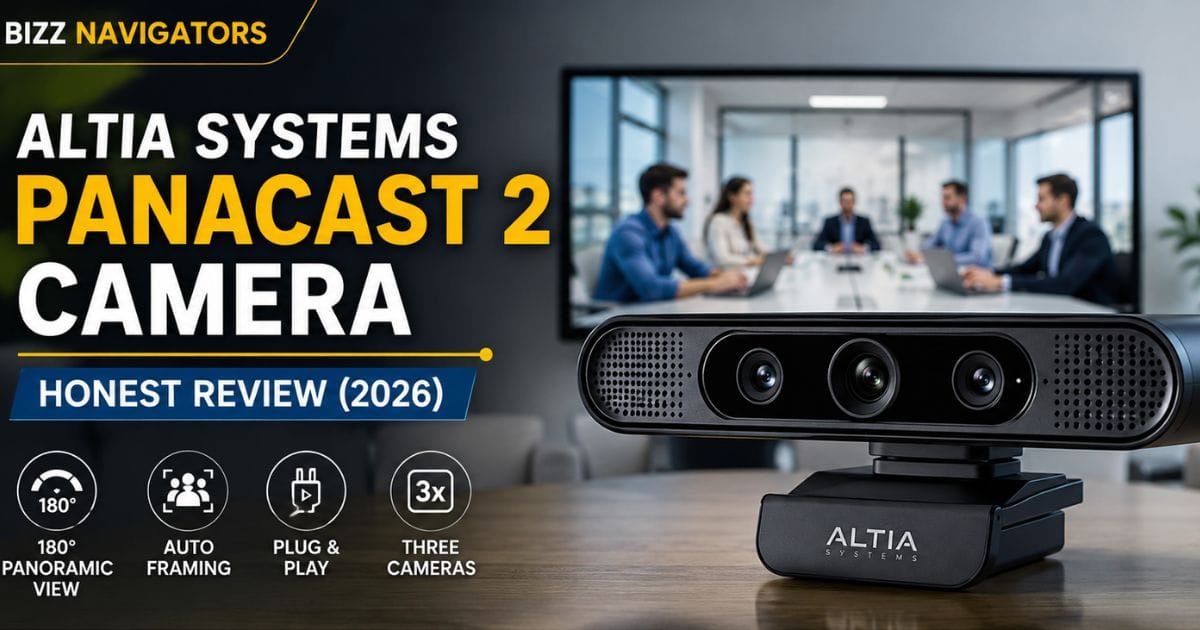
What Is the Altia Systems PanaCast 2 Camera?
The Altia Systems PanaCast 2 camera is designed for businesses that want every participant clearly visible during virtual meetings. Using a unique triple-camera system and a 180-degree panoramic field of view, the Altia Systems PanaCast 2 camera delivers a seamless wide-angle image that traditional webcams simply cannot match.
Originally developed by Altia Systems and now part of Jabra’s conferencing portfolio, it remains a trusted choice for hybrid workspaces thanks to its reliable performance, plug-and-play USB connectivity, and broad compatibility with platforms like Microsoft Teams, Zoom, and Cisco Webex.
If you’re wondering whether the Altia Systems PanaCast 2 camera is still worth buying in 2026, this review covers its features, real-world performance, pros, limitations, and buying considerations to help you make an informed decision.
Why Is the Altia Systems PanaCast 2 Camera Different From Standard Conference Cameras?
Many conference cameras promise a wide view, but they still struggle to include everyone sitting around a table. Most single-lens cameras either crop participants or create noticeable image distortion at the edges.
The Altia Systems PanaCast 2 camera takes a different approach.
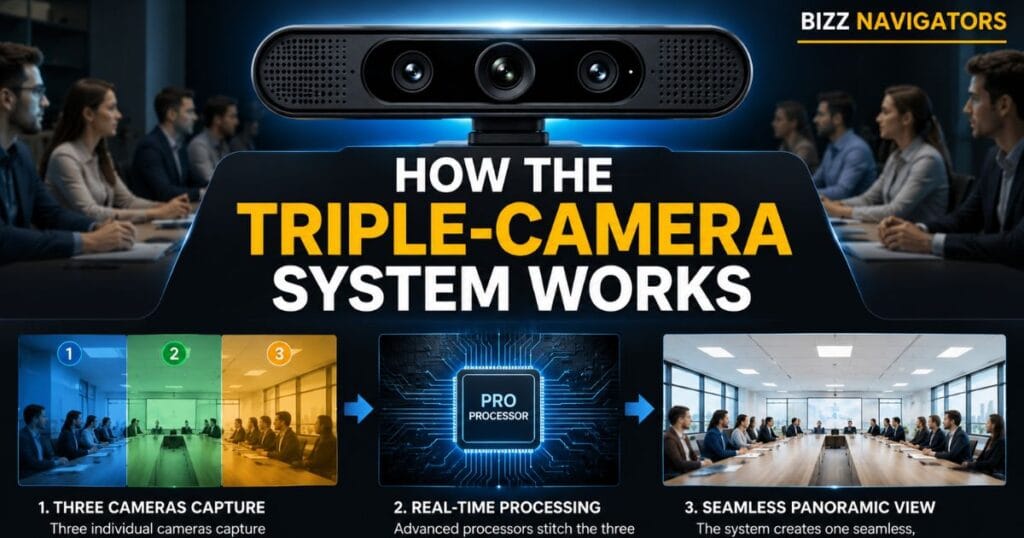
Instead of stretching one image, it uses three independent cameras that capture different sections of the room simultaneously. Dedicated onboard processors then stitch these images together in real time, producing a natural panoramic view with minimal latency.
This approach offers several advantages:
Everyone remains visible during meetings.
No mechanical pan or tilt motors are required.
Image quality stays consistent across the frame.
Meetings feel more natural for remote participants.
For organizations running daily video conferences, these improvements can noticeably enhance collaboration.
At a Glance: Key Specifications
| Specification | Details |
| Product Type | Panoramic USB Conference Camera |
| Camera System | Triple-camera array |
| Maximum Resolution | 3840 × 1080 |
| Horizontal Field of View | 180° |
| Vertical Field of View | Approximately 54° |
| Connectivity | USB 3.0 and USB 2.0 |
| Digital Controls | Electronic Pan, Tilt & Zoom (ePTZ) |
| AI Features | Intelligent auto framing and people detection |
| Operating Systems | Windows and macOS |
| Ideal Room Size | Small to medium meeting rooms |
| Supported Platforms | Microsoft Teams, Zoom, Cisco Webex, Google Meet, Skype and others |
These specifications position the camera as a professional collaboration solution rather than a standard office webcam.
How the Triple-Camera System Works
One of the most innovative aspects of the Altia Systems PanaCast 2 camera is its imaging architecture.
Unlike conventional conference cameras that rely on one sensor, this device combines three cameras placed side by side. Each camera captures part of the room from a slightly different angle.
Powerful onboard processors then merge these individual video streams into one panoramic image in real time.
The benefits include:
Wider Coverage
The system captures an entire meeting table without requiring users to reposition furniture or adjust seating.
Better Image Quality
Because each camera handles a smaller viewing area, image sharpness remains more consistent than with extremely wide fisheye lenses.
Faster Meetings
There is no need to rotate or reposition the camera every time someone joins the discussion.
Core Features That Matter in Real Business Meetings
1. True 180-Degree Panoramic View
The biggest selling point is its ability to capture an entire room.
This makes the camera especially useful for:
Executive meetings
Team collaboration sessions
Training rooms
Client presentations
Hybrid work environments
Remote attendees can clearly see every participant instead of only the person sitting directly in front of the camera.
2. Intelligent Video Stitching
Many panoramic cameras struggle with visible stitching lines.
The Altia Systems PanaCast 2 camera minimizes this issue by using dedicated image processors that combine footage almost instantly.
The result is a smooth panoramic image that feels like it was captured by one large camera.
3. Automatic Participant Framing
People rarely stay in one position during meetings.
The camera continuously analyzes the room and adjusts framing automatically so that participants remain centered without manual intervention.
This feature improves the viewing experience for remote attendees while reducing distractions during presentations.
4. Digital Pan, Tilt and Zoom
Electronic PTZ controls allow meeting hosts to focus on specific areas without physically moving the hardware.
Unlike motorized cameras, electronic adjustments are faster and quieter because there are no moving mechanical parts.
5. Plug-and-Play USB Deployment
IT teams appreciate hardware that works immediately.
The Altia Systems PanaCast 2 camera connects through a standard USB interface, allowing most computers to recognize it automatically.
This reduces deployment time and simplifies installation across multiple meeting rooms.
Video Quality: What Can You Expect?
Image quality often determines whether remote meetings feel professional or frustrating.
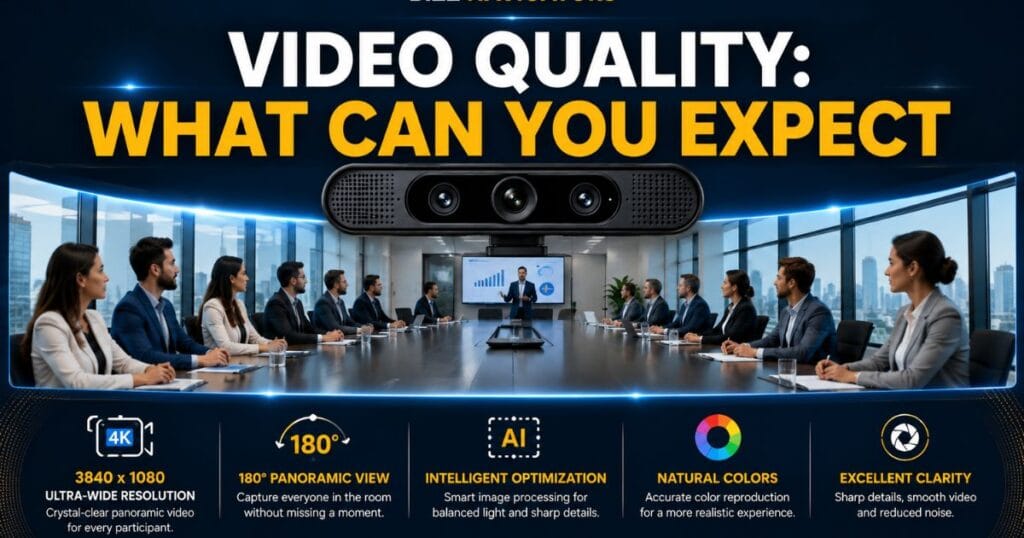
The Altia Systems PanaCast 2 camera delivers detailed panoramic video at a maximum resolution of 3840 × 1080, providing significantly more horizontal coverage than conventional Full HD webcams.
In practical business environments, users can expect:
Sharp participant details
Balanced color reproduction
Stable exposure
Smooth panoramic transitions
Minimal image distortion near the edges
While newer enterprise cameras now offer higher resolutions and AI enhancements, the PanaCast 2 still provides image quality that meets the needs of many modern conference rooms.
Real-World Performance: Where the Camera Performs Best
Not every meeting room has the same requirements.
The Altia Systems PanaCast 2 camera performs particularly well in spaces where participants sit close together around a conference table.
It is especially suitable for:
Small huddle rooms with 3–6 people
Medium conference rooms with 6–10 participants
Interview rooms
Boardrooms
Customer briefing centers
Training environments
Its panoramic design reduces the need for additional cameras in many small and medium-sized meeting spaces.
Practical Tip: If your meeting room is unusually deep rather than wide, camera placement becomes more important than the field of view. Mounting the camera at eye level directly below or above the display typically delivers the most balanced perspective for both in-room and remote participants.
Who Should Consider Buying the Altia Systems PanaCast 2 Camera?
This camera is best suited for organizations that prioritize collaboration over consumer-grade webcam features.
It is an excellent fit for:
Businesses running daily hybrid meetings
Corporate offices upgrading conference rooms
Educational institutions delivering remote classes
Healthcare providers conducting virtual consultations
Government agencies
Legal firms hosting client meetings
Financial institutions requiring professional video communication
For home users or solo professionals, a standard 4K webcam may offer better value. However, when multiple people need to appear naturally in the same frame, the Altia Systems PanaCast 2 camera remains a strong enterprise-focused solution.
Information Gain: What Most Reviews Don’t Tell You
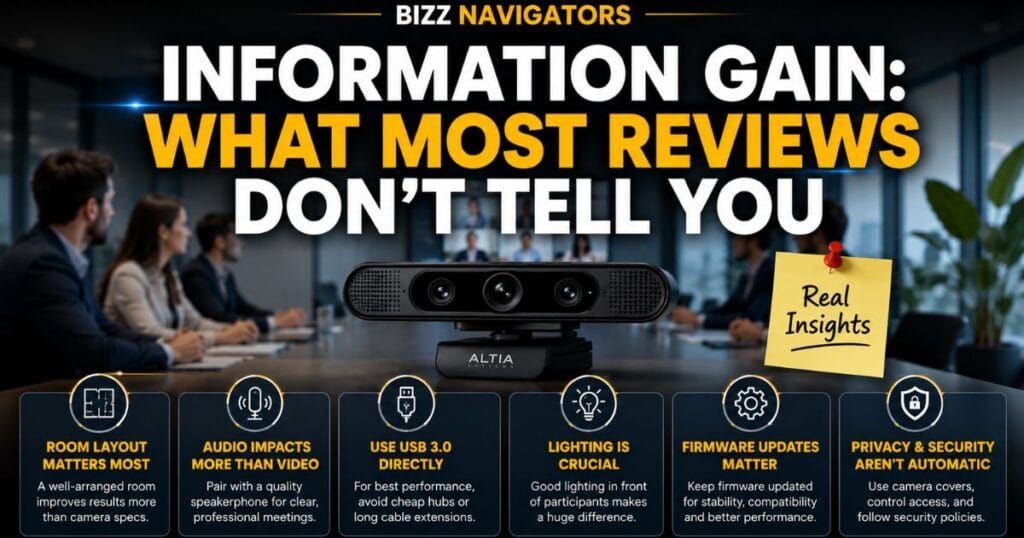
Many reviews focus only on the camera’s panoramic view, but long-term deployment depends on several practical factors that buyers often overlook:
Room layout matters more than room size. A narrow room can benefit more from a 180° camera than a large but deep room.
The camera performs best when paired with a dedicated speakerphone. High-quality audio has as much impact on meeting quality as video.
USB bandwidth can affect performance. Connecting directly to a USB 3.0 port is generally preferable to using low-quality USB hubs, especially in enterprise environments.
Lighting remains important. Even advanced image processing cannot fully compensate for poorly lit meeting rooms.
Firmware maintenance should not be ignored. Keeping device firmware current helps maintain compatibility with evolving collaboration platforms and can improve stability over time.
These practical considerations are often missing from basic product overviews but can significantly influence the overall meeting experience.
Performance Analysis: How the Altia Systems PanaCast 2 Camera Performs in Daily Use
Specifications only tell part of the story. The real value of the Altia Systems PanaCast 2 camera becomes clear during everyday meetings where multiple participants, changing lighting conditions, and different conferencing platforms all come into play.
Image Sharpness
The camera produces clear, detailed video across most of its panoramic frame. Text on whiteboards, facial expressions, and presentation materials remain easy to recognize in properly lit rooms.
Unlike many ultra-wide cameras, sharpness remains relatively consistent from the center toward the edges.
Color Reproduction
Colors appear natural rather than overly saturated. This helps maintain a professional appearance during client meetings and executive presentations.
Natural color accuracy is particularly useful for industries where visual detail matters, such as healthcare consultations, architecture reviews, and design discussions.
Low-Light Performance
The camera performs best in well-lit meeting rooms.
While automatic exposure helps brighten darker environments, adding proper LED room lighting significantly improves image quality and reduces digital noise.
Practical Tip: Instead of placing bright lights directly behind participants, position soft lighting in front of the meeting table. This produces clearer video without overexposing the background.
AI and Intelligent Meeting Features
The Altia Systems PanaCast 2 camera was introduced before today’s AI-powered meeting features became common, yet it still includes intelligent technologies that improve collaboration.
Automatic Framing
The camera continuously adjusts its digital framing so participants remain visible throughout the meeting.
This creates a more engaging experience for remote attendees without requiring manual camera control.
People Detection
Built-in people detection helps identify participant presence inside the meeting room.
Organizations can use these capabilities alongside compatible collaboration software to improve meeting management and room utilization.
Digital Pan, Tilt, and Zoom
Rather than relying on mechanical motors, electronic controls allow smooth adjustments without generating noise or requiring moving parts.
This design also reduces maintenance compared to motorized PTZ cameras.
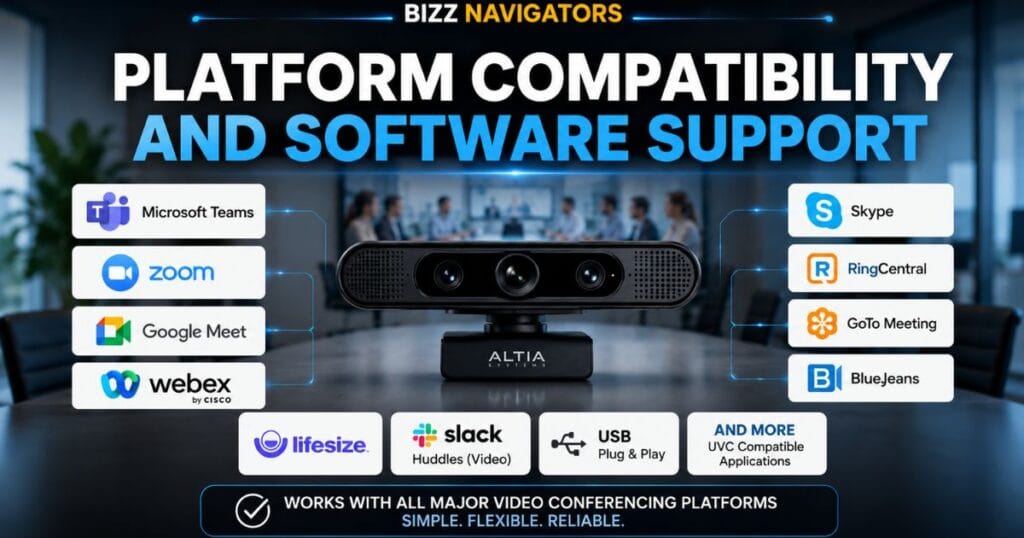
Platform Compatibility and Software Support
One of the biggest strengths of the Altia Systems PanaCast 2 camera is its broad compatibility.
Because it functions as a standard USB camera, it works with most leading video conferencing platforms.
Microsoft Teams
The camera integrates well with Teams, making it suitable for organizations using Microsoft 365 collaboration tools.
Zoom
Zoom automatically recognizes the camera, allowing users to select it without installing complicated drivers.
Google Meet
Google Meet users can take advantage of the panoramic field of view directly through supported web browsers.
Cisco Webex
Webex supports the camera as a standard USB video device, making deployment straightforward in enterprise environments.
Other Supported Platforms
The camera also works with:
Skype
RingCentral
GoTo Meeting
BlueJeans
Lifesize
Slack Huddles (video)
Most applications supporting USB Video Class (UVC)
This flexibility allows organizations to switch conferencing platforms without replacing their hardware.
Step-by-Step Installation Guide
One reason businesses continue using the Altia Systems PanaCast 2 camera is its simple installation process.
Step 1: Choose the Right Mounting Position
Install the camera:
Above the display
Below the display
At eye level whenever possible
Correct placement creates more natural eye contact for remote participants.
Step 2: Connect Through USB
Use a direct USB connection instead of inexpensive hubs whenever possible.
USB 3.0 provides better bandwidth for high-resolution video.
Step 3: Select the Camera
Open your conferencing software.
Choose Altia Systems PanaCast 2 as the active video device.
Step 4: Test the Camera
Before important meetings:
Verify framing
Check lighting
Confirm microphone selection
Review speaker settings
A two-minute test often prevents technical issues during live meetings.
Meeting Room Setup Recommendations
The camera performs differently depending on room layout.
| Room Type | Recommendation |
| 2–4 People | Excellent coverage |
| 4–6 People | Ideal deployment |
| 6–10 People | Very good with proper placement |
| Large Boardrooms | Consider multiple cameras or a newer enterprise solution |
| Auditoriums | Not recommended as a standalone camera |
The panoramic design is optimized for width rather than extreme viewing distance.
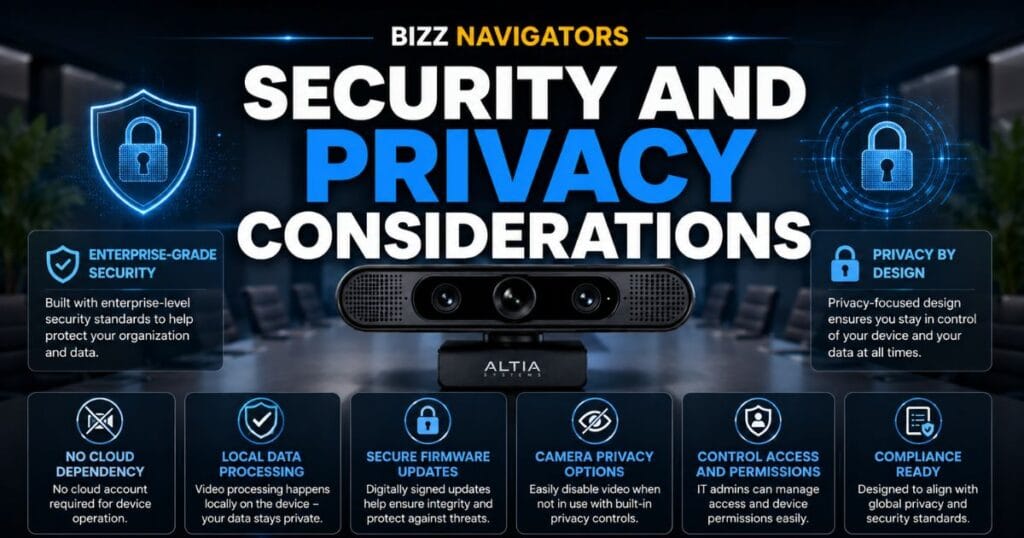
Security and Privacy Considerations
Many buyers focus only on video quality, but enterprise organizations also evaluate security.
The Altia Systems PanaCast 2 camera offers several advantages.
USB-Based Architecture
Because processing occurs locally through connected hardware, organizations maintain greater control over meeting data than cloud-dependent camera systems.
Firmware Updates
Regular firmware updates improve:
Device stability
Software compatibility
Performance optimization
Security enhancements
IT administrators should periodically review firmware availability as part of routine device maintenance.
Meeting Privacy
For organizations handling confidential discussions, consider:
Physically covering the camera when not in use.
Restricting USB access on shared workstations.
Keeping conferencing software updated.
Following internal security policies for video meetings.
Comparison: Altia Systems PanaCast 2 Camera vs Modern Enterprise Cameras
Choosing the right conference camera depends on budget, room size, and collaboration needs.
| Feature | Altia Systems PanaCast 2 | Logitech MeetUp | Poly Studio | Owl Labs Meeting Owl |
| Field of View | 180° | 120° | 120° | 360° |
| Camera Design | Triple Camera | Single Lens | Single Lens | 360° Camera |
| Auto Framing | Yes | Yes | Yes | Yes |
| Best For | Small & Medium Rooms | Small Rooms | Medium Rooms | Collaborative Spaces |
| USB Plug-and-Play | Yes | Yes | Yes | Yes |
| Panoramic Coverage | Excellent | Good | Good | Different Viewing Style |
Each solution serves a different meeting environment.
Organizations prioritizing panoramic room coverage often prefer the Altia Systems PanaCast 2 camera, while businesses requiring 360-degree participant tracking may find the Meeting Owl better suited to their workflow.
Is It Better Than a Standard 4K Webcam?
Many buyers compare conference cameras with consumer webcams.
Although both connect through USB, they serve different purposes.
| Feature | PanaCast 2 | Standard 4K Webcam |
| Multiple Participants | Excellent | Limited |
| Conference Room Coverage | Excellent | Poor |
| Auto Framing | Yes | Depends on model |
| Professional Meeting Use | Enterprise-grade | Personal use |
| Panoramic View | Yes | No |
| Meeting Table Visibility | Full | Partial |
For individual video calls, a premium webcam may be sufficient.
For meeting rooms, the Altia Systems PanaCast 2 camera provides significantly better participant coverage.
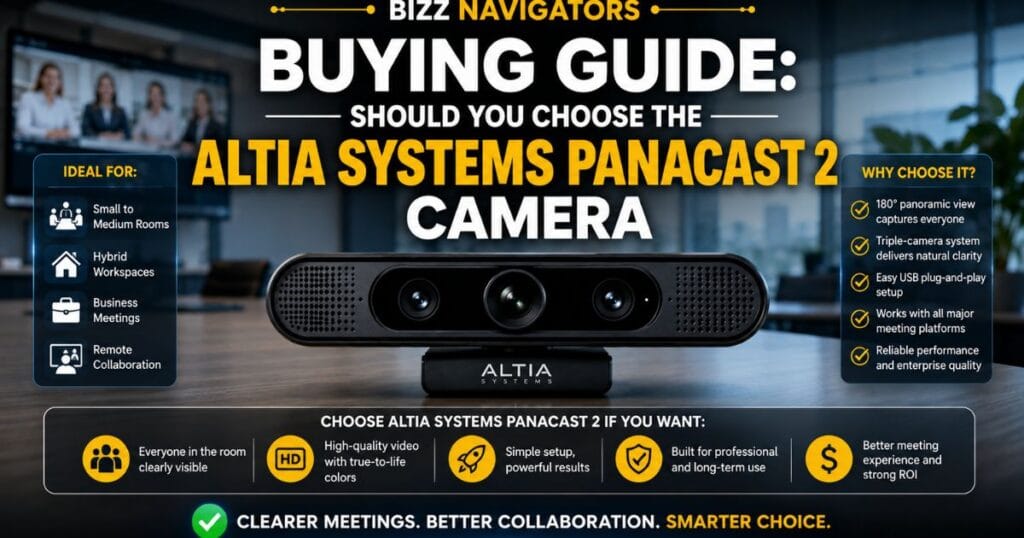
Buying Guide: Should You Choose the Altia Systems PanaCast 2 Camera?
Before purchasing, consider these factors.
Buy It If You:
Frequently host hybrid meetings.
Need to capture everyone around the table.
Use Microsoft Teams or Zoom daily.
Want quick USB deployment.
Prefer enterprise-grade hardware.
Consider Alternatives If You:
Primarily work alone.
Need integrated premium audio.
Require AI speaker tracking.
Manage very large conference rooms.
Need 360-degree room coverage.
Selecting the right camera depends on your meeting environment rather than simply choosing the newest model.
Common Buying Mistakes to Avoid
Many organizations purchase conference hardware without evaluating their actual meeting space.
Avoid these common mistakes:
Choosing resolution over field of view.
Ignoring room dimensions.
Using poor lighting.
Mounting the camera too high.
Relying on laptop microphones instead of dedicated conference audio.
Connecting through unreliable USB hubs.
Skipping firmware updates after installation.
Correcting these issues often improves meeting quality more than upgrading to a more expensive camera.
Maintenance Tips for Long-Term Performance
Professional conference equipment performs best with routine maintenance.
To keep the Altia Systems PanaCast 2 camera operating reliably:
Clean the lens using a microfiber cloth.
Keep ventilation areas free from dust.
Install firmware updates when available.
Check USB cable condition periodically.
Re-test camera framing after changing room layouts.
Store the camera in a clean, dry environment if not permanently installed.
Preventive maintenance reduces downtime and extends hardware lifespan.
Troubleshooting Common Problems
Camera Not Appearing
Reconnect the USB cable.
Restart the conferencing application.
Confirm the correct camera is selected.
Poor Video Quality
Improve room lighting.
Clean the camera lens.
Use a USB 3.0 connection.
Participants Are Outside the Frame
Reposition the camera closer to the center of the display.
Adjust seating rather than relying solely on digital zoom.
Software Doesn’t Detect the Camera
Update your conferencing application.
Check operating system permissions.
Install the latest firmware if available.
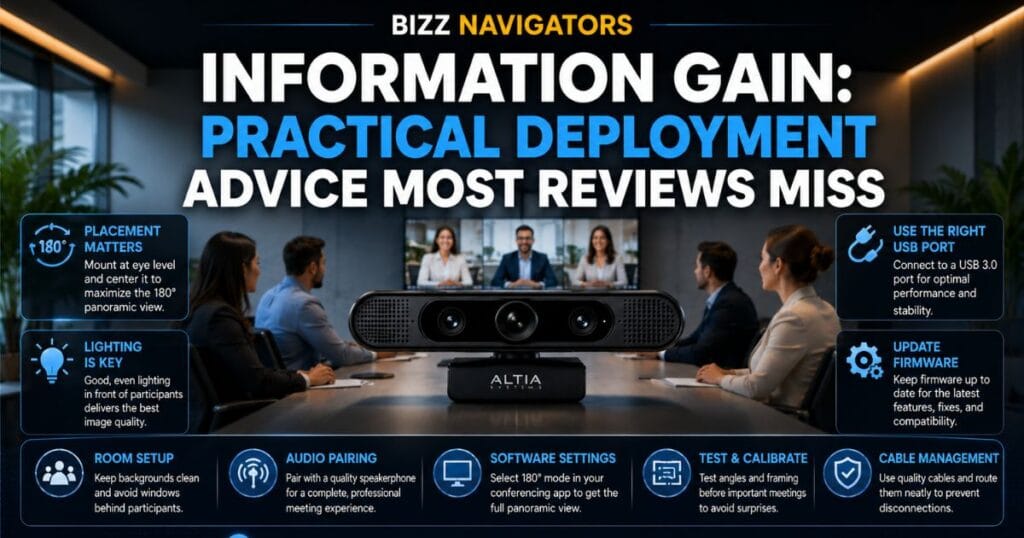
Information Gain: Practical Deployment Advice Most Reviews Miss
Many reviews stop after listing specifications, but successful deployment depends on how the camera fits into your meeting environment.
Consider these practical points:
Don’t judge performance using a personal desk setup. The camera is designed for shared meeting spaces, not single-user desks.
Audio matters as much as video. Pairing the camera with a quality conference speakerphone often delivers a bigger improvement than upgrading video resolution alone.
Cable planning is frequently overlooked. In permanently installed rooms, using the correct cable length and secure routing helps avoid accidental disconnects and keeps the setup professional.
Room acoustics influence meeting quality. Echoes from hard surfaces can reduce overall communication quality even if the video looks excellent. Adding soft furnishings or acoustic panels can make a noticeable difference.
Best Alternatives to the Altia Systems PanaCast 2 Camera
While the Altia Systems PanaCast 2 camera remains a capable solution for panoramic meetings, it isn’t the best fit for every organization. Your choice should depend on room size, collaboration style, and budget rather than specifications alone.
| Camera | Best For | Key Advantage | Potential Drawback |
| Altia Systems PanaCast 2 | Small & medium meeting rooms | True 180° panoramic coverage | Older hardware platform |
| Jabra PanaCast | Hybrid workplaces | Improved software ecosystem | Higher price |
| Logitech MeetUp | Small conference rooms | Integrated speaker and microphone | Narrower field of view |
| Poly Studio | Executive meeting rooms | Excellent audio quality | Covers a smaller area |
| Owl Labs Meeting Owl | Collaborative classrooms | 360° participant tracking | Different viewing experience |
Recommendation: If your primary goal is capturing everyone seated around a meeting table, the Altia Systems PanaCast 2 camera remains a practical choice. However, if you require advanced AI speaker tracking, integrated premium audio, or cloud management tools, newer enterprise models may better suit your needs.
Is the Altia Systems PanaCast 2 Camera Still Worth Buying in 2026?
Yes, but only if it matches your requirements.
Technology has evolved, and newer conference cameras now include AI-powered speaker tracking, automatic meeting summaries, and cloud-based device management. Despite these advancements, the Altia Systems PanaCast 2 camera still delivers strong value because its core strength, a wide panoramic view, remains highly relevant.
It is still worth considering if you:
Already use dedicated conference speakerphones.
Need reliable panoramic room coverage.
Want simple USB deployment.
Manage small or medium meeting rooms.
Prefer proven enterprise hardware over unnecessary AI features.
If your organization frequently hosts large executive meetings or requires advanced meeting analytics, investing in a newer enterprise collaboration system may provide better long-term value.
Return on Investment (ROI): Is It a Smart Business Purchase?
Conference hardware should improve productivity rather than simply add another device to the meeting room.
The Altia Systems PanaCast 2 camera can provide measurable value by:
Reducing time spent adjusting cameras.
Helping remote employees stay engaged.
Improving communication with clients.
Supporting hybrid work without expensive room redesigns.
Extending the usable life of existing conference rooms.
Organizations conducting dozens of video meetings each week often recover their investment through improved collaboration and fewer meeting interruptions.
Best Accessories to Pair With the Camera
A conference camera performs best as part of a complete meeting room setup.
Consider adding:
Conference Speakerphone
Professional audio usually has a greater impact on meeting quality than higher video resolution.
External Display
Larger displays make remote participants easier to see during collaborative discussions.
Adjustable TV or Monitor Mount
Correct camera positioning improves eye contact and creates a more natural viewing angle.
USB Cable Management
Proper cable routing reduces accidental disconnects and keeps meeting rooms organized.
UPS or Surge Protection
Power protection helps safeguard conference equipment in offices where electrical interruptions are common.
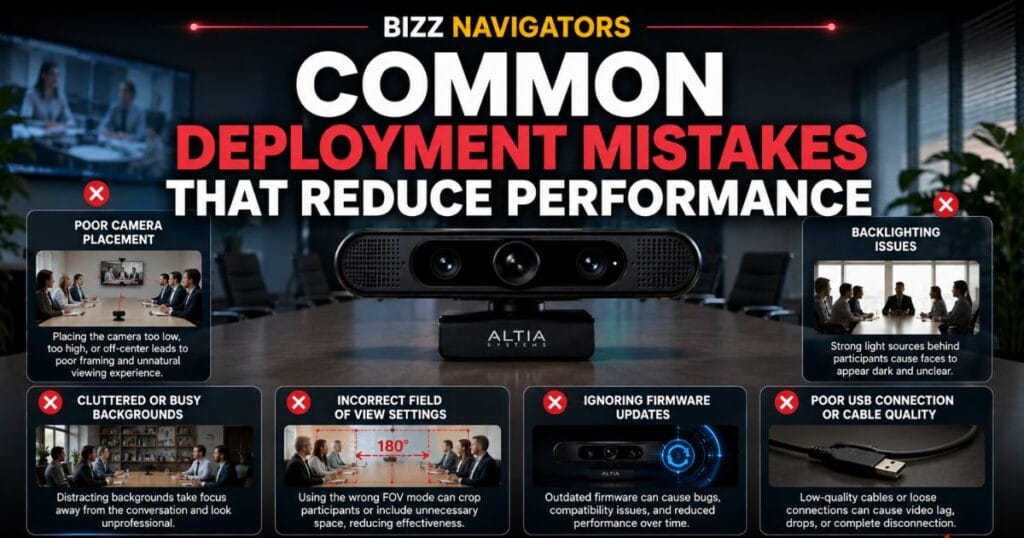
Common Deployment Mistakes That Reduce Performance
Many organizations blame the camera when the real issue lies in the meeting room setup.
Avoid these common mistakes:
Installing the Camera Too High
A camera mounted far above the display creates unnatural viewing angles and weak eye contact.
Ignoring Lighting Conditions
Bright windows behind participants can reduce image quality, even with automatic exposure adjustments.
Using Laptop Audio
The camera delivers professional video, but conference rooms benefit significantly from dedicated microphones and speakers.
Skipping Firmware Updates
Outdated firmware may affect compatibility with evolving conferencing platforms and operating systems.
Choosing the Wrong Room
A panoramic camera is designed for wide rooms. Long, narrow rooms may require a different type of conference solution.
Future Relevance: How Long Will This Camera Remain Useful?
Enterprise conferencing technology continues to evolve, but panoramic imaging remains one of the most valuable features for hybrid collaboration.
Although newer products offer additional AI capabilities, the Altia Systems PanaCast 2 camera continues to satisfy the needs of many organizations because:
USB remains a universal standard.
Major conferencing platforms still support UVC devices.
Hybrid work continues to increase demand for panoramic meeting coverage.
Wide-angle collaboration remains more important than resolution alone for many business meetings.
For businesses focused on reliable conferencing rather than the latest AI features, the camera can continue serving effectively for years.
Key Takeaways
The Altia Systems PanaCast 2 camera uses a unique triple-camera system to create a seamless 180-degree panoramic view.
It is designed primarily for small and medium conference rooms.
Plug-and-play USB connectivity simplifies deployment.
Automatic framing improves the experience for remote participants.
Proper lighting and quality conference audio significantly enhance overall performance.
The camera remains a practical option for organizations prioritizing panoramic collaboration over cutting-edge AI features.
Before purchasing, evaluate your room layout, audio equipment, and conferencing platform rather than focusing only on resolution.
Frequently Asked Questions (FAQs)
1. What is the Altia Systems PanaCast 2 camera mainly used for?
It is designed for professional video conferencing in business meeting rooms, hybrid workplaces, and collaborative office environments.
2. Does the camera support Microsoft Teams?
Yes. It works with Microsoft Teams and other major collaboration platforms that support standard USB video devices.
3. Is Zoom compatible with the PanaCast 2?
Yes. Zoom recognizes the camera as a standard USB conference camera.
4. Does it record true 4K video?
The camera delivers a maximum panoramic resolution of 3840 × 1080, which differs from standard 4K UHD (3840 × 2160).
5. Can it replace a traditional webcam?
For group meetings, yes. For individual desktop use, a dedicated personal webcam may be a more cost-effective choice.
6. Does the camera include built-in microphones?
Some deployments use the camera alongside dedicated conference audio solutions. Check the exact hardware configuration before purchasing, especially if integrated audio is important for your setup.
7. What operating systems are supported?
The camera supports Windows and macOS through standard USB connectivity.
8. Does it require special drivers?
Most users can connect it as a plug-and-play USB camera, though optional software may provide additional management features.
9. Is USB 3.0 required?
USB 3.0 is recommended for optimal video performance, although some functions may work over USB 2.0 depending on your setup.
10. What room size is ideal?
It performs best in small and medium meeting rooms where participants sit around a conference table.
11. Can the camera automatically follow speakers?
It provides intelligent framing and participant detection, but it is not designed as a dedicated AI speaker-tracking camera.
12. How often should firmware be updated?
Review firmware updates periodically, especially after major operating system or conferencing platform updates.
13. Is the camera suitable for classrooms?
Yes. It works well in classrooms and training rooms where a wide viewing angle helps include multiple participants.
14. What makes this camera different from standard webcams?
Its triple-camera panoramic system captures an entire meeting room instead of only the person sitting directly in front of the lens.
15. Is the Altia Systems PanaCast 2 camera still a good investment in 2026?
For businesses needing reliable panoramic conferencing, it remains a capable option. Organizations seeking advanced AI collaboration features may prefer newer enterprise solutions.
Final Verdict
The Altia Systems PanaCast 2 camera continues to stand out for one reason: it solves a real meeting-room problem by ensuring everyone stays in the frame. Its 180-degree panoramic coverage, simple USB deployment, and compatibility with major conferencing platforms make it a dependable choice for organizations running regular hybrid meetings.
While newer enterprise cameras introduce AI-driven enhancements, the PanaCast 2 still offers a balanced combination of image quality, reliability, and ease of use. If your priority is creating a more inclusive meeting experience without adding unnecessary complexity, it remains a worthwhile solution for small and medium-sized conference rooms.

At BizzNavigators, we answer the questions you’re actually searching for, honestly and clearly. We check our facts before we publish anything, and if we’re not sure about something, we tell you instead of guessing. Whatever you’re looking for- a tech fix, a business tip, or a simple how-to- we want to give you an answer you can trust.