
What Are ChatGPT Connectors?
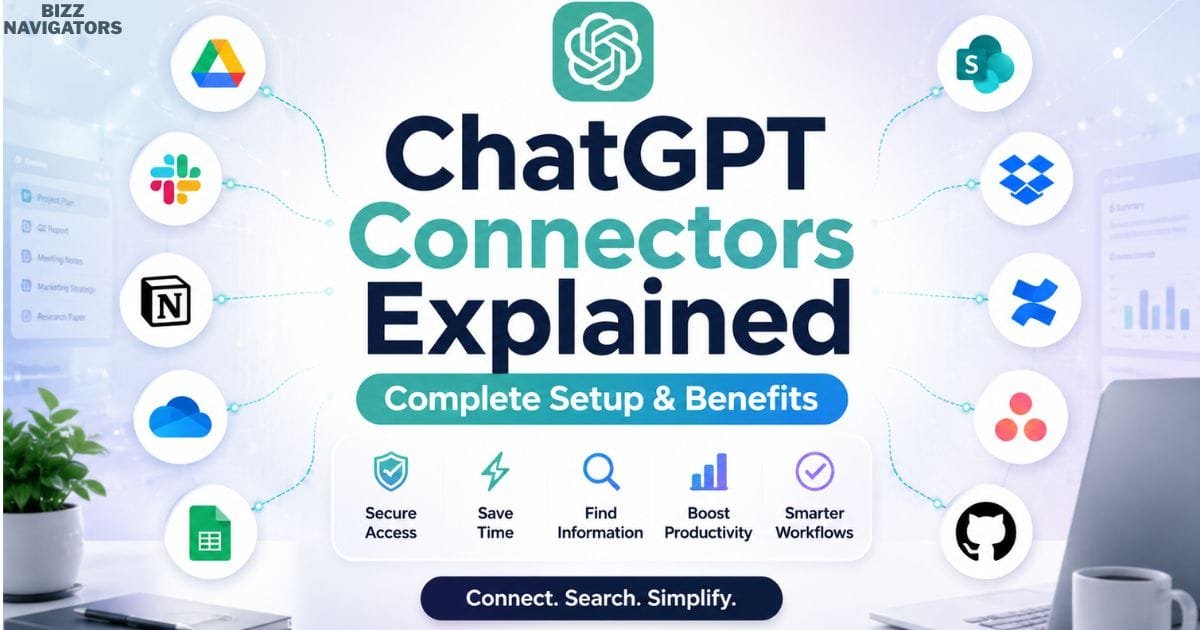
If you’re searching for ChatGPT connectors explained, you’re likely wondering what they are, how they work, and whether they’re worth using. ChatGPT connectors are secure integrations that let ChatGPT access approved third-party apps and services, helping you retrieve information faster without manually uploading files or switching between platforms.
Whether you’re a student, developer, marketer, or business professional, ChatGPT connectors can simplify research, improve productivity, and streamline everyday workflows while respecting your existing permissions.
This guide explains everything you need to know about ChatGPT connectors, including their setup, benefits, security, limitations, real-world use cases, and how they compare with other AI integration methods.
Understanding ChatGPT Connectors
A ChatGPT connector acts as a secure bridge between ChatGPT and an external service. Once connected, it allows ChatGPT to retrieve relevant information from authorized apps without permanently copying your files or bypassing existing access permissions.
Think of connectors as intelligent data bridges.
Instead of repeatedly uploading documents, connectors allow ChatGPT to access approved information whenever it’s needed. The information always remains in its original service, while ChatGPT retrieves only the context required to answer your question.
This approach makes working with large collections of documents, project files, meeting notes, and research materials much more efficient.
For individuals, connectors reduce repetitive work.
For organizations, they improve knowledge discovery and team collaboration without requiring employees to manually search across multiple systems.
How Do ChatGPT Connectors Work?
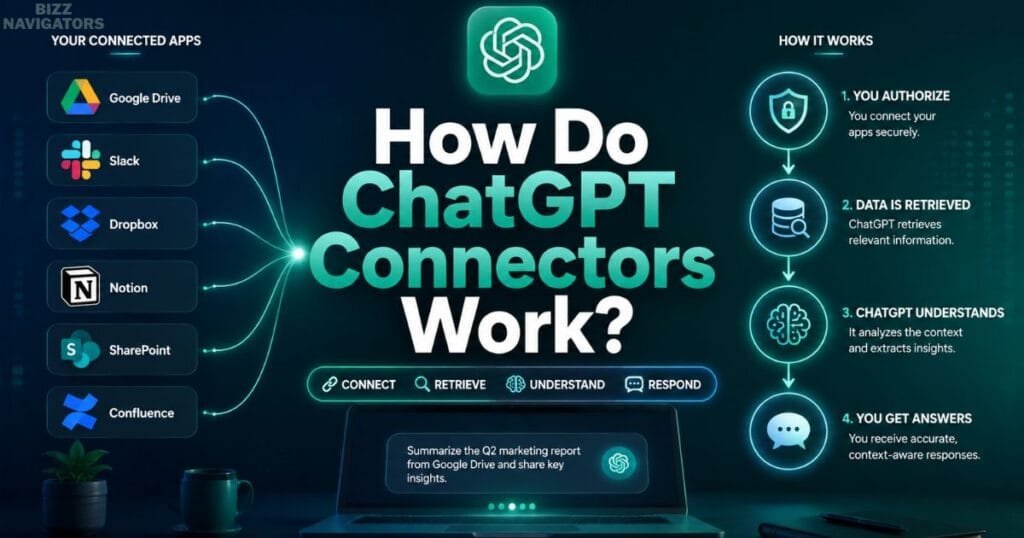
ChatGPT connectors work by authenticating your account with a supported service, retrieving relevant information based on your permissions, and using that information as context to generate accurate responses. They only access data you’ve authorized and can view.
The process usually follows these steps:
1. Connect a supported application.
2. Authenticate your account.
3. Grant the requested permissions.
4. Ask ChatGPT a question.
5. The connector searches the connected source.
6. ChatGPT analyzes the retrieved information.
7. A natural-language response is generated.
Unlike traditional searches, connectors allow ChatGPT to understand the context of your request instead of simply returning matching documents.
Why Were ChatGPT Connectors Introduced?
ChatGPT connectors were introduced to help users access information stored across multiple digital services without constantly switching between applications or manually uploading files.
Modern workplaces rely on dozens of digital tools.
Important information is often scattered across:
Cloud storage
Documentation platforms
Project management software
Team collaboration tools
Knowledge bases
Business applications
Finding the right information can consume a significant portion of the workday.
Connectors address this challenge by allowing ChatGPT to retrieve relevant information directly from authorized services, enabling users to spend less time searching and more time completing meaningful work.
ChatGPT Connectors vs Manual File Uploads
ChatGPT connectors provide ongoing access to approved data sources, while manual uploads only allow ChatGPT to analyze files that you upload during a conversation. Connectors are better for continuous workflows, whereas uploads are ideal for one-time tasks.
Although both methods help ChatGPT understand your information, they serve different purposes.
| Feature | ChatGPT Connectors | Manual File Uploads |
| Continuous access | ✅ Yes | ❌ No |
| Requires repeated uploads | ❌ No | ✅ Yes |
| Searches connected services | ✅ Yes | ❌ No |
| Works across multiple documents | ✅ Yes | Limited |
| Best for ongoing work | ✅ Excellent | Moderate |
If you frequently work with cloud-based documents or shared workspaces, connectors offer a much more efficient experience than repeatedly uploading files.
Key Benefits of ChatGPT Connectors
ChatGPT connectors improve productivity by reducing manual searches, minimizing context switching, and enabling faster access to information stored across connected services.
Beyond convenience, connectors help users work more efficiently by bringing scattered information into a single AI-powered conversation.
Save Valuable Time
Instead of opening several applications, users can ask ChatGPT to retrieve the required information directly.
Even small time savings accumulate into significant productivity gains over weeks and months.
Reduce Context Switching
Jumping between browser tabs, folders, and applications interrupts focus.
Connectors centralize information, allowing users to stay within one conversation while completing complex tasks.
Improve Research Quality
Researchers and analysts often work with large collections of documents.
Connectors make it easier to compare information, summarize lengthy reports, and identify relevant insights.
Better Team Collaboration
Teams spend less time searching for shared documentation and more time discussing decisions.
This improves collaboration across departments.
Smarter Decision-Making
Quick access to organized information enables faster, more informed decisions based on accurate context rather than incomplete memory.
Common Use Cases for ChatGPT Connectors
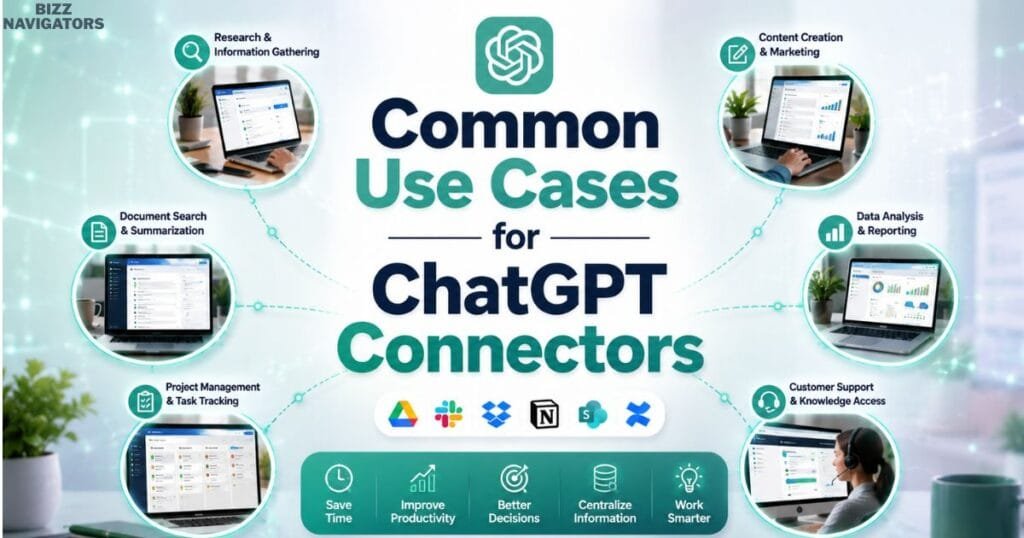
ChatGPT connectors are useful for professionals, students, researchers, developers, marketers, and organizations that regularly work with information stored across multiple digital platforms.
Below are some practical examples.
Business Professionals
Business teams can retrieve project documentation, summarize meeting notes, review reports, and locate internal knowledge without manually browsing multiple systems.
Example:
A sales manager asks ChatGPT to summarize the latest client proposal stored in a connected document repository before an important meeting.
Students and Educators
Students can organize lecture notes, compare research materials, summarize academic papers, and prepare assignments more efficiently.
Educators can quickly locate teaching resources and course documentation from connected storage services.
Researchers
Researchers frequently manage hundreds of reports across different locations.
Connectors reduce the time required to locate sources, compare findings, and summarize lengthy publications.
Content Creators and Marketing Teams
Content creators can collect research, organize references, summarize competitor documentation, and maintain consistent writing workflows.
Example:
A content strategist asks ChatGPT to compare multiple content briefs stored in connected folders before planning a new article.
Software Developers
Developers often work across technical documentation, repositories, project tracking systems, and internal knowledge bases.
Connectors simplify the process of finding documentation and reviewing project information.
Example:
A developer searches connected technical documentation to understand how a recently updated API works without manually browsing multiple documentation pages.
Types of Services ChatGPT Connectors Can Work With
ChatGPT connectors typically support cloud storage, productivity suites, collaboration platforms, knowledge management systems, project management software, and development tools, although availability depends on your ChatGPT plan and supported integrations.
Rather than being limited to a single type of application, connectors are designed to work across a wide range of business and productivity services.
Common categories include:
Cloud Storage Platforms
These services store documents, spreadsheets, presentations, PDFs, images, and shared folders.
Examples include cloud drives used by individuals and organizations for file management.
Productivity Suites
Documents, spreadsheets, presentations, note-taking applications, and planning tools often contain an organization’s most valuable information.
Connectors make these resources easier to search using natural language.
Collaboration Platforms
Organizations rely on collaboration software for communication, project discussions, and shared documentation.
Connectors help retrieve relevant conversations and shared resources where supported.
Knowledge Management Systems
Internal company documentation often grows into thousands of pages.
Instead of manually searching those pages, connectors enable conversational knowledge retrieval.
Development Platforms
Technical teams can retrieve documentation, development resources, project details, and other approved technical information more efficiently through supported development-related integrations.
How to Enable ChatGPT Connectors
To enable ChatGPT connectors, sign in to your ChatGPT account, open the available connectors or integrations section, choose a supported service, authorize the required permissions, and begin asking questions about the connected information.
Although the exact interface may change as OpenAI introduces new features, the setup process generally follows these steps.
Step 1: Sign In to ChatGPT
Log in to the ChatGPT account where connector support is available.
Step 2: Open the Connectors Section
Navigate to your account or workspace settings and locate the available connector options.
Step 3: Choose a Supported Service
Select the application you want to connect, such as a cloud storage service, collaboration platform, or productivity tool.
Step 4: Authenticate Your Account
Sign in to the selected service and carefully review the permissions being requested before approving access.
Step 5: Start Asking Questions
After the connection is established, you can ask ChatGPT to search, summarize, compare, or analyze information stored in that authorized service.
For example:
Summarize my latest meeting notes.
Find the onboarding documentation.
Compare two project proposals.
Identify action items from recent reports.
Using clear and specific prompts generally produces the most accurate results.
Currently Available ChatGPT Connectors
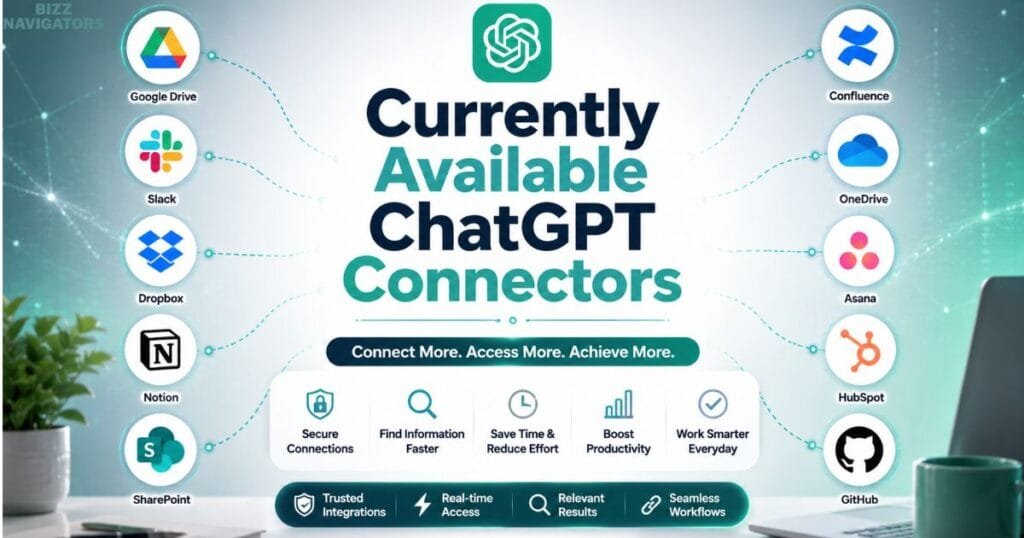
ChatGPT connectors support a growing range of third-party services that allow ChatGPT to retrieve information from your connected accounts. The exact connectors available depend on your ChatGPT plan, organization, region, and the latest feature rollout from OpenAI.
Depending on availability, connector categories may include:
| Connector Category | Purpose | Typical Users |
| Cloud Storage | Access documents and files | Individuals & Businesses |
| Productivity Suites | Search documents, spreadsheets, and presentations | Teams |
| Collaboration Platforms | Find conversations and shared resources | Organizations |
| Knowledge Bases | Retrieve internal documentation | Enterprises |
| Project Management Tools | Access tasks, timelines, and project details | Project Managers |
| Development Platforms | Search technical documentation and repositories | Developers |
For example, a marketing team may retrieve campaign documents from cloud storage, while a software engineer can locate technical documentation without manually searching multiple systems.
Because OpenAI regularly expands connector support, new integrations may become available over time.
ChatGPT Connectors vs Plugins vs Custom GPTs vs APIs vs MCP
ChatGPT connectors retrieve information from connected services, while plugins, Custom GPTs, APIs, and MCP serve different purposes such as extending functionality, building AI applications, or creating advanced integrations. Understanding these differences helps you choose the right solution for your workflow.
Although these technologies are related, they are designed for different users and use cases.
| Feature | Connectors | Plugins | Custom GPTs | APIs | MCP |
| Retrieve external data | ✅ | ✅ | Limited | Depends | ✅ |
| Build custom workflows | Limited | Moderate | High | Excellent | Excellent |
| Requires coding | No | Usually No | No | Yes | Usually Yes |
| Best for everyday users | ✅ | ✅ | ✅ | ❌ | ❌ |
| Enterprise automation | Moderate | Moderate | Moderate | Excellent | Excellent |
When Should You Use Connectors?
Choose connectors if you want ChatGPT to securely search information from apps you already use.
When Are APIs Better?
APIs are better suited for developers building custom software, AI-powered websites, mobile applications, or business automation systems.
What Is MCP?
Model Context Protocol (MCP) is an open standard that helps AI models communicate with external tools and data sources in a consistent way. Unlike connectors, which are designed for end users, MCP primarily targets developers creating advanced AI workflows.
Choosing the right option depends on whether your goal is personal productivity, team collaboration, or custom application development.
Are ChatGPT Connectors Secure?
Yes. ChatGPT Connectors are designed with authentication, permission-based access, and user-controlled authorization. They generally respect the same permissions that already exist within your connected services, helping prevent unauthorized access to protected information.
Security is one of the most important considerations when connecting external applications.
Instead of granting unrestricted access, connectors operate within the permissions already assigned to your account.
Important security features include:
Secure authentication
Permission-based access
User-controlled connections
Organization-level administration
Ability to disconnect services
Existing file permissions remain in effect
For example, if you cannot access a document inside your organization, a connector generally cannot retrieve it on your behalf.
This permission-first approach helps organizations maintain security while benefiting from AI-powered productivity.
Privacy Best Practices
Using connectors responsibly means connecting only trusted services, reviewing permissions regularly, and avoiding unnecessary access to sensitive information. Good privacy practices help protect both personal and organizational data.
Before connecting any service, consider the following recommendations:
Connect only accounts you actively use.
Read permission requests carefully.
Disconnect unused services.
Keep confidential information protected.
Follow your organization’s security policies.
Review connected applications periodically.
Businesses working with regulated or confidential information should also consult their IT or security teams before enabling new AI integrations.
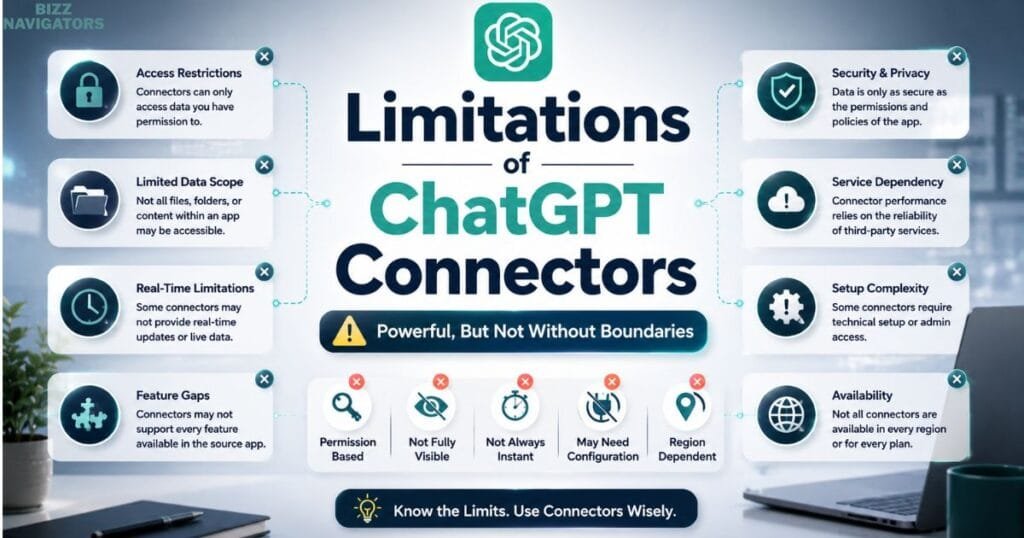
Limitations of ChatGPT Connectors
Although ChatGPT connectors improve productivity, they are limited by account permissions, supported integrations, internet connectivity, and feature availability. Understanding these limitations helps users avoid unrealistic expectations.
Some common limitations include:
Connector Availability
Not every third-party service currently supports ChatGPT connectors.
Subscription Requirements
Certain connectors may require eligible ChatGPT plans or organizational accounts.
Permission Restrictions
A connector cannot retrieve information you don’t already have permission to access.
Internet Dependency
Most connectors require an internet connection to communicate with external services.
Dynamic Content
If documents change after retrieval, future responses may also change because the source information has been updated.
Knowing these limitations makes troubleshooting much easier.
Common Problems and How to Fix Them
Most connector issues are caused by authentication problems, missing permissions, disconnected accounts, or incorrect search requests. In many cases, reconnecting the service or refining your prompt resolves the problem.
Problem: ChatGPT Cannot Find a Document
Possible reasons include:
Incorrect search query
Missing permissions
Deleted document
Moved file
Disconnected connector
Solution: Verify that the document still exists, confirm your access permissions, and use a more specific prompt.
Problem: Authentication Failed
Your login session may have expired.
Solution: Reconnect the affected service and complete authentication again.
Problem: Information Appears Outdated
Sometimes the connected platform hasn’t synchronized recent updates.
Solution: Wait for synchronization or retry your request after confirming the latest document has been saved.
Problem: Access Denied
This usually means your account doesn’t have permission to view the requested resource.
Solution: Request access from the document owner or your system administrator.
Common Mistakes to Avoid
Many users reduce the effectiveness of ChatGPT connectors by granting excessive permissions, asking vague questions, or connecting poorly organized data sources. Avoiding these mistakes leads to better AI responses.
Some of the most common mistakes include:
Connecting accounts you no longer use.
Granting broader permissions than necessary.
Asking very general prompts.
Ignoring permission-related warnings.
Keeping documents poorly organized.
Expecting connectors to replace human verification.
Expert Tips for Getting Better Results
The best way to improve ChatGPT connector results is to organize your documents, use precise prompts, review permissions regularly, and verify important AI-generated information before making decisions.
Experienced users often follow these practices:
Organize files into meaningful folders.
Use descriptive document names.
Ask one clear question at a time.
Remove outdated connectors.
Verify important business or legal information.
Keep project documentation updated.
A well-organized workspace allows ChatGPT to retrieve more relevant context and generate higher-quality responses.
Myth vs Reality
Many misconceptions about ChatGPT connectors stem from confusion between AI access and permanent data storage. In reality, connectors generally retrieve authorized information when needed rather than copying everything into ChatGPT.
| Myth | Reality |
| Connectors permanently store all my files. | They generally retrieve authorized information instead of permanently copying everything. |
| ChatGPT can access every document automatically. | Access depends on your existing permissions. |
| Connectors replace cloud storage. | They complement cloud storage rather than replacing it. |
| Every ChatGPT account includes all connectors. | Availability varies by plan and feature rollout. |
| AI responses never need verification. | Important information should always be reviewed before acting on it. |

Who Should Use ChatGPT Connectors?
ChatGPT connectors are ideal for anyone who regularly works across multiple digital platforms and wants faster access to information without manually searching through different applications.
They are especially valuable for:
Business professionals
Project managers
Researchers
Students
Marketing teams
Software developers
Customer support representatives
Consultants
HR teams
Enterprise organizations
If your daily workflow involves switching between multiple apps to locate information, connectors can significantly improve efficiency.
The Future of ChatGPT Connectors
ChatGPT connectors are expected to become more powerful as AI assistants evolve, with broader integration support, improved enterprise search, smarter workflow automation, and deeper collaboration across connected applications.
The future of AI is moving toward unified digital workspaces where information is no longer isolated inside individual apps.
Potential developments include:
Support for additional third-party services.
Smarter multi-source reasoning.
Faster enterprise search.
More granular permission controls.
Improved workflow automation.
Better collaboration across connected platforms.
Enhanced context retrieval for complex business tasks.
As AI adoption continues to grow, connectors are likely to become a standard productivity feature for individuals and organizations alike.
Key Takeaways
Key points to remember:
Connectors securely retrieve authorized information.
They save time by reducing manual searches.
Existing permissions remain in effect.
They differ from APIs, Custom GPTs, plugins, and MCP.
Clear prompts produce better results.
Reviewing permissions regularly improves both security and privacy.
Connectors work best as part of an organized digital workflow rather than as a replacement for good information management.
Frequently Asked Questions
What are ChatGPT connectors?
ChatGPT connectors are secure integrations that allow ChatGPT to retrieve information from approved external services after you authorize access.
How do ChatGPT connectors work?
They authenticate with supported services, retrieve relevant information based on your permissions, and use that context to generate accurate AI responses.
Are ChatGPT connectors free?
Availability depends on your ChatGPT subscription, organization, and the specific connector being used.
Can ChatGPT connectors access all my files?
No. Connectors can only access information that your account is already authorized to view.
Are ChatGPT connectors secure?
Yes. They use authentication and permission-based access controls, although users should still follow good security and privacy practices.
What is the difference between connectors and APIs?
Connectors help end users access external information through ChatGPT, while APIs are intended for developers building custom AI-powered applications.
Can I disconnect a connector?
Yes. Connected services can generally be removed at any time, preventing future access.
Do connectors replace manual file uploads?
No. They complement manual uploads by providing ongoing access to supported external services.
Do ChatGPT connectors work offline?
No. Most connectors require an active internet connection to communicate with external applications.
Are ChatGPT connectors worth using?
Yes, especially if you regularly work with cloud documents, collaboration tools, or business platforms and want a faster, more organized way to retrieve information through ChatGPT.

At BizzNavigators, we answer the questions you’re actually searching for, honestly and clearly. We check our facts before we publish anything, and if we’re not sure about something, we tell you instead of guessing. Whatever you’re looking for- a tech fix, a business tip, or a simple how-to- we want to give you an answer you can trust.
1 thought on “ChatGPT Connectors Explained: Complete Setup & Benefits”