
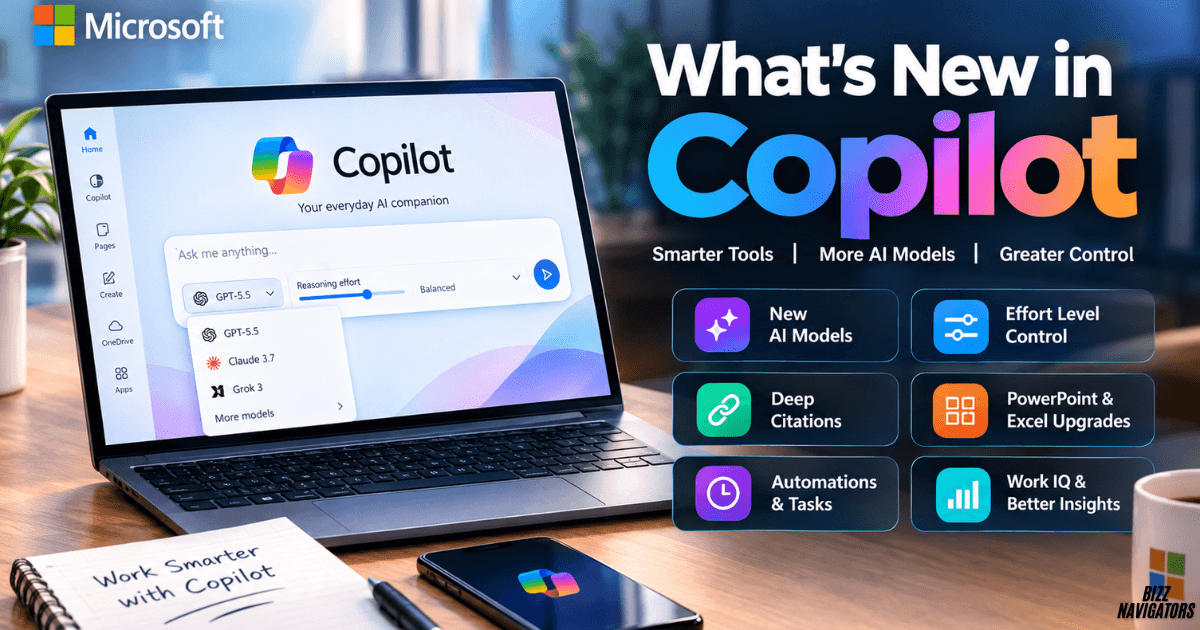
What’s New in Copilot?
If you are searching for what’s new in Copilot, Microsoft has been making major changes to its Copilot experience in 2026. The biggest updates include a more unified Microsoft Copilot app, better model selection, adjustable reasoning effort, new automation and task controls, stronger citations, and more capable AI features across Microsoft 365.
Some of the newest controls are especially visible in Copilot Cowork, Microsoft’s agentic workspace for completing larger tasks. Microsoft has also expanded model choice, including OpenAI and Anthropic options, while adding more AI-powered capabilities to Word, Excel, PowerPoint, and other Microsoft 365 apps.
Microsoft Copilot Has a More Unified Experience
Microsoft is simplifying how users access Copilot across personal and work environments.
The Microsoft 365 Copilot app is now called Microsoft Copilot, with a unified application experience across supported Windows and Mac deployments. Microsoft says the change is designed to simplify the experience while making work and personal accounts easier to distinguish.
This means users may notice a new app name, icon, and updated sign-in experience without losing the Copilot functionality they already use.
The web experience is also being consolidated around Microsoft’s Copilot environment.
New Model Picker Gives Users More Control
One of the most useful recent changes is the expanded model picker.
In Copilot Cowork, users can select a model for a task or allow Copilot to choose automatically. Microsoft documentation confirms that the model picker is part of the Cowork interface and is designed to help users select the model that fits the task.
Microsoft has continued expanding model choice in Microsoft 365 Copilot. Its roadmap lists newer OpenAI models and Anthropic models becoming available across different Copilot experiences, although availability can depend on the product, license, rollout stage, and organization settings.
This is important because Copilot is moving from a single-model experience toward a multi-model AI platform.
Copilot Adds an Effort Level Control
Copilot Cowork also provides an effort level control.
Microsoft describes this setting as a way to control how Cowork balances quality, speed, and cost. In practical terms, users can choose a lighter approach for simpler tasks and a higher effort level when a task needs deeper processing.
This gives users another control besides choosing an AI model.
For example, a quick information-gathering task may not require the same reasoning effort as a long research project involving several files, applications, and deliverables.
The feature is particularly relevant to agentic workflows because Cowork can continue working through multi-step tasks rather than simply returning a short chat response.
Automations and Tasks Are Easier to Manage
Another noticeable change is the separation of Tasks and Automations.
Microsoft’s current Cowork documentation says the Tasks area lets users revisit previous sessions and filter work by status. The Automations view is used for scheduled prompts and provides controls for editing, pausing, resuming, or deleting them.
This makes recurring AI work easier to manage.
Users can also create recurring prompts using natural language. For example, a user can ask Cowork to prepare a daily briefing at a particular time. Event-driven tasks can also respond to triggers such as incoming email or Teams activity, with approval controls built into the workflow.
The important distinction is simple:
- Tasks help you track work.
- Automations help you schedule recurring work.
- Cowork can handle multi-step work across supported tools.
Deep Citations Make Copilot Answers Easier to Verify
Copilot is also improving how it shows the source behind generated answers.
Microsoft’s release notes describe deep citations for connector-based results. Users can hover over an inline citation for a summary and select it to open a more detailed citation view showing information about the referenced entity and how the result was generated.
This matters because AI-generated answers are more useful when users can trace important information back to its source.
For business users, source visibility can be especially helpful when Copilot works with connected organizational information.
Instead of simply accepting an answer, users can inspect where relevant information came from.
Copilot Is Becoming More Agentic
A major theme behind the latest Copilot updates is the shift from answering questions to completing work.
Microsoft says Copilot’s agentic capabilities in Word, Excel, and PowerPoint can plan, execute, and refine multi-step work inside those applications. These capabilities allow Copilot to move beyond simple suggestions and help complete larger workflows.
Copilot Cowork takes this idea further.
It can work through tasks involving files, meetings, email, web activity, and other supported sources. Users can review the progress and outputs instead of manually completing every intermediate step. Microsoft also provides pause, resume, and cancel controls for Cowork tasks.
New AI Models Expand Copilot’s Capabilities
Model choice has become an important part of Microsoft’s Copilot strategy.
Microsoft’s 2026 roadmap shows continued expansion of OpenAI and Anthropic model availability across Microsoft 365 Copilot and Cowork. For example, the roadmap lists GPT-5.5 Instant and newer Claude models among the expanding model options.
Microsoft’s Copilot blog also reported the addition of newer models, including Grok, as part of its continued expansion of model choice.
However, users should not assume every model is available in every Copilot experience.
Availability can vary by product, account type, license, organization settings, geography, and rollout status.
PowerPoint Gets More AI-Powered Workflows
PowerPoint is another area receiving frequent Copilot improvements.
Microsoft’s recent Copilot updates include features for refining slide text, improving presentation workflows, and supporting collaboration. The August 2026 Copilot update also introduced features for assigning tasks and notifying stakeholders through PowerPoint comments.
Microsoft is also expanding presentation-focused AI capabilities through its broader Copilot roadmap.
The goal is to let users spend less time handling repetitive presentation work and more time deciding what the presentation should communicate.
Excel Gets Smarter AI Assistance
Copilot in Excel is also moving toward more active assistance.
Microsoft’s roadmap describes agentic capabilities that can help users perform multi-step work inside Microsoft 365 applications. Newer Excel capabilities also focus on practical workflows rather than only generating text.
This direction makes Copilot more useful for tasks involving data analysis, workbook editing, formulas, and structured business information.
For users working with large spreadsheets, the value comes from combining Copilot’s reasoning with the context already available inside the workbook.
Work IQ Adds More Business Context
Another important development is Work IQ, Microsoft’s workplace intelligence layer.
Microsoft describes Work IQ as an intelligence layer that helps Copilot understand work context across Microsoft 365 and organizational systems. Microsoft has also introduced a Work IQ API in public preview for developers building agents and applications that need access to work-related context.
This is significant because useful enterprise AI depends on more than a strong language model.
Copilot also needs relevant context about documents, people, meetings, applications, and business workflows.
Copilot’s Impact and Usage Reporting Is Expanding
Microsoft is also adding more visibility for organizations managing Copilot adoption.
Its roadmap includes expanded reporting and management capabilities across Microsoft 365. These tools help administrators understand how Copilot and related AI capabilities are being used across an organization.
For businesses, this can help connect Copilot adoption with actual usage rather than relying only on license counts.
The broader direction is toward measurable AI adoption, governance, and control.
What Do the New Copilot Features Mean for Users?
The latest changes show that Microsoft is moving Copilot in three connected directions.
First, Copilot is becoming more flexible. Users can access different models and, in Cowork, adjust the effort level for a task.
Second, Copilot is becoming more agentic. Instead of only answering a prompt, Cowork can work through multi-step tasks and maintain task progress.
Third, Copilot is becoming more connected to work context. Microsoft is expanding integrations, citations, Work IQ capabilities, and AI features inside Microsoft 365 applications.
What’s New in Copilot vs. Older Copilot Features?
| Area | Earlier Copilot experience | Newer direction |
| Branding | Separate Microsoft 365 and Copilot experiences | More unified Microsoft Copilot experience |
| Models | More limited model choice | Expanded OpenAI and Anthropic options |
| Reasoning | Less user control | Effort-level control in Cowork |
| Tasks | Mostly prompt-based interactions | Tasks, scheduled work, and automations |
| Citations | Basic source references | More detailed deep citation views |
| Productivity | AI suggestions and generation | More agentic multi-step workflows |
| Context | App and prompt context | Broader work context through Work IQ |
| PowerPoint | Content generation and editing | More collaboration and workflow automation |
| Excel | AI assistance | More agentic data and workbook workflows |
Are All New Copilot Features Available to Everyone?
No.
Copilot features do not necessarily launch for every user at the same time. Microsoft uses different release stages, including general availability, rolling releases, public preview, and its Frontier program. The Microsoft 365 roadmap also warns that release dates can change.
Your available features can therefore depend on your Microsoft account, license, application, organization policies, and rollout status.
What Is the Biggest Change in Copilot?
The biggest overall change is the move toward a more flexible and agentic Copilot experience.
Users now have more control over models and, in Cowork, reasoning effort. They can also manage tasks and automations while Copilot increasingly works across Microsoft 365 applications and connected business information.
In simple terms, Copilot is evolving from an AI assistant that mainly answers prompts into a system that can reason, use context, perform multi-step work, and help manage ongoing tasks.
Final Answer: What’s New in Copilot?
The latest Copilot updates include a unified Microsoft Copilot experience, expanded model selection, an effort-level control in Copilot Cowork, Tasks and Automations management, deeper citations, more agentic Word/Excel/PowerPoint capabilities, expanded Work IQ integration, and continued support for additional AI models.
The exact features you see will depend on your Copilot product, account, license, and rollout stage. For the most current availability information, Microsoft’s Microsoft 365 roadmap and Copilot release notes remain the best places to check.

At BizzNavigators, we answer the questions you’re actually searching for, honestly and clearly. We check our facts before we publish anything, and if we’re not sure about something, we tell you instead of guessing. Whatever you’re looking for- a tech fix, a business tip, or a simple how-to- we want to give you an answer you can trust.
1 thought on “What’s New in Copilot: Latest Features and Updates”