
Can ChatGPT Tasks run automatically? Yes, at a scheduled time, without you having to open ChatGPT and start the task manually. You can create one-time or recurring tasks, such as reminders, daily briefings, recurring research, and monitoring requests. ChatGPT can then execute the task according to its schedule and notify you when the result is ready. (OpenAI Help Center)
This makes ChatGPT Tasks different from a normal conversation. Instead of waiting for you to send another message, a scheduled task can proactively perform the requested work at the time or frequency you specify.
For example, you could ask ChatGPT to:
Give you a daily technology news briefing.
Remind you about an upcoming meeting.
Check for meaningful changes to a topic.
Prepare a recurring report.
Monitor information and notify you when something important changes.
The exact capabilities depend on the task, your account, connected apps, and the tools available to ChatGPT.
Can ChatGPT Do Automated Tasks?
Yes. ChatGPT can automate certain recurring or scheduled tasks through its Scheduled Tasks feature. You can tell ChatGPT what you want done and when you want it done, rather than manually repeating the same request.
Scheduled Tasks support both one-time and recurring work. You can also ask ChatGPT to monitor for changes and notify you when something meaningful happens.
This is useful when the task follows a predictable pattern. Instead of typing the same prompt every morning, you can create the task once and let ChatGPT handle the scheduled runs.
For example:
Manual approach:
Open ChatGPT every morning → enter your briefing prompt → wait for the response.
Automated approach:
Create a daily scheduled task → ChatGPT runs it automatically → receive the notification.
That small change can eliminate a surprising amount of repetitive work.
How Do ChatGPT Scheduled Tasks Work?
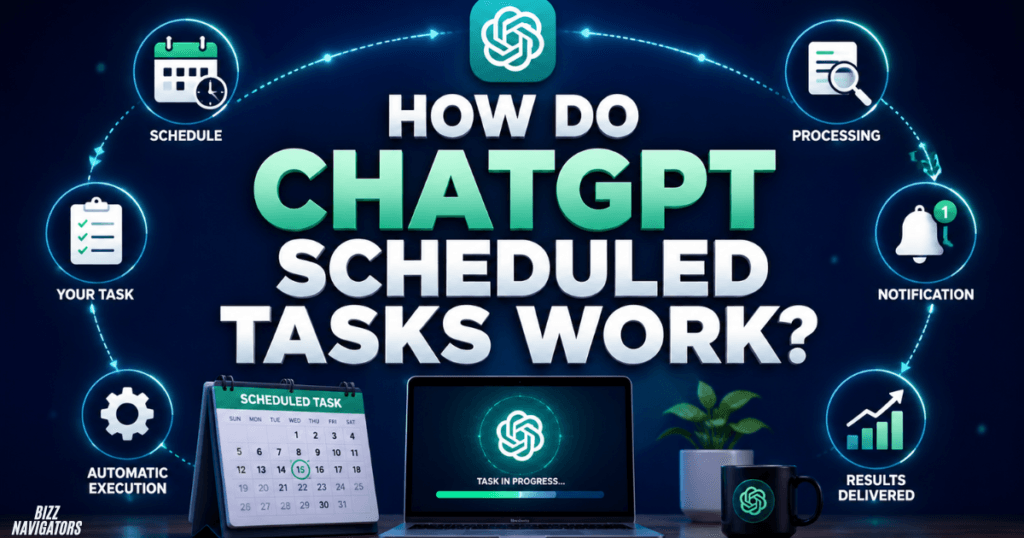
ChatGPT Scheduled Tasks work by attaching instructions to a future execution time or recurring schedule. Once the task is created, ChatGPT handles the scheduled run and can notify you when it completes or finds something worth reporting.
You do not need to keep the conversation open while waiting for the scheduled time.
A task can be created directly by asking ChatGPT to perform something at a particular time. You can also manage tasks through the Scheduled area in ChatGPT.
For example, a useful instruction could be:
“Every weekday at 8 AM, give me a concise summary of important technology news.”
The important part is being specific about what ChatGPT should do, when it should do it, and what the result should contain.
One-Time vs. Recurring Tasks
ChatGPT supports both types.
| Task type | How it works | Example |
| One-time | Runs once at the requested time | “Remind me tomorrow at 9 AM.” |
| Recurring | Runs repeatedly according to a schedule | “Send me a weekly SEO briefing every Monday.” |
| Monitoring | Checks for changes and reports meaningful updates | “Tell me when this information changes.” |
Monitoring tasks can periodically check for changes and notify you only when there is something worth reporting.
Can ChatGPT Run Scheduled Tasks Without Me Being Online?
Yes, scheduled tasks are designed to perform work proactively rather than requiring you to manually start each run. You can schedule the task and receive a notification after the task runs.
This is particularly useful for recurring information that you want delivered without remembering to request it yourself.
However, “automatic” does not mean unlimited or unrestricted automation. Tasks have usage limits and supported-feature restrictions, and some tasks may require additional permissions or user action.
For example, a task that relies on a connected application may depend on the permissions available to that app and your account.
OpenAI also notes that unattended tasks may automatically pause after a period of inactivity.
What Can ChatGPT Tasks Automate?
ChatGPT Tasks are best suited to scheduled, recurring, reminder, briefing, and monitoring workflows.
Common examples include:
Daily Information
You can schedule ChatGPT to provide a daily summary of a subject you regularly follow.
Examples include technology news, market updates, industry developments, or a morning briefing.
Reminders
Simple reminders are another natural use case.
For example:
“Remind me tomorrow at 10 AM to submit the report.”
The task can notify you when the scheduled time arrives.
Recurring Research
You can create recurring requests for information that changes over time.
For example:
“Every Friday, summarize the most important developments in AI from the past week.”
This removes the need to repeat the same research request manually.
Monitoring
Monitoring tasks can check for changes and notify you when something meaningful occurs. OpenAI says these tasks can search the web and check connected apps for changes when supported.
This makes monitoring more useful than a simple timer because the task can evaluate whether an update is worth reporting.
How Do I Automate My Tasks With ChatGPT?
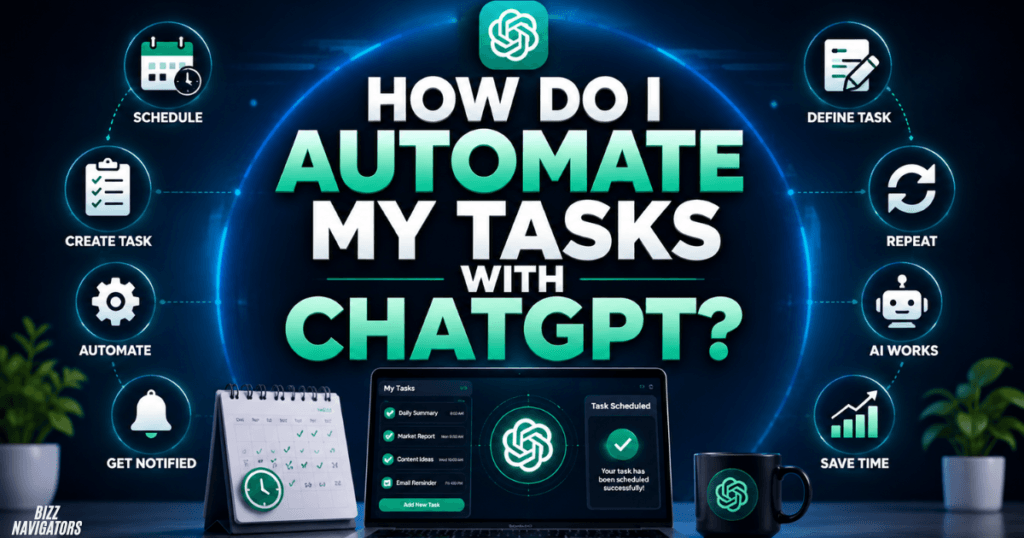
To automate a task, describe the work you want ChatGPT to perform and specify when or how frequently it should run. You can create tasks from ChatGPT or use the Scheduled section to create and manage them.
A practical process is:
1. Open ChatGPT.
2. Create a new scheduled task or ask ChatGPT to schedule one.
3. Describe exactly what you want ChatGPT to do.
4. Specify the date, time, or recurring schedule.
5. Review the task details.
6. Allow notifications when prompted.
7. Manage the task later from the Scheduled area.
OpenAI’s current interface provides a dedicated Scheduled page where users can view active tasks, see their next run, and pause, resume, edit, or delete tasks.
Write Better Task Instructions
The quality of an automated task depends heavily on the instructions.
Instead of:
“Send me news.”
Use:
“Every weekday at 8 AM, summarize five important technology developments from the previous 24 hours. Keep each item under 80 words and include the source.”
The second instruction gives ChatGPT a clear schedule, subject, quantity, format, and time frame.
That reduces ambiguity and makes the scheduled output more predictable.
How Often Can ChatGPT Tasks Run?
ChatGPT Tasks cannot run more than once per hour. Active-task limits also vary by plan. OpenAI currently lists limits ranging from three active tasks on Go to higher limits on other supported plans. Unattended tasks can also pause after inactivity.
This means Scheduled Tasks are not designed to function as an unrestricted automation engine that executes dozens of actions every few minutes.
They are better suited to meaningful scheduled work, recurring reports, reminders, briefings, and monitoring.
If you need highly frequent event-based automation, a dedicated automation platform or an appropriate API-based workflow may be a better fit.
Can ChatGPT Tasks Work With Gmail and Other Apps?
Yes, tasks can work with supported connected apps when those apps are available for your account or workspace. What ChatGPT can read or do depends on the permissions granted to the connected service.
For example, an organization might connect a supported service and create a task that checks relevant information on a recurring schedule.
However, connected-app access is not the same as giving ChatGPT unlimited control over your accounts. Permissions, workspace settings, and administrator controls can affect what a task is allowed to access or perform.
For Business and Enterprise environments, administrators may also control available apps and persistent permissions.
Are ChatGPT Tasks the Same as Full Automation?
No. ChatGPT Tasks automate scheduled work, but they are not identical to a traditional workflow automation platform.
A scheduled ChatGPT task is useful when the workflow primarily involves AI-generated analysis, information retrieval, reminders, recurring research, or monitoring.
Traditional automation platforms are generally better when you need a large chain of deterministic triggers and actions across many services.
For example:
| Requirement | ChatGPT Tasks | Traditional automation |
| Daily AI briefing | Excellent fit | Possible |
| Recurring reminder | Excellent fit | Possible |
| Monitoring for meaningful changes | Strong fit | Strong fit |
| AI-generated summaries | Strong fit | Often requires AI integration |
| Complex multi-app workflows | Limited by supported apps | Usually stronger |
| High-frequency event automation | Not ideal | Better suited |
| Human approval for important actions | Supported in relevant workflows | Depends on platform |
The key distinction is that ChatGPT Tasks are designed around proactive AI work, not simply moving data from one application to another.
What Are the Current Limits of ChatGPT Tasks?
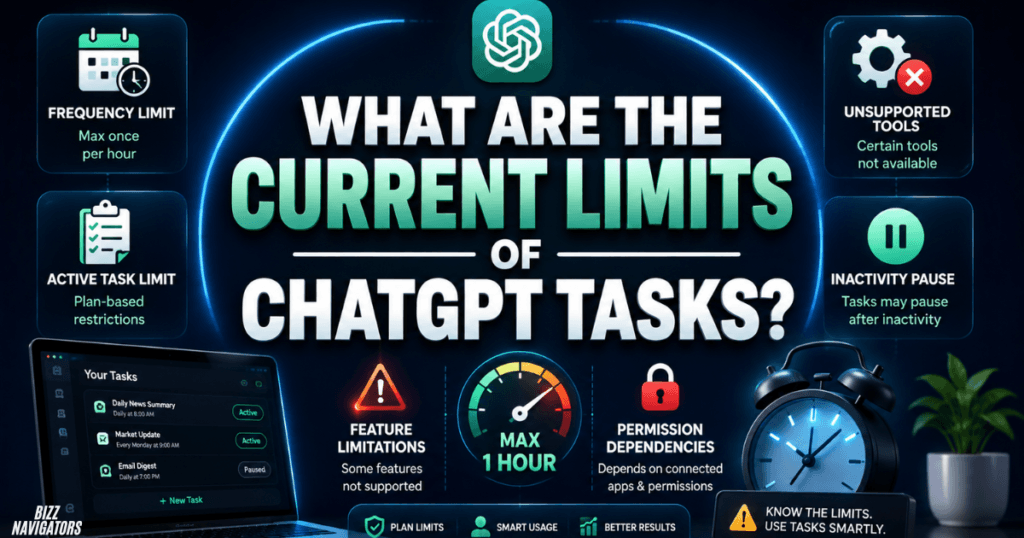
ChatGPT Tasks have several practical limitations. They cannot run more than once per hour; active-task limits depend on the plan, and some ChatGPT features and tools are not supported within Tasks.
Tasks may also pause automatically in certain situations. For example, deleting the chat associated with a task automatically pauses that task. You can review paused tasks and resume, edit, or delete them from the Scheduled area.
Connected apps introduce another layer of limitations because permissions determine what information ChatGPT can access and what actions it can take.
Therefore, before building an important workflow around Tasks, check whether the specific capability you need is supported.
ChatGPT Tasks vs. ChatGPT Work
ChatGPT now also includes Work for longer and more involved AI workflows. Work can research and analyze information, work with connected apps and files, create documents and other deliverables, and continue projects through scheduled tasks.
The distinction is useful:
ChatGPT Tasks: Best for scheduled reminders, recurring requests, briefings, and monitoring.
ChatGPT Work: Better suited to longer, more involved workflows and deliverables.
Codex automations: Focused on development-oriented workflows within Codex.
OpenAI specifically distinguishes Scheduled Tasks from Codex automations, with Scheduled Tasks aimed at proactive work such as reminders, recurring tasks, briefings, and monitoring.
Frequently Asked Questions
Can ChatGPT automatically do tasks every day?
Yes. You can create a recurring Scheduled Task that runs daily and produces the requested result without manually submitting the prompt each day.
Can ChatGPT run a task at a specific time?
Yes. You can schedule a task for a specific time, and current scheduling options also support broader windows such as morning, afternoon, or evening.
Can ChatGPT monitor something automatically?
Yes, when the monitoring capability is supported. ChatGPT can periodically check for changes and notify you when it finds something meaningful.
Do I need to keep ChatGPT open?
No. Scheduled Tasks are designed to run proactively, so you do not need to manually reopen the conversation and start the task at every scheduled time.
Can ChatGPT Tasks send notifications?
Yes. After creating a task, ChatGPT can request notification permission so you can receive task notifications on supported platforms.
Can I edit or pause an automated task?
Yes. You can open the task and edit, pause, resume, or delete it. The Scheduled page provides a central place to manage your active tasks.
Final Answer: Are ChatGPT Tasks Truly Automatic?
Yes, ChatGPT Tasks can run automatically, making them useful for reminders, recurring work, scheduled briefings, research, and supported monitoring. You create the task once, define when it should run, and ChatGPT handles subsequent scheduled executions.
The important limitation is that Tasks are scheduled AI automation, not an unlimited automation platform. Frequency limits, plan restrictions, supported tools, connected-app permissions, and occasional task pauses all matter.
For straightforward recurring AI work, however, ChatGPT Tasks can remove a lot of repetitive manual prompting and make ChatGPT considerably more proactive.

At BizzNavigators, we answer the questions you’re actually searching for, honestly and clearly. We check our facts before we publish anything, and if we’re not sure about something, we tell you instead of guessing. Whatever you’re looking for- a tech fix, a business tip, or a simple how-to- we want to give you an answer you can trust.