
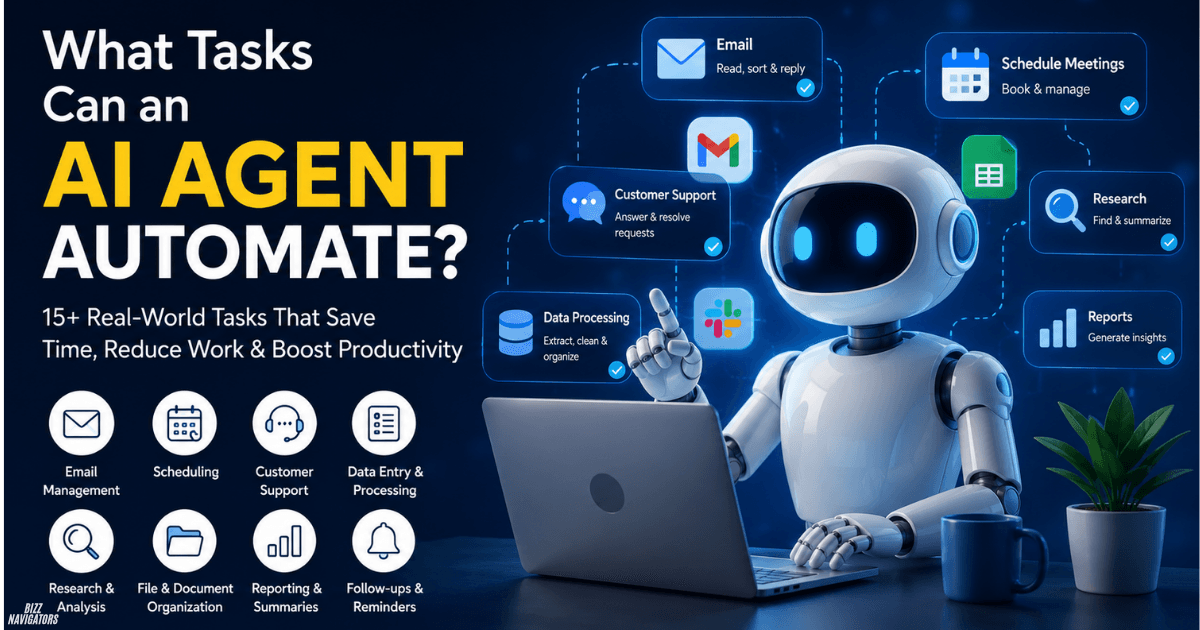
What tasks can an AI agent automate?
An AI agent can automate multi-step tasks that involve understanding information, making decisions, using software, and completing actions. Common examples include email management, customer support, scheduling, research, data entry, document processing, reporting, and follow-ups. Unlike simple automation, an AI agent can adapt its actions to changing information within defined limits.
An AI agent does more than generate text. It can take action.
For example, instead of only writing a customer reply, an agent can read the message, check an order system, find the relevant information, draft or send a response, update the customer record, and create a follow-up task.
That makes AI agents useful for repetitive digital work that normally requires several manual steps.
How can AI agents automate everyday work?
AI agents can automate work by connecting information from different sources and deciding what action should happen next.
A typical workflow looks like this:
Receive information → understand it → decide what to do → use a connected tool → check the result → complete the next step.
This makes agents suitable for tasks that are repetitive but not always identical.
For example, a basic automation might move every email containing “invoice” into one folder. An AI agent can identify an invoice even when the message uses different wording, extract the amount and due date, update a spreadsheet, and notify the finance team.
Can an AI agent automate email management?
Yes. AI agents can read, classify, organize, and respond to routine emails.
An email agent can:
- Sort messages by topic or priority
- Identify urgent requests
- Draft replies
- Extract information from emails
- Forward messages to the right person
- Create tasks from email requests
- Send follow-up messages
- Identify unwanted newsletters
- Summarize long email threads
For example, an agent can recognize that a customer is asking about an order, check the available order information, and prepare a relevant response.
A human can review the response before it is sent when accuracy matters.
Can AI agents automate customer support?
Yes. AI agents can handle common customer questions and routine support requests.
They can search approved information, understand the customer’s issue, provide an answer, and record the interaction.
Common support tasks include:
- Order-status questions
- Product information
- Account instructions
- Basic troubleshooting
- Appointment questions
- Return-policy questions
- Common billing requests
The agent can also escalate difficult cases.
For example, if a customer reports an unusual billing problem, the agent can collect the relevant details and send the case to a human support representative instead of guessing.
This makes human escalation an important part of safe customer-support automation.
Can AI agents schedule meetings automatically?
Yes. AI agents can manage meeting scheduling without requiring people to exchange several emails.
An agent can check calendars, compare available times, suggest suitable options, send invitations, and update the calendar after confirmation.
It can also handle changes.
If a meeting is canceled, the agent can find another suitable time and notify the participants.
This is especially useful for sales teams, recruiters, consultants, and managers who schedule many meetings.
Can an AI agent automate meeting summaries?
Yes. An AI agent can turn a meeting into structured follow-up work.
It can:
- Transcribe the meeting.
- Identify important decisions.
- Extract action items.
- Identify task owners.
- Record deadlines.
- Create follow-up tasks.
- Send a summary to participants.
The benefit is not just a shorter meeting transcript. The agent can convert the discussion into specific actions.
For example, “John will update the landing page by Friday” can become a task assigned to John with a Friday deadline.
Can AI agents organize files and documents?
Yes. AI agents can organize files based on their content, type, name, or business rules.
An agent can identify whether a document is an invoice, contract, report, receipt, application, or another type of file.
It can then:
- Rename the document
- Move it to the correct folder
- Extract important information
- Update a database
- Create a task
- Notify the relevant employee
This reduces manual document handling, especially when a business receives hundreds of files regularly.
What research tasks can AI agents automate?
AI agents can automate repetitive research by collecting information, comparing sources, organizing findings, and producing summaries.
They can monitor:
- Competitor websites
- Product updates
- Industry developments
- Market trends
- Company announcements
- New content
- Pricing changes
For example, a competitor-monitoring agent can check selected websites on a schedule and report meaningful changes instead of forcing a marketer to check every website manually.
Can AI agents automate competitive analysis?
Yes. An AI agent can monitor competitors and organize relevant changes into a useful report.
It can track new products, pricing changes, content updates, announcements, and other publicly available information.
The agent can then compare new information with previous records and highlight what changed.
This is more useful than simply collecting links because the agent can organize the information around a specific business question.
Can AI agents automate data entry?
Yes. Data entry is one of the practical areas where AI agents can save significant manual work.
An agent can extract information from:
- PDFs
- Forms
- Emails
- Receipts
- Documents
- Spreadsheets
- Support tickets
It can identify fields, clean inconsistent information, and transfer the results into another system.
For example, an invoice agent can extract the supplier name, invoice number, amount, date, and payment terms before entering the information into an accounting system.
Can AI agents clean and process data?
Yes. AI agents can perform recurring data-processing tasks and handle information that requires basic interpretation.
They can:
- Remove duplicate records
- Find missing information
- Standardize entries
- Categorize records
- Clean spreadsheets
- Extract text
- Convert information into structured formats
- Run recurring scripts
An agent can also identify unusual entries and send them for human review instead of changing uncertain data automatically.
Can AI agents automate business reporting?
Yes. AI agents can collect data from multiple systems and turn it into recurring reports.
For example, an agent can gather project information from tools such as Jira or GitHub and prepare a weekly development report.
A report might show:
- Completed work
- Open issues
- Delayed tasks
- Recent development activity
- Important changes
- Potential problems
The agent can also explain significant changes instead of presenting raw numbers alone.
Can AI agents automate follow-ups?
Yes. AI agents can send follow-up messages when specific conditions are met.
For example, an agent can:
- Follow up with a new lead
- Remind a customer about an unpaid invoice
- Contact someone after a meeting
- Ask for missing information
- Remind employees about pending tasks
- Follow up after a support interaction
The timing can be based on an event rather than a fixed calendar date.
For example, an agent could send a follow-up three days after a sales call if no response has been received.
What makes an AI agent different from normal automation?
The main difference is how the system handles information and decisions.
| Feature | Traditional Automation | AI Agent |
| Fixed rules | Excellent | Yes |
| Natural-language understanding | Limited | Strong |
| Multi-step workflows | Yes | Yes |
| Changing inputs | Usually needs more rules | Can adapt |
| Contextual decisions | Limited | Better suited |
| Tool usage | Yes | Yes |
| Exception handling | Rule-based | Can assess within limits |
| Human escalation | Possible | Can be built into workflow |
Traditional automation works best when every condition is predictable.
AI agents are more useful when the task contains changing information, natural language, or multiple possible actions.
In practice, businesses can use both. A predictable step can use normal automation while an AI agent handles the parts that require interpretation.
What tasks should you not fully automate with AI?
You should not give an AI agent unlimited control over high-risk decisions.
Human review is usually appropriate for tasks involving:
- Large financial transactions
- Legal decisions
- Sensitive personal information
- Security-critical actions
- Employment decisions
- Medical decisions
- Irreversible business actions
A safer approach is to define permissions.
For example, an agent can prepare a refund but require a human to approve it. It can draft a legal communication without sending it automatically.
The goal should be controlled autonomy, not unlimited autonomy.
How can businesses use AI agents safely?
Start with a repetitive task that has a clear outcome.
Then define what the agent can access, what it can change, and when it must ask for human approval.
A practical implementation can follow these steps:
1. Choose one repetitive workflow.
Do not automate an entire department immediately.
2. Define the expected result.
The agent should have a clear goal and measurable outcome.
3. Limit permissions.
Only provide access to the applications and information the workflow actually needs.
4. Add approval points.
Require human approval for expensive, sensitive, or irreversible actions.
5. Test real scenarios.
Include normal requests, unusual inputs, missing information, and failed actions.
6. Monitor the results.
Review accuracy, errors, escalations, and time saved.
Once the workflow becomes reliable, additional tasks can be added.
Key Takeaways
- AI agents can automate multi-step digital tasks, not just simple repetitive actions.
- Email management, customer support, scheduling, research, data entry, and reporting are strong use cases.
- AI agents can connect multiple tools and move information between them.
- Agents can handle changing inputs better than rigid rule-based automation.
- Human approval remains important for high-risk or irreversible actions.
- The best AI-agent workflows combine automation with clear permissions and escalation rules.
Final Answer
An AI agent can automate almost any repeatable digital workflow that requires information processing, basic decision-making, and actions across connected tools. The strongest use cases include email, customer support, scheduling, research, data processing, document management, reporting, and follow-ups.
The biggest advantage is not simply saving clicks. It is allowing the agent to manage an entire workflow from input to decision to action.
For businesses, the best starting point is a task that happens frequently, has a clear outcome, and carries limited risk. Once that workflow proves reliable, the agent can gradually take on more complex work.

At BizzNavigators, we answer the questions you’re actually searching for, honestly and clearly. We check our facts before we publish anything, and if we’re not sure about something, we tell you instead of guessing. Whatever you’re looking for- a tech fix, a business tip, or a simple how-to- we want to give you an answer you can trust.