
What Are Microsoft Copilot Official Features 2026 AI Assistant?
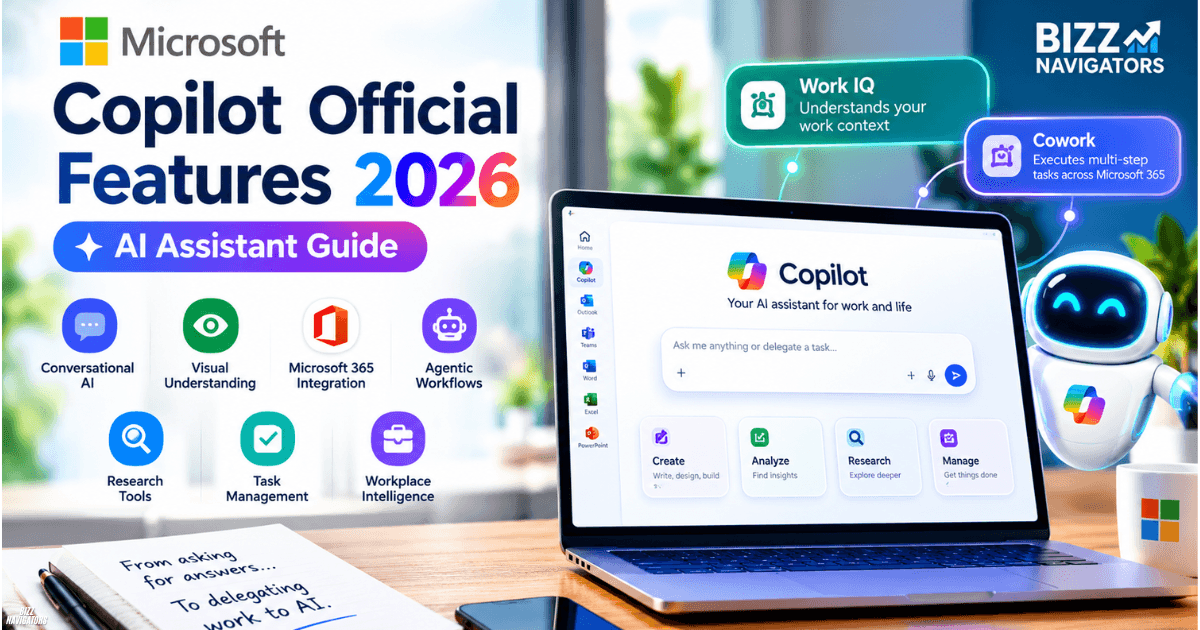
Microsoft Copilot in 2026 has evolved beyond a basic AI chatbot. It now combines conversational AI, visual understanding, Microsoft 365 integration, agentic workflows, research tools, and workplace intelligence. Depending on the account and license, Copilot can answer questions, analyze shared screens, create files, research topics, manage tasks, and delegate longer workflows to agents such as Cowork.
The biggest change is the move from asking AI for an answer to delegating work to AI. Microsoft 365 Copilot can use Work IQ to understand relevant work context, while Cowork can execute multi-step tasks across Microsoft 365.
Microsoft Copilot’s Major Features in 2026
The official 2026 feature set centers on six areas: Copilot Vision, agentic task execution, Microsoft 365 integration, Work IQ, research and reasoning, and enterprise security. Availability varies by account type, subscription, region, and whether a feature is still rolling out or in preview.
1. Copilot Vision
Copilot Vision gives the AI a visual understanding of content you deliberately share. On supported devices, users can share a desktop screen or mobile camera feed and ask Copilot to explain what it sees.
It can analyze charts, tables, documents, webpages, interfaces, and other visual content. Copilot can then answer questions or provide step-by-step guidance based on that information.
For example, you could share a dashboard and ask Copilot to identify unusual trends. You could also show an error on a device through your phone camera and ask for troubleshooting guidance.
There is an important limitation: Vision does not directly click, type, scroll, or manipulate your computer for you. It observes the content you choose to share and provides guidance.
2. Copilot Cowork for Autonomous Work
One of Microsoft’s biggest 2026 developments is Copilot Cowork. Instead of simply generating an answer, Cowork can carry out multi-step work on the user’s behalf.
You can ask it to create documents, work with spreadsheets, schedule meetings, manage files, send or draft emails, search organizational information, and prepare research. It can continue working through complex tasks while providing checkpoints and opportunities for user approval.
For Microsoft 365 business users, Cowork became generally available in June 2026. Microsoft describes it as an agentic system designed for complex, long-running, multi-tool tasks.
This makes Copilot considerably different from traditional chatbot software. The user describes the desired outcome, and the agent can plan and execute multiple steps instead of requiring a separate prompt for every action.
3. Task Management and Automated Workflows
Copilot’s task capabilities have also become more sophisticated. Cowork includes task views that help users manage active work, while scheduled prompts and event-driven tasks can automate recurring workflows.
For example, a user can create a scheduled task that runs regularly. Event-driven tasks can also watch for specific events, such as a matching email or a Teams message, and then prepare a response or another action.
Microsoft uses approval controls for sensitive actions. An automated task can operate with the user’s permissions, but actions such as sending communications or changing shared information can require approval.
This is particularly useful for repetitive business processes that previously required manual monitoring.
4. Microsoft 365 Integration
Microsoft Copilot is deeply integrated into the applications many users already work with, including Word, Excel, PowerPoint, Outlook, Teams, OneDrive, and SharePoint.
In Word, Excel, and PowerPoint, agentic capabilities can perform multi-step actions directly inside documents, worksheets, and presentations. Microsoft says these capabilities became generally available in 2026.
Copilot can also create files from natural-language instructions. For example, you can request a project proposal in Word, a financial tracker in Excel, or a marketing presentation in PowerPoint. Generated files can be saved to OneDrive for further editing.
This integration matters because users do not have to move information between multiple AI tools and Microsoft applications.
5. Work IQ for Context-Aware AI
Work IQ is one of the most important technologies behind Microsoft 365 Copilot in 2026.
Rather than treating every prompt as an isolated question, Work IQ can help Copilot understand relevant workplace context across emails, files, meetings, chats, people, projects, and other business information that the user is authorized to access.
This allows Copilot to provide more relevant answers. Instead of asking only, “What happened with this project?” a user can ask Copilot to analyze the project using relevant meetings, messages, documents, and other available work context.
Microsoft describes Work IQ as a workplace intelligence layer designed to understand how work happens across an organization. Its APIs also provide developers with access to this contextual intelligence for agents and custom applications.
6. Research, Reasoning, and Agent-Based Analysis
Copilot can handle more complex reasoning and research tasks through experiences such as Researcher and Analyst.
However, there is an important 2026 update that users should know. Microsoft retired Deep Research in the consumer Copilot app beginning August 18, 2026. Microsoft 365 Premium users can instead continue creating detailed reports and analyses through Researcher. Existing Deep Research reports remain accessible according to Microsoft’s support guidance.
For business users, Copilot can use specialized agents to research information from work data and trusted sources and produce structured responses with citations.
Cowork also supports research across multiple sources, making it suitable for longer research workflows rather than simple question-and-answer interactions.
7. Reasoning Effort Controls
Another important development is greater control over how much reasoning effort Copilot uses for a task.
In Copilot Cowork, users can select different effort levels. Lower settings can prioritize speed and lower consumption, while higher settings are designed for more complex reasoning and deeper analysis. Microsoft notes that higher effort can take longer and consume more credits.
This gives users a practical way to balance quality, speed, and cost, rather than using the highest level for every request.
8. Enterprise Security and Governance
Microsoft Copilot is designed to operate within Microsoft’s existing security and governance framework.
Work IQ uses permission-aware access, meaning Copilot and agents should work with information the user is authorized to access rather than providing unrestricted access to organizational data. Microsoft also provides governance, observability, and policy controls for Work IQ and agent-based workloads.
Microsoft 365 Copilot also respects existing Microsoft 365 permissions and sensitivity labels in supported agentic experiences. Generated files can be stored within OneDrive or SharePoint while remaining subject to organizational controls.
For businesses, this is just as important as AI capability. An enterprise assistant must not only be intelligent but also operate within defined security boundaries.
Microsoft Copilot 2026 Features at a Glance
| Feature | What it does | Best for |
| Copilot Vision | Understands shared screens and camera input | Visual help and troubleshooting |
| Copilot Cowork | Executes multi-step tasks | Delegating complex work |
| Task automation | Runs scheduled or event-driven workflows | Repetitive tasks |
| Microsoft 365 integration | Works across Office and Microsoft 365 | Daily productivity |
| Work IQ | Adds workplace context | Personalized business assistance |
| Researcher/agents | Performs deeper research and analysis | Reports and investigations |
| Effort controls | Adjusts reasoning depth | Balancing quality and cost |
| Security controls | Applies permissions and governance | Enterprise deployments |
What Makes Microsoft Copilot Different in 2026?
The biggest difference is agency.
Older AI assistants primarily responded to prompts. Modern Copilot experiences increasingly help users move from an instruction to a completed outcome.
A simple request might generate text. A more advanced request can involve searching information, reasoning over multiple sources, creating files, coordinating applications, and waiting for user approval before sensitive actions.
Work IQ adds another layer by giving eligible Copilot experiences access to relevant workplace context. Cowork then combines that context with tools and agentic execution.
That combination makes Microsoft Copilot more like a workplace AI platform than a standalone chatbot.
Microsoft Copilot 2026: What Users Should Know
Not every feature is available to every Copilot user. Microsoft separates capabilities across consumer accounts, Microsoft 365 Personal, Family, and Premium, work or school accounts, and Microsoft 365 Copilot licenses.
Some features are also in preview, while others have different usage limits or licensing requirements. For example, Cowork for personal accounts is currently in preview, while its work or school experience is generally available.
Users should therefore check their Microsoft account and subscription before assuming a particular feature will appear.
It is also important to review AI-generated content. Microsoft warns that Copilot can make mistakes or misinterpret instructions. Sensitive actions may require approval, but users remain responsible for reviewing important outputs and actions.
Final Takeaway
Microsoft Copilot’s official 2026 features show a clear shift from AI chat to agentic productivity. Copilot Vision adds visual understanding, Cowork can execute multi-step work, Work IQ provides contextual intelligence, Microsoft 365 integration brings AI into everyday applications, and research agents handle more demanding analysis.

At BizzNavigators, we answer the questions you’re actually searching for, honestly and clearly. We check our facts before we publish anything, and if we’re not sure about something, we tell you instead of guessing. Whatever you’re looking for- a tech fix, a business tip, or a simple how-to- we want to give you an answer you can trust.
3 thoughts on “Microsoft Copilot Official Features 2026: AI Assistant Guide”