
Can ChatGPT Remember Tasks for You?
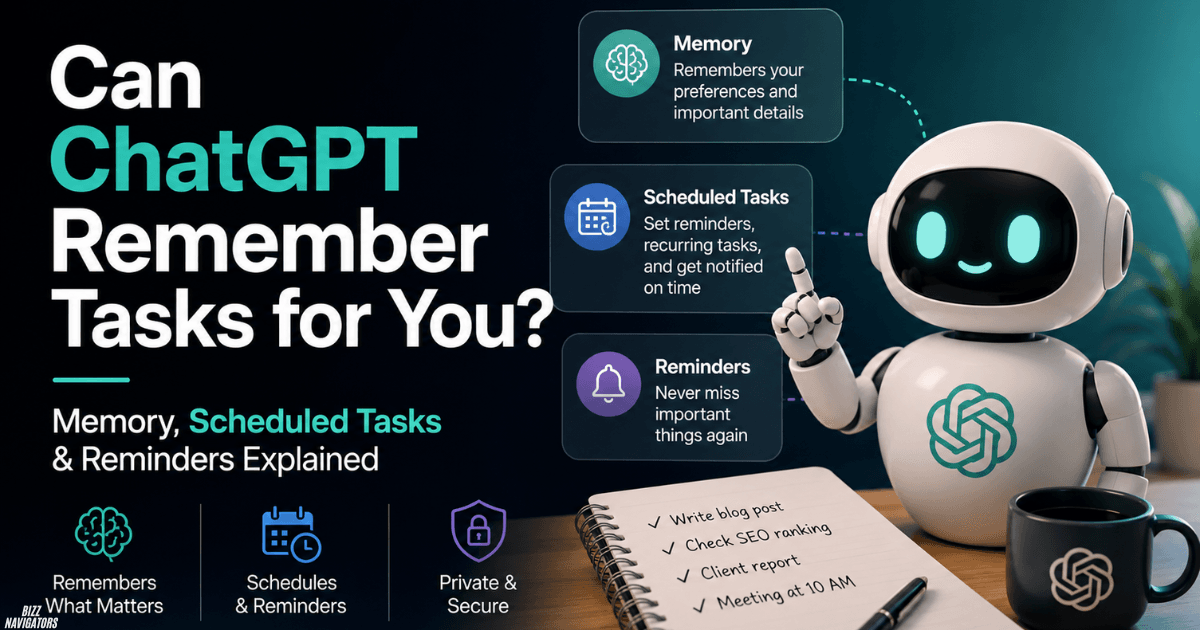
Yes, ChatGPT can remember useful information and preferences for future conversations. It can also handle reminders and recurring work through Scheduled Tasks. However, Memory and Scheduled Tasks are different: Memory helps ChatGPT remember information, while Scheduled Tasks tell it to do something later.
How Does ChatGPT Remember Things?
ChatGPT can use Saved Memories and, when available and enabled, information from previous chats to provide more relevant answers.
You can also directly tell ChatGPT what to remember.
For example:
“Remember that I prefer short answers.”
You can later ask what ChatGPT remembers or ask it to forget a saved detail. Memory settings can be managed from ChatGPT’s settings. (OpenAI Help Center)
Can ChatGPT Remember a Task?
Yes, but it depends on what you mean by “remember a task.”
If you mean remembering an instruction or preference, Memory can help.
If you mean reminding you to do something later, use Scheduled Tasks.
For example:
Memory:
“Remember that I publish an SEO report every Monday.”
Scheduled Task:
“Remind me every Monday to review my SEO report.”
The first stores useful context. The second schedules future work.
Can ChatGPT Remind You About Something Later?
Yes. ChatGPT’s Scheduled Tasks can run one-time or recurring tasks. They can also monitor for changes and notify you when a relevant update occurs.
You can create a task by telling ChatGPT what you want it to do.
For example:
“Remind me tomorrow at 9 AM to check my website rankings.”
You can manage scheduled tasks from the Scheduled area in ChatGPT. You can review, edit, pause, resume, or delete them.
Memory vs. Scheduled Tasks
These two features solve different problems.
| Feature | Memory | Scheduled Tasks |
| Remember preferences | Yes | No |
| Remember useful details | Yes | No |
| Remind you later | No | Yes |
| Run recurring work | No | Yes |
| Monitor for changes | No | Yes |
| Forget stored information | Yes | Delete the task instead |
Simple rule: Memory helps ChatGPT remember. Scheduled Tasks help ChatGPT act later.
How to Get ChatGPT to Remember Something
Tell ChatGPT directly.
You can say:
- “Remember that I prefer short answers.”
- “Remember that I work on SEO.”
- “Remember that I use simple English.”
- “Remember this preference for future chats.”
You can also ask:
“What do you remember about me?”
If you no longer want ChatGPT to retain something, ask it to forget the information or manage your memories in the settings.
How to Turn On ChatGPT Memory
To check your Memory settings:
- Open ChatGPT.
- Open Settings.
- Go to Personalization.
- Check the available Memory options.
- Turn the relevant options on or off.
The exact Memory controls can vary by account and feature availability.
OpenAI currently describes controls for saved memories and reference to chat history.
Does ChatGPT Remember the Entire Conversation?
No. You should not assume that ChatGPT permanently remembers every message you send.
Memory is designed to retain useful information rather than act as a complete recording of every conversation.
Chat history and saved memories are also separate concepts.
This is why an important long-term preference is better saved explicitly instead of assuming ChatGPT will remember every detail automatically.
Does ChatGPT Save Everything You Ask It?
No.
A chat appearing in your history does not automatically mean every detail in that chat becomes a saved memory.
Memory, chat history, and Scheduled Tasks work differently.
If you create a scheduled task, that task has its own instructions and schedule. If you delete the chat connected to a scheduled task, OpenAI says the task will automatically pause.
Can You Tell ChatGPT to Forget Something?
Yes.
You can simply tell ChatGPT:
“Forget that I prefer short answers.”
You can also manage saved memories through the Memory settings.
Remember that deleting a conversation and deleting a saved memory are not necessarily the same action. If a detail was saved as a memory, check the Memory controls as well.
What Is the Difference Between ChatGPT Memory and Chat History?
Memory stores useful information that can help personalize future conversations.
Chat history contains your conversations.
They are not identical.
ChatGPT may use information from previous chats when the relevant chat-history reference feature is enabled, while saved memories are separately managed.
Does Temporary Chat Use Memory?
No. Temporary Chat does not use your existing memories for personalization and does not create new memories.
Temporary Chats also do not appear in your chat history. OpenAI says a copy may still be retained for up to 30 days for safety purposes.
So if you want a conversation that does not affect your normal Memory context, Temporary Chat is the better option.
Can ChatGPT Remember Tasks in Projects?
Yes, Projects can provide additional continuity.
With project-only memory, chats can reference other conversations inside the same project but cannot reference conversations outside that project. Your saved memories are also not referenced in those project chats.
This is useful for long-running work where you want related conversations kept together.
What Should You Not Tell ChatGPT?
Do not use Memory or Scheduled Tasks as a place to store highly sensitive information.
Avoid sharing things such as:
- Passwords
- Authentication codes
- Private account credentials
- Bank details
- Secret API keys
- Other sensitive information you do not need ChatGPT to retain
This is especially important for scheduled or shared task instructions. OpenAI warns users not to include sensitive information such as passwords, financial details, or account numbers in task instructions or titles.
Can ChatGPT Automatically Do Things Later?
Yes, when you use Scheduled Tasks and the feature is available for your account.
Scheduled Tasks can handle one-time and recurring work. They can also monitor for changes and notify you when something important happens.
For example:
“Every Monday, remind me to check my Google Search Console data.”
That is a Scheduled Task, not a Memory request.
What Are Some Useful ChatGPT Tasks to Schedule?
You can use Scheduled Tasks for simple recurring work such as:
- Daily briefings
- Weekly reminders
- Recurring reports
- Checking for changes
- Regular research updates
- Important deadline reminders
The exact capabilities and limits depend on your account and the task type.
Frequently Asked Questions
Can ChatGPT remember tasks for you?
Yes. ChatGPT can remember useful information through Memory and can schedule future reminders or recurring work through Scheduled Tasks. These are separate features.
How do I get ChatGPT to remember things?
Tell ChatGPT directly what you want it to remember, such as “Remember that I prefer short answers.” You can manage saved memories from the Memory settings.
Does ChatGPT remember the entire conversation?
No. ChatGPT does not treat Memory as a complete record of every conversation. It uses saved memories and, when enabled, relevant information from previous chats.
How do I turn on Memory in ChatGPT?
Open Settings → Personalization and check the available Memory controls. Options can vary by account and feature availability.
Can I tell ChatGPT to forget something?
Yes. You can ask ChatGPT to forget a saved detail or manage individual memories through the Memory settings.
Does deleting a ChatGPT chat delete its memory?
Not always. A saved memory can be managed separately from the conversation where the information was originally shared. Check your Memory settings if you want to remove a saved detail.
What is the difference between Memory and Scheduled Tasks?
Memory helps ChatGPT retain useful information for future conversations. Scheduled Tasks tell ChatGPT to perform something later, such as sending a reminder or running recurring work.
Final Answer
Yes, ChatGPT can remember tasks for you, but you need to use the right feature. Use Memory for preferences and useful personal details. Use Scheduled Tasks for reminders, recurring work, and monitoring.
In short: Memory remembers information. Scheduled Tasks remember what needs to happen later.
Note
This article uses first-party OpenAI sources, current feature terminology, direct answers, and clearly separated concepts for Memory, Chat History, Temporary Chat, Projects, and Scheduled Tasks. This structure makes the information easier for search engines and AI systems to understand and verify. However, no publisher can guarantee inclusion in Google AI Overviews or other AI-generated answers.

At BizzNavigators, we answer the questions you’re actually searching for, honestly and clearly. We check our facts before we publish anything, and if we’re not sure about something, we tell you instead of guessing. Whatever you’re looking for- a tech fix, a business tip, or a simple how-to- we want to give you an answer you can trust.