
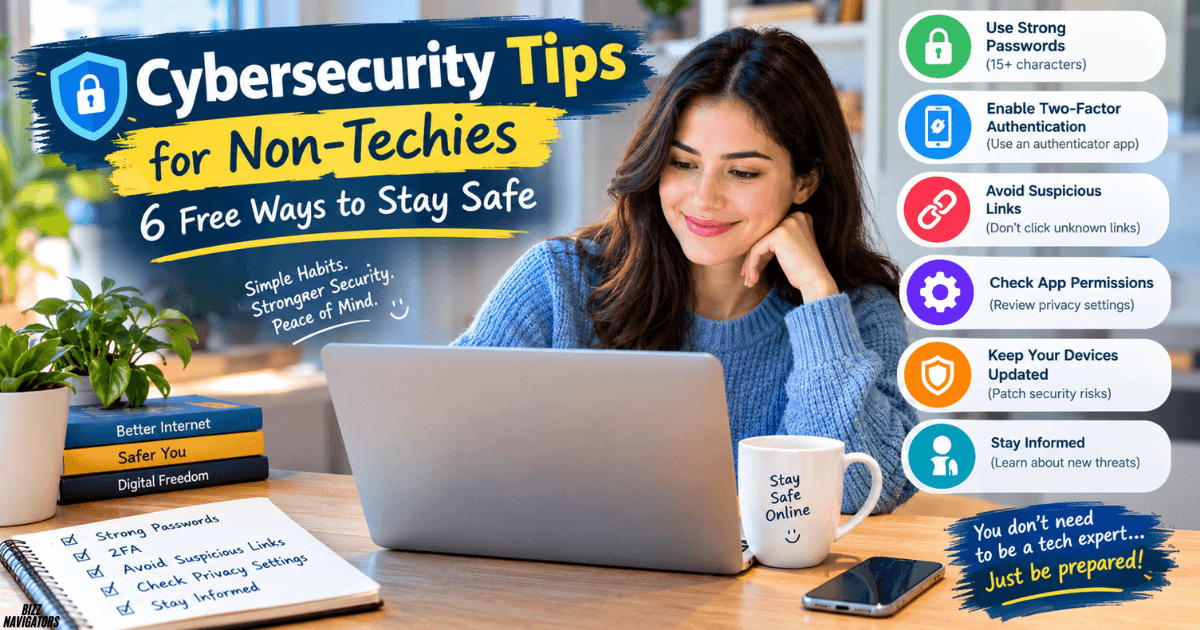
I felt a bit lost whenever someone said “encryption” or “zero-day.” What I learned is that you don’t need a technical background to stay safe online. You need a handful of good habits and a little patience. This is the guide I wish I’d had, with the cybersecurity tips for non-techies that actually made a difference for me.
Six Daily Habits That Keep You Safe
If you only read one section, make it this one. These habits take almost no effort once they’re routine.
Turn on Multi-Factor Authentication (MFA)
MFA adds a second step to your login, like a code from an authenticator app or a text message. I turned it on for my email first, because email is the key to resetting every other account. Even if someone steals your password, they’re stuck without that second factor. Do it for banking and social media next.
Use a Password Manager
I used to reuse one “clever” password everywhere, which is a bit embarrassing to admit. A password manager creates long, unique passphrases for every site and remembers them for you. You only memorise one strong master password. It’s the biggest upgrade you can make in an afternoon.
Watch Out for Phishing Scams
Never click unexpected links or attachments in emails, texts, or social messages, even when they appear to come from a friend or your bank. If something feels off, I contact the sender through a different channel. A quick phone call has saved me more than once.
One scam I see a lot is a stranger asking to “fix your computer” remotely. Only ever allow remote access to someone you personally trust, and if you want to understand how that connection works and when it’s safe, I’ve explained it in my post on Windows Remote Assistance.
Install System Updates Right Away
Those “remind me tomorrow” buttons are tempting, but updates patch security holes that attackers actively exploit. I now let my phone and laptop update overnight.
Back Up Your Important Data
Photos, documents, and files can vanish through a glitch, a lost phone, or malware. I keep copies on an external hard drive and in a trusted cloud service, so I’m covered if one fails.
Be Careful on Public Wi-Fi
Open café or airport Wi-Fi isn’t encrypted, so I avoid logging into sensitive accounts on it. When I have no choice, I switch on a VPN or use my phone’s personal hotspot.
Protecting Yourself and Your Business
Once the basics are in place, it helps to think bigger. This applies to a freelancer, a small shop, or a growing team.
How to protect your business from cyber attacks?
Start with people, because most attacks target humans rather than machines. I run short, friendly refreshers on spotting suspicious messages. Then I make sure every work account has MFA, every device is updated, and only the people who need access to something actually have it. Finally, I keep a simple written plan for who to call if something goes wrong. It doesn’t need to be fancy; it just has to exist before the bad day arrives.
How to protect ourselves from cyber attacks?
Whether it’s a family or a team, I keep the answer simple. We use unique passphrases, we pause before clicking, and we back up what matters. I also talk about scams openly at home and at work. Nobody should feel silly for almost falling for one, because the best scammers fool smart people all the time.
If you’d like a deeper walkthrough, I’ve also put together 9 steps to protect your personal information online that you can work through at your own pace.
What are the 7 most common types of cybercrime?
These are the ones I see most often, in plain language:
- Phishing: fake messages that trick you into handing over details.
- Ransomware: malware that locks your files until you pay.
- Identity theft: someone using your personal details to pose as you.
- Malware: harmful software hiding inside downloads or attachments.
- Online fraud: fake shops, investment schemes, and romance scams.
- Social engineering: manipulating you by phone, message, or in person.
- Denial-of-service attacks: flooding a website so it can’t function.
What are the 5 C’s of cybersecurity?
Different experts phrase this slightly differently, but the version I find easiest to remember is change, compliance, cost, continuity, and coverage. Change means staying ready as threats evolve. Compliance means following the rules that apply to you. Cost means weighing protection against budget. Continuity means being able to keep working after an incident. Coverage means making sure no device or account is left unprotected.
What are 5 ways to secure data?
Here are the five I rely on most:
- Encrypt sensitive files and devices.
- Use MFA and strong, unique passphrases.
- Back up regularly, and test that the backups work.
- Limit access so people only see what they need.
- Keep software and devices updated.
How do companies keep data secure?
Well-run companies layer their defences. They use firewalls, encryption, access controls, and monitoring tools, and they train their staff. They also run regular security reviews and prepare response plans. No single tool does the job. It’s the layers working together that make an attacker’s life harder.
What are the 7 golden rules of data protection?
These come from the principles behind privacy laws like the GDPR, and I think they’re a great mindset for anyone:
- Be lawful, fair, and transparent about how you use data.
- Use data only for the purpose you stated.
- Collect only what you truly need.
- Keep it accurate and up to date.
- Don’t keep it longer than necessary.
- Protect it with proper security.
- Take responsibility and be able to show you’ve done all of the above.
Cyber Safety Rules and Today’s Biggest Threats
Rules are easier to follow when they’re short, so here’s how I boil them down.
What are 10 important rules for cyber safety?
My personal top ten:
- Use a unique passphrase for every account.
- Turn on MFA wherever it’s offered.
- Think before you click.
- Update your devices promptly.
- Back up your files.
- Avoid sensitive logins on public Wi-Fi.
- Download apps only from official stores.
- Lock your phone and computer with a PIN or biometrics.
- Share less personal information on social media.
- Report anything suspicious instead of ignoring it.
What are the 10 most important safety rules?
If I had to shrink that list further, I’d keep four: MFA, a password manager, updates, and healthy suspicion. Those four stop a huge share of everyday attacks.
What are 10 important computer safety rules?
For your computer specifically, I add a few extras. Run reputable security software and keep your firewall on. Use a standard account for daily work instead of an administrator one. Log out when you step away. Be careful with USB drives you didn’t buy yourself. And never ignore a warning message without reading it first.
What are 7 key cyber safety rules?
When I teach friends, I give them a mini version: protect your passwords, use MFA, spot phishing, update everything, back up your data, secure your Wi-Fi, and keep your personal details private. If you can remember seven things, you can protect yourself.
What are the top 10 cybersecurity threats?
Threats shift over time, but the usual suspects include phishing, ransomware, malware, social engineering, stolen or weak passwords, insider mistakes, unpatched software, data breaches, denial-of-service attacks, and insecure cloud or device settings. Notice how many of these depend on human behaviour. That’s good news, because behaviour is something we can change.
What are the top 10 vulnerabilities?
Vulnerabilities are the weak spots attackers use. Security teams often reference the OWASP Top 10 for web applications. It covers problems like broken access control, injection flaws, security misconfiguration, outdated components, and weak authentication. As a non-techie, you don’t need to memorise them. What matters is that outdated software and poor settings are common ways in, which is exactly why updates and good configuration matter.
What is the #1 cybersecurity threat today?
In my view, it’s phishing and the wider world of social engineering. Attackers have realised it’s easier to trick a person than to break a system. Messages are also getting more convincing, so I treat every unexpected request for money, codes, or logins with suspicion, however polished it looks.
Thinking About a Cybersecurity Career?
Learning this stuff made some of us curious about doing it for a living. I get these questions a lot, so here are my honest answers.
How can I learn cybersecurity with no experience?
Start small and stay consistent. I’d begin with free beginner courses, then try hands-on practice labs and capture-the-flag games. Entry-level certifications such as CompTIA Security+ give you structure and something to show employers. Joining online communities helps too, because you’ll pick up tips and encouragement.
How to get into cybersecurity jobs?
Many people start in IT support, networking, or help-desk roles and move across. Build a small portfolio, such as write-ups of labs you’ve completed, and network with people already in the field. Tailor your CV to entry-level roles like security analyst or SOC analyst.
What does the 80/20 rule mean in cybersecurity?
It’s the idea that a small share of your effort, roughly 20%, prevents a large share, roughly 80%, of the risk. In practice, that means basics like MFA, updates, backups, and phishing awareness do most of the heavy lifting. I love this rule because it takes the pressure off perfection.
What does a cybersecurity analyst do daily?
A typical day includes monitoring alerts, investigating suspicious activity, checking for vulnerabilities, and updating security tools. Analysts also write reports and help colleagues understand risks. It’s a mix of detective work and communication.
What degree is best for cyber security?
Degrees in cybersecurity, computer science, or information technology are the most common routes. That said, many professionals get in through certifications and experience instead, so a degree helps but isn’t always a requirement.
Is cybersecurity a dying field?
Not at all. As more of our lives move online, the need for people who protect them keeps growing. If anything, demand has outpaced the supply of skilled professionals for years.
Is 40 too old to get into cyber security?
No, and I’d say your age can be an advantage. Career changers bring communication skills, industry knowledge, and maturity. Plenty of people move into security in their 40s and beyond, especially in governance, risk, and compliance roles.
Is cybersecurity a tough field to get into?
It can feel intimidating at first, mostly because there’s a lot of jargon. But the entry path is clearer than it used to be. With steady learning and a few foundational skills, it’s very achievable. The first few months are the hardest, and then things start to click.
Can I make $200,000 a year in cyber security?
It’s possible, but usually with experience. Senior engineers, security architects, specialised consultants, and leadership roles in high-paying markets can reach that range. Pay varies a lot by location, company, and specialty, so treat any figure as a ceiling rather than a starting point.
Will cybersecurity be replaced by AI?
I don’t think so. AI is already helping with alert triage and pattern spotting, but attackers use it too, which makes skilled humans more necessary. Judgment, context, and decision-making under pressure are hard to automate. I see AI as a powerful assistant rather than a replacement.
Can you make $500,000 a year in cyber security?
That’s rare, but not impossible. It’s typically reserved for top executives, highly specialised experts, or people running their own successful firms, often including equity or bonuses. I wouldn’t plan a career around it, but it shows how far the ceiling can go.
Is cybersecurity a dead-end job?
Far from it. Security opens many paths, including engineering, management, consulting, compliance, and training. You can specialise deeply or move into leadership, and the skills carry over to many industries.
Which 5 jobs will survive AI?
Nobody can predict this perfectly, but in security I’d bet on roles that rely on judgement and trust: security architects, incident responders, risk and compliance specialists, penetration testers, and security leaders. Beyond security, jobs built on human care and creativity also look resilient.
What pays more, cybersecurity or IT?
Generally, cybersecurity roles pay more than comparable general IT roles, because the skills are specialised and in high demand. That said, a senior IT manager can out-earn a junior security analyst, so experience and location matter as much as the label.
Final Thoughts
Staying safe online isn’t about becoming a technical expert. It’s about building small, repeatable habits: MFA, a password manager, caution with links, regular updates, backups, and care on public Wi-Fi. If these cybersecurity tips for non-techies feel doable, that’s because they are.
Pick one habit today, then add another next week. And if the field itself sparks your curiosity, know that plenty of people started exactly where you are.

At BizzNavigators, we answer the questions you’re actually searching for, honestly and clearly. We check our facts before we publish anything, and if we’re not sure about something, we tell you instead of guessing. Whatever you’re looking for- a tech fix, a business tip, or a simple how-to- we want to give you an answer you can trust.