
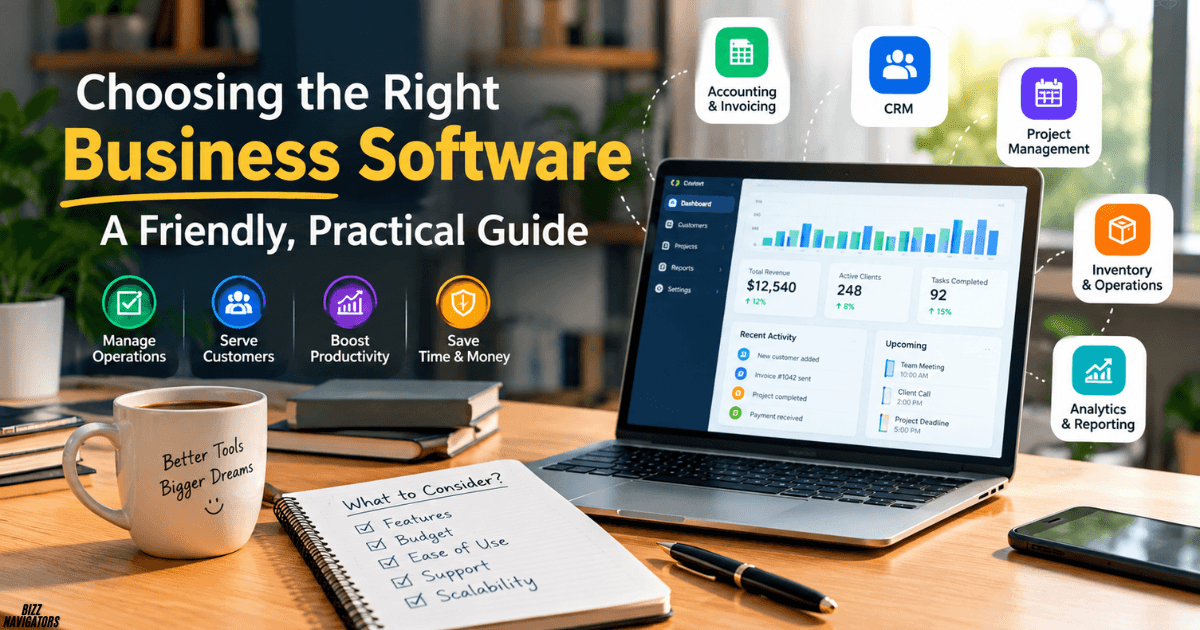
Every time a business owner asks me for help with choosing the right business software, I hear the same story. A shared spreadsheet got out of hand, an invoice went out two weeks late, or a customer’s details vanished into someone’s inbox. The tools on the market look endless, and every vendor claims to be the answer to everything.
I have seen this confusion up close, so I wrote this guide the way I would explain it to a friend over a cup of tea. We will start with your real problems, walk through the main software categories, look at the criteria that matter, and finish with the questions people ask most often, such as what to use instead of QuickBooks and which apps CEOs rely on.
Step 1: Start With Your Real Bottlenecks
Before I look at a single product page, I always look at how the work actually happens. Software should fix a problem you already have, not create a new hobby for your team.
Audit Your Current Workflows
Sit down and trace where your team loses time. Are people retyping the same data into manual spreadsheets? Do deadlines slip because nobody owns a task? Is invoicing delayed because information lives in three places? I like to keep a simple list of every moment someone says, “I can’t find it” or “I’ll do it later.” Those moments point straight at the tools you need.
Pick One Starting Point
Here is the mistake I see most often: trying to fix every department at once. Please don’t. Choose the single biggest pain point, whether that is accounting, project management, or customer tracking, and solve that first. A small win builds trust in the new tool and gives your team the confidence to take on the next change.
Separate Must-Haves From Nice-to-Haves
Write two lists. The first holds the features you truly cannot operate without. The second holds the shiny extras. When a salesperson shows you a dazzling dashboard, your must-have list is the anchor that keeps you honest.
Step 2: Match the Software Category to Your Business Model
Once you know the problem, it becomes much easier to see which category of tool fits. These are the main types I come across.
Accounting and Invoicing Software
These tools automate billing, expense tracking, and tax records. Popular names include Xero, QuickBooks, and Zoho Books. If cash flow and paperwork keep you up at night, this is usually the first category to explore.
Customer Relationship Management (CRM)
A CRM manages your sales pipeline, customer contacts, and follow-ups. Lighter options such as Capsule CRM and Attio suit small teams that just want to stop losing leads.
Project and Task Management Tools
These keep everyone aligned on deadlines, shared calendars, and who owns what. Notion and Clockify are good examples, covering everything from planning to time tracking.
All-in-One Suites and ERP Systems
When finance, inventory, and operations all need to talk to each other, an all-in-one suite or ERP makes sense. Zoho One, NetSuite, and Microsoft Dynamics 365 Business Central are common picks for growing and larger businesses. I would only go here once the simpler tools start to creak.
Step 3: Weigh the Selection Criteria That Really Matter
Two products in the same category can feel completely different in daily use. These are the five filters I apply every time.
Budget and Total Cost of Ownership
The monthly price on the website is only the beginning. Add setup, data migration, staff training, and any paid add-ons, and the real number can look very different. I always ask vendors for the full picture before I compare prices.
Ease of Use and Team Adoption
A powerful tool nobody opens is a waste of money. Low adoption quietly kills more software projects than bad features do. Choose an interface that your least technical colleague can learn quickly.
Integrations With Your Existing Stack
Check that the tool connects smoothly with your email client, payment processor, and bank. Good integrations save you from double data entry, which is where most small mistakes begin.
Security and Compliance
Confirm that your data is encrypted, that role-based access controls exist, and that the compliance standards match your industry, whether that means data privacy or financial regulations. It is much easier to ask these questions before you sign than after.
Scalability for the Next 3 to 5 Years
Pick a platform that can grow with your headcount and transaction volume. Having to migrate everything in two years is exhausting, so it pays to think ahead.
Step 4: Test Before You Commit
I never buy business software on a demo alone. Narrow your list to three strong contenders and book guided walkthroughs with each vendor. Then run active free trials using real company data, not the tidy sample data vendors provide.
Most importantly, involve your team. The people who will use the tool every day should click through it and tell you honestly what feels clunky. Get that feedback before you sign any long-term contract.
Which Business Software Is Considered the Best?
I wish I could hand you one name, but the honest answer is that the best software is the one that solves your biggest bottleneck and that your team actually uses. A tool that wins awards but fits your workflow badly will lose to a humbler one that fits like a glove. Since accounting is where many owners start, let me answer the questions I hear most in that area.
What Are People Replacing QuickBooks With?
People move away from QuickBooks for a few common reasons: rising subscription costs, a wish for simpler screens, or a need for different regional features. Xero and Zoho Books come up most often as replacements, and FreshBooks is popular with freelancers. Whatever you choose, test it with your own invoices first.
What Is QuickBooks?
QuickBooks is accounting software from Intuit that helps businesses send invoices, track expenses, reconcile bank transactions, and prepare tax records. It is one of the best-known names in small business finance, which is why so many people use it as the benchmark when comparing alternatives.
What Are the Top 10 Accounting Software in India?
Indian businesses have to think about GST, local tax rules, and regional support, so the shortlist looks a little different. Commonly used names include Tally Prime, Zoho Books, QuickBooks, Busy, Marg ERP, Vyapar, Xero, ClearTax, Khatabook, and Sage. Rankings shift, so I treat any list like this as a starting point and confirm GST support and local pricing before I decide.
What Is the Most Used Accounting Software in the USA?
QuickBooks is widely regarded as the most used accounting software among small businesses in the United States, with Xero, FreshBooks, and Wave also popular. Many accountants are already familiar with QuickBooks, which makes collaboration easier.
What Are the Best New Accounting Software Expected in 2026?
The big trend I’m watching is AI built into accounting tools: automatic categorisation, smarter bank reconciliation, and instant cash-flow insights. Existing leaders keep adding these features, and newer, lighter products are arriving too. Because this space moves fast, I recommend checking recent reviews and release notes before you commit to anything.
What Are the Top 10 Most Commonly Used Software in Business?
If I zoom out from accounting, a few categories show up in nearly every company I meet: email and calendar suites, accounting tools, CRMs, project managers, chat and video apps, document editors, cloud storage, HR systems, e-signature tools, and analytics dashboards. Usage depends heavily on company size and industry, but these ten areas cover most day-to-day work.
Which Software Is Most Used in Business?
By sheer reach, office and email suites such as Microsoft 365 and Google Workspace are the most used. Almost every employee touches one of them daily, and they often become the backbone that other tools connect to.
What Are the Top 10 Business Apps?
My own shortlist of widely loved business apps includes Microsoft 365, Google Workspace, Slack, Zoom, Notion, Asana, Trello, QuickBooks, Salesforce, and HubSpot. I would not install all ten. Pick the ones that match your must-have list and ignore the rest.
What Is the Most Widely Used Software?
In business settings, productivity and email suites lead the way, with Microsoft Office and Google’s tools at the front. Their popularity comes from being familiar, affordable, and compatible with almost everything else.
What Do CEOs Actually Do Daily?
It is less glamorous than people think. A typical CEO day is a mix of meetings, reading dashboards, talking with customers and investors, making decisions about priorities and hiring, and keeping the leadership team aligned. That is exactly why they lean on tools for calendars, communication, reporting, and quick decision support rather than for deep, hands-on tasks.
What Is the #1 Business App?
There is no official number one, and I would be wary of anyone who claims otherwise. If I had to name the app that most businesses open every single day, it would be an email and calendar suite. For specialised work, the top app changes with the job: accounting, sales, or project tracking each has its own favourites.
What Is the Best Software to Manage My Business?
My answer depends on what you mean by manage. If you want to run finances, an accounting tool comes first. If you want to run people and tasks, a project manager comes first. Many small businesses begin with one of these and add more only when real pain shows up. The questions below dig into this from several angles.
What Is the Most Useful Software for Managing Businesses?
For most small businesses, the most useful software is the one that gives you a clear view of money coming in and going out, since that decision affects everything else. After that, a lightweight CRM and a task manager usually deliver the next biggest gains.
What Is the Best Software for Managing a Business?
If you want everything under one roof, all-in-one suites such as Zoho One or an ERP like NetSuite are strong choices as you scale. If you prefer to stay nimble, a small set of focused tools connected through integrations can work beautifully and cost less.
What Is the Best App to Organize My Business?
For organising day-to-day work, I like Notion for notes and planning, Trello or Asana for tasks, and Clockify for tracking time. Start with one and let your team’s habits guide whether you need more.
Is There Anything Better Than QuickBooks for Small Business?
“Better” depends on what you need. Xero offers a clean interface and strong bank connections, Zoho Books fits well if you already use other Zoho products, and FreshBooks suits service businesses that invoice often. QuickBooks remains a strong all-rounder, so switching only makes sense if a specific pain point pushes you to.
Why Don’t Accountants Like QuickBooks?
Not every accountant dislikes it, but I do hear a few recurring complaints: messy data when categories are set up poorly, limits in some editions, and price increases over time. Many of these problems come from how the software is configured rather than the product itself. A short setup session with your accountant can prevent most of them.
What Program Do Most Bookkeepers Use?
QuickBooks and Xero are the programs bookkeepers mention most often, with Zoho Books and local tools such as Tally common in certain regions. If you work with an outside bookkeeper, ask what they prefer, because using the same system saves hours of back and forth.
What Apps Do CEOs Use?
CEOs tend to use a small, trusted toolkit instead of dozens of apps. The pattern I see is a calendar and email suite, a messaging platform, a dashboard for key numbers, a notes app, and a handful of AI helpers. Simplicity wins because their time is the scarcest resource in the company.
What Are the Top 5 Business Apps?
If I had to narrow my earlier list to five that cover the most ground, I would choose a core office suite, a messaging tool like Slack, a video tool like Zoom, a project manager like Asana or Notion, and an accounting tool like QuickBooks or Xero. That combination handles communication, planning, and money for most small teams.
What Is the Best AI Tool for a CEO?
I would look for AI that saves leadership time: summarising long documents and meetings, drafting emails, preparing briefings, and answering questions about company data. General AI assistants such as Claude, ChatGPT, and Microsoft Copilot are popular for this. Always review sensitive outputs yourself and check your company’s data policy before pasting in anything confidential.
What Is the Best Employee Management App?
For smaller teams, tools like BambooHR, Zoho People, and Gusto handle records, leave, and payroll without too much complexity. Larger companies may prefer fuller HR platforms such as Workday. The deciding factors are the same as always: ease of use, integrations, and cost of ownership.
Which Is the No. 1 Productivity App in the App Store?
The App Store rankings change daily, so any name I gave you could be out of date by tomorrow. Established favourites like Notion, Todoist and Microsoft’s mobile apps often sit near the top, but I suggest checking the live charts on the day you are choosing. Remember that a popular app is not automatically the right one for your workflow.
What Are the Top 10 Productivity Apps?
A solid list from my point of view would include Notion, Todoist, Trello, Asana, Evernote, Microsoft To Do, Google Keep, Slack, Clockify, and Calendly. Treat it as a menu rather than a checklist, and pick one or two that fix a real problem for you.
What Are the Best Apps for 2026?
Looking at 2026, I’d keep an eye on tools that blend AI assistance into familiar categories: note-taking, task management, accounting, and customer tracking. Before I adopt anything new, I read recent reviews, join a free trial, and check how often the vendor ships updates.
My Final Checklist for Choosing the Right Business Software
If you remember nothing else from this guide, remember this short checklist:
- Find your single biggest bottleneck and start there.
- Write down your must-haves and your nice-to-haves.
- Choose the right category for your business model.
- Compare the total cost, not just the monthly price.
- Check ease of use, integrations, security, and scalability.
- Shortlist three tools, run trials with real data, and ask your team.
Take your time, trust your own workflow over the hype, and don’t be afraid to switch if something isn’t working. The right tool should make your day easier, and I hope this guide helps you find it.

At BizzNavigators, we answer the questions you’re actually searching for, honestly and clearly. We check our facts before we publish anything, and if we’re not sure about something, we tell you instead of guessing. Whatever you’re looking for- a tech fix, a business tip, or a simple how-to- we want to give you an answer you can trust.
1 thought on “Choosing the Right Business Software: A Practical Guide”