
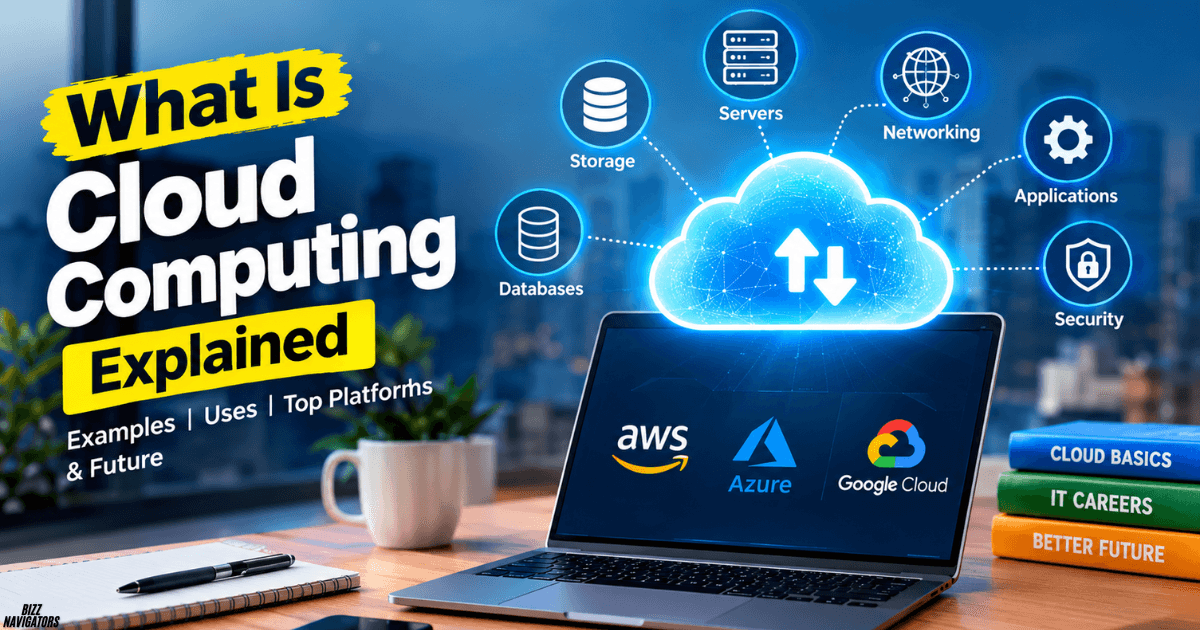
Cloud computing lets you store files, run applications, and use computing resources over the internet without owning all the hardware yourself. Instead of maintaining physical servers, you access services from providers such as Amazon Web Services (AWS), Microsoft Azure, and Google Cloud, often paying only for what you use.
If you use Google Drive, watch Netflix, or back up your phone online, you already use cloud computing in everyday life.
What Is Cloud Computing?
Cloud computing delivers computing services on demand, including storage, servers, databases, networking, and software, over the internet. It helps you access technology when you need it without buying and maintaining all the equipment yourself.
For example, you can save a document online, open it on another device, and share it with someone without transferring the file manually.
Cloud computing is also known as cloud-based computing or simply the cloud. It supports individuals, small businesses, large companies, educational institutions, and government organizations.
What Is a Simple Example of Cloud Computing?
Google Drive is a simple example of cloud computing. You upload a document to your account, store it on remote servers, and access it from your phone, laptop, or tablet through the internet.
You do not need to operate your own server or maintain the storage hardware. Google manages the underlying infrastructure.
What Is a Real-Life Example of Cloud Computing?
Netflix is a real-life example of cloud-based technology. Streaming services use cloud infrastructure and content delivery systems to help deliver videos to viewers across different locations.
Other everyday examples include:
- Google Photos: Stores and synchronizes your pictures online.
- Gmail: Lets you send and receive email without running your own mail server.
- Microsoft 365: Provides online access to productivity applications and files.
- Dropbox: Stores files and supports sharing across devices.
- Online banking: Uses internet-connected systems to provide digital banking services.
These examples show how cloud computing makes digital services accessible without requiring you to manage the infrastructure behind them.
How Does Cloud Computing Work?
Cloud computing works through internet-connected data centers containing servers, storage devices, networking equipment, and other computing resources.
When you upload a file or open an online application, your device communicates with the provider’s systems. Those systems process your request and return the information you need.
Here is the basic process:
- You make a request: Upload a file, open an application, or access a website.
- The request travels over the internet: Your device communicates with the cloud service.
- The provider processes it: Remote servers store, retrieve, or process your information.
- You receive the result: The requested file, application, or information appears on your device.
The provider manages much of the underlying hardware and infrastructure. Your responsibilities depend on the service you choose.
What Are the Two Types of Cloud Computing?
Cloud computing has several deployment models. Two common examples are public cloud and private cloud.
Public Cloud
A public cloud provider delivers computing services to multiple customers using shared infrastructure. Each customer has logically separated resources and data.
AWS, Microsoft Azure, and Google Cloud offer public cloud services. This model can help you launch applications without purchasing physical servers.
Private Cloud
A private cloud is dedicated to one organization. It can provide greater control over infrastructure, configurations, and data management.
Organizations with specific regulatory, operational, or security requirements may choose a private cloud.
Other deployment models include hybrid cloud, which combines public and private environments, and community cloud, which serves organizations with shared requirements.
What Are the Three Main Cloud Computing Service Models?
Cloud services generally fall into three major categories.
| Service model | What you get | Example use |
| Infrastructure as a Service (IaaS) | Virtual servers, storage, and networking | Hosting a website |
| Platform as a Service (PaaS) | A managed environment for building applications | Developing and deploying software |
| Software as a Service (SaaS) | Ready-to-use applications over the internet | Using Gmail or Microsoft 365 |
With IaaS, you manage more of the software environment. PaaS reduces infrastructure management for developers, while SaaS lets you use an application without managing its underlying servers.
What Are the Key Characteristics of Cloud Computing?
Cloud computing offers several characteristics that distinguish it from traditional IT infrastructure.
- On-demand access: You can request computing resources when needed.
- Broad network access: You can access services through supported devices and networks.
- Resource pooling: Providers share underlying infrastructure among multiple customers while keeping their resources logically separated.
- Rapid scalability: You can increase or decrease resources as demand changes.
- Measured usage: Providers can monitor resource consumption and charge according to the pricing model.
These characteristics make cloud services useful when your storage, processing, or application needs change over time.
What Are the Five Pillars of Cloud Computing?
There is no single universal set of five pillars used by every cloud provider. However, you can understand the main priorities through five practical areas:
- Security: Protect your accounts, applications, and data.
- Reliability: Design systems to continue working and recover from failures.
- Performance: Choose resources that meet your application’s requirements.
- Cost optimization: Monitor usage and avoid paying for unnecessary resources.
- Operational excellence: Manage, monitor, and improve your cloud environment.
These priorities overlap with established cloud architecture frameworks. For example, AWS uses a Well-Architected Framework with six pillars, including sustainability as a separate pillar.
What Are the Core Elements of Cloud Computing?
The core elements include the infrastructure and services that make cloud environments work.
- Servers and computing: Process requests and run applications.
- Storage: Keeps documents, backups, images, and other files.
- Databases: Organize and retrieve structured or unstructured information.
- Networking: Connects users, applications, and cloud resources.
- Virtualization: Allows physical hardware to support multiple virtual environments.
- Security and identity management: Controls access and helps protect resources.
- Management tools: Help you monitor performance, usage, and costs.
Together, these components support websites, mobile applications, business software, analytics, and AI services.
What Are the Top Five Cloud Computing Platforms?
Five widely used cloud platforms are Amazon Web Services, Microsoft Azure, Google Cloud, Oracle Cloud Infrastructure, and IBM Cloud.
1. Amazon Web Services (AWS)
AWS provides computing, storage, databases, networking, analytics, and AI services. It is a common choice for businesses hosting websites, applications, and large-scale workloads.
2. Microsoft Azure
Azure offers cloud infrastructure, application hosting, databases, security services, and integration with Microsoft products. It can be especially useful if your organization already uses Windows Server, Microsoft 365, or other Microsoft technologies.
3. Google Cloud
Google Cloud provides infrastructure, data analytics, databases, and AI services. It is worth exploring if you want to work with data engineering, machine learning, or cloud-native applications.
4. Oracle Cloud Infrastructure (OCI)
Oracle Cloud Infrastructure supports computing, storage, networking, and enterprise database workloads. Businesses using Oracle software may find its services particularly relevant.
5. IBM Cloud
IBM Cloud provides infrastructure, hybrid cloud capabilities, enterprise services, and tools for integrating cloud systems with existing business environments.
Which should you learn first? AWS and Azure are practical starting points for many beginners. Google Cloud is another strong option, particularly if your interests involve data and AI. Check job listings in your target market before committing to a certification.
What Are the Five Most Common Uses of Cloud Computing?
Cloud computing supports many activities, but five common uses are:
- File storage and backup: Store documents, photographs, and backups online.
- Website and application hosting: Run websites, online stores, and mobile application backends.
- Business software: Use email, collaboration tools, customer management systems, and accounting applications.
- Data analytics: Process large datasets to identify patterns and support decisions.
- AI and machine learning: Access computing power and managed tools for training or running AI models.
Cloud services can also support remote work, online education, software development, disaster recovery, and video streaming.
Is Cloud Computing Still Relevant in 2026?
Yes. Cloud computing remains relevant in 2026 because businesses continue to use it for application hosting, data storage, analytics, cybersecurity, and AI workloads.
However, cloud adoption does not mean every organization must move everything online. Some businesses use hybrid environments, while others keep certain systems on their own infrastructure because of cost, compliance, latency, or operational requirements.
Cloud computing remains a practical skill for IT professionals, developers, system administrators, and data specialists.
Will AI Replace Cloud Computing?
No. AI is not expected to replace cloud computing because the two technologies perform different roles.
AI provides capabilities such as generating content, analyzing data, and automating tasks. Cloud computing supplies infrastructure and managed services that can run AI applications at scale.
AI may automate parts of cloud administration, monitoring, troubleshooting, and software development. This could change the work cloud professionals do, but it does not eliminate the need for computing infrastructure.
If you want to stay competitive, learn cloud fundamentals alongside automation, scripting, security, and AI-related services.
Which Five Jobs Are Likely to Remain Valuable as AI Advances?
No job is guaranteed to survive unchanged. However, roles involving complex decisions, accountability, security, and real-world problem-solving may remain valuable.
- Cloud engineer: Builds and maintains cloud infrastructure.
- Cybersecurity analyst: Investigates threats and protects systems.
- AI and machine learning engineer: Develops and integrates AI solutions.
- Network engineer: Designs and troubleshoots connected systems.
- IT architect: Plans how technical systems work together.
AI may automate some tasks in all five careers. Your best protection is to develop practical skills, keep learning, and understand how to use AI tools effectively.
What Will Cloud Computing Look Like in 2030?
By 2030, cloud computing may become more automated, AI-driven, distributed, and closely connected with edge computing. These are reasonable expectations based on current technology trends, not guaranteed predictions.
You may see more organizations using:
- AI-assisted cloud operations: Systems that detect problems and recommend or perform routine fixes.
- Serverless computing: Applications that run without requiring you to manage individual servers.
- Edge computing: Data processing closer to users and connected devices.
- Hybrid and multicloud environments: Workloads distributed across different infrastructure providers.
- Automated security: Tools that help identify suspicious activity and enforce policies.
Cloud professionals will likely need stronger skills in automation, architecture, security, cost management, and AI integration.
What Is Cloud Computing Replacing?
Cloud computing can reduce the need to purchase and maintain some on-premises servers, storage hardware, and data center equipment.
It can also replace certain traditional software installation and maintenance processes with online applications.
However, cloud computing does not eliminate physical hardware. Cloud providers still operate servers, storage systems, networking equipment, and data centers. The main difference is who owns and manages those resources.
Does Cloud Computing Have a Future?
Yes. Cloud computing has a strong future because digital services need computing power, storage, networking, and reliable infrastructure.
Its development will likely involve more AI integration, automated management, improved energy efficiency, and flexible infrastructure choices.
For you, this means cloud skills can remain useful across software development, cybersecurity, data engineering, IT operations, and AI infrastructure.
Will We Ever Run Out of Cloud Storage?
Cloud storage is not unlimited. Providers have finite physical capacity, and building new data centers requires equipment, electricity, space, and investment.
However, storage capacity can grow as providers add infrastructure and improve storage technology. Individual users are more likely to encounter account limits, pricing restrictions, or service quotas than a worldwide shortage of cloud storage.
You can manage storage costs by deleting unnecessary files, archiving older data, compressing suitable files, and choosing a plan that matches your needs.
Is Cloud Computing Easy for Beginners?
Cloud computing is accessible to beginners, but the difficulty depends on what you want to accomplish.
Using Google Drive or another cloud application is easy. Managing virtual networks, permissions, servers, and production workloads requires more technical knowledge.
If you are new to IT, start with these basics:
- Learn how the internet, IP addresses, and DNS work.
- Understand operating systems and basic networking.
- Explore cloud storage and virtual machines.
- Create a free-tier or trial account while carefully checking usage limits.
- Complete a small project, such as hosting a simple website.
You do not need to master every cloud service before getting started.
Is IT Hard to Learn Cloud Computing?
Cloud computing can feel challenging if you have never worked with computers, networking, or operating systems. However, you can learn it step by step without becoming an expert in every IT subject.
Basic Linux or Windows administration, networking, security, and command-line skills will make your learning process easier.
How Long Will It Take You to Learn Cloud Computing?
Your timeline depends on your background and the depth of knowledge you want to develop.
| Learning goal | Approximate timeframe |
| Understand basic cloud concepts | A few days to 2 weeks |
| Learn fundamental services | 1–3 months |
| Build beginner projects | 2–4 months |
| Prepare for an entry-level certification | 2–6 months |
| Develop stronger job-ready practical skills | 6–12 months or longer |
These are estimates, not guarantees. Your study time, prior experience, and hands-on practice will affect your progress.
Can You Learn Cloud Computing on Your Own?
Yes. You can learn cloud computing independently through official documentation, online courses, tutorials, labs, and personal projects.
Start with one provider rather than trying to learn AWS, Azure, and Google Cloud simultaneously. Build a small website, configure cloud storage, explore access permissions, and practice monitoring costs.
Practical projects help you demonstrate your knowledge when applying for internships or junior positions.
Is Cloud a High-Paying Job?
Cloud computing can lead to well-paid IT careers, but your earnings depend on your location, experience, specialization, and employer.
Entry-level support or cloud operations positions generally require fewer advanced skills than senior cloud engineering, architecture, or security roles.
To improve your opportunities, focus on practical projects, relevant certifications, troubleshooting, scripting, networking, and security. A certificate can help demonstrate knowledge, but it does not guarantee employment or a particular salary.
Do You Need Math for Cloud Computing?
You do not need advanced mathematics to start learning cloud computing.
Basic arithmetic, percentages, logical thinking, and understanding costs are usually enough for beginner tasks. More specialized areas, such as machine learning, data science, and performance modeling, may require stronger mathematical skills.
For general cloud administration, networking, and infrastructure management, practical technical knowledge is usually more important than advanced mathematics.
What Is Another Name for Cloud Computing?
Common alternatives include cloud-based computing, internet-based computing, and simply cloud services, depending on the context.
Cloud computing refers to the broader delivery of computing resources over a network. Cloud-based usually describes an application, service, or system that relies on cloud infrastructure.
Where Did the Name Cloud Computing Originate?
The term “cloud” comes from the cloud-shaped symbols network engineers used in diagrams to represent complex networks or infrastructure whose internal details didn’t need to be shown.
The phrase cloud computing developed as internet-based computing services evolved. It does not refer to literal clouds; it describes computing resources accessed through a network.
What Is Another Word for Cloud-Based?
Depending on the context, you can use terms such as internet-hosted, remotely hosted, online, or cloud-hosted.
These words are not always exact synonyms. For example, an online application might rely on traditional hosting rather than a modern cloud platform.
Final Answer: Why Should You Learn Cloud Computing?
Cloud computing allows you to use storage, software, servers, databases, and networking over the internet without managing all the physical infrastructure yourself.
You already encounter it through familiar services such as Google Drive, Gmail, and streaming platforms. If you want to pursue a technology career, learning cloud fundamentals can help you explore cloud engineering, cybersecurity, DevOps, data engineering, and AI infrastructure.
Start with one platform, practice through small projects, and build your knowledge gradually. You do not need advanced mathematics or years of IT experience to begin.

At BizzNavigators, we answer the questions you’re actually searching for, honestly and clearly. We check our facts before we publish anything, and if we’re not sure about something, we tell you instead of guessing. Whatever you’re looking for- a tech fix, a business tip, or a simple how-to- we want to give you an answer you can trust.