
Introduction: What Is New in Microsoft Copilot?
Microsoft Copilot is becoming much more than a chatbot. In 2026, Microsoft added new AI models, a redesigned Copilot experience, deeper integration with Word, Excel, and PowerPoint, agent-based workflows, and tools that can handle longer, multi-step tasks. The biggest shift is from answering prompts to helping complete real work.
1. GPT-5.6 is now a major Copilot upgrade
Microsoft 365 Copilot now uses OpenAI’s GPT-5.6 as its preferred model across Word, Excel, PowerPoint, Copilot Chat, and Copilot Cowork.
GPT-5.6 is designed for complex knowledge work, including deeper reasoning, analysis, drafting, and multi-step tasks. In simple terms, Copilot can now handle more complicated requests without requiring as many separate prompts.
For example, in Word it can help refine a document, while in Excel it can reason through data and support deeper analysis. In Cowork, the same model can support longer workflows rather than stopping after a single response.
2. Copilot now offers Claude models too
Microsoft has expanded Copilot beyond OpenAI models by adding Anthropic’s Claude Opus 4.8.
Claude Opus 4.8 was introduced to Microsoft 365 Copilot in May 2026 and is aimed at complex, multi-step, and long-running work. Microsoft says it can help with document creation, data analysis, presentations, instruction following, and tool selection.
This is important because Microsoft is moving toward multi-model AI rather than relying on a single model for every task.
3. The Copilot experience has been redesigned
Microsoft 365 Copilot received a redesigned experience focused on simpler navigation, faster performance, and more contextual access to capabilities.
Microsoft describes the updated design as a more adaptive experience across Word, Excel, PowerPoint, and Outlook, while the Copilot app itself has a cleaner and faster interface.
For everyday users, the practical difference is simple: you spend less time looking for the right Copilot feature and more time using it.
4. Word, Excel, and PowerPoint agents are easier to use
One of the most useful new changes is that Word, Excel, and PowerPoint agents can now be added directly to Copilot Chat.
Microsoft says users can @mention these agents inside a Copilot prompt. That allows them to create documents, spreadsheets, and presentations without leaving the Copilot app.
This removes a common friction point. Instead of opening an app first and then figuring out what AI tools are available, users can begin with a natural-language request.
5. Excel Copilot is becoming much more practical
Copilot in Excel is shifting from simple explanations toward actual spreadsheet work.
It can help users create and modify workbooks, analyze information, use formulas, and work with structured spreadsheet content. Microsoft has also added new skills and Power BI context for Copilot in Excel.
That makes it especially useful for tasks such as:
- analyzing sales data
- creating calculations
- identifying trends
- organizing spreadsheet information
- preparing business reports
The key advantage is that Copilot can work with the spreadsheet itself instead of merely telling you what formula or action to use.
6. Copilot Cowork can handle longer tasks
Copilot Cowork is one of Microsoft’s clearest moves toward agentic AI.
Unlike a normal chatbot that answers a single prompt, Cowork is designed for complex work that can continue across multiple steps, connected apps, business systems, and files. Microsoft made Copilot Cowork generally available worldwide in June 2026.
Microsoft has also expanded Copilot Cowork with skills, integrations, partner plugins, security controls, and multi-model capabilities.
For businesses, this matters because the goal is no longer simply:
“Give me an answer.”
It is increasingly:
“Take this objective and work through it.”
7. Copilot is getting better at connecting apps and data
Another major change is Microsoft’s focus on connected workflows.
The 2026 Copilot roadmap includes agents that can bring everyday business applications into Copilot, allowing users to view data and take actions without constantly switching between systems.
Microsoft is also expanding Copilot connectors so information from other business sources can be brought into the AI workflow.
That creates a more useful enterprise experience because employees can work from a common AI interface instead of jumping between several disconnected tools.
8. Copilot Notebooks can turn information into deliverables
Copilot Notebooks has also received meaningful improvements.
Microsoft says the newer experience supports richer work data sources, multimodal mobile capture, and additional output types such as Excel workbooks and infographics.
This makes Notebooks more than a place to store notes. Users can bring project information together and then turn that context into practical outputs.
For research, planning, or project work, that can save considerable time.
9. Copilot in Teams and Outlook is expanding
Microsoft has continued adding AI capabilities around communication and meetings.
The May 2026 Copilot update included features such as account selection in Outlook, call delegation, recap management, and video recap capabilities in Teams.
These features target a common workplace problem: too much information spread across emails, calls, and meetings.
Instead of manually reviewing everything, users can increasingly rely on Copilot to summarize and organize important information.
10. The consumer Copilot app changed in August 2026
There is an important distinction between the consumer Copilot app and Microsoft 365 Copilot.
Microsoft released an updated consumer Copilot app on August 18, 2026, with a more unified experience. However, some older consumer features were retired at the same time.
Microsoft says Podcasts and Deep Research were retired from the consumer Copilot app, while Group Chat content was not carried forward after the August 18 update.
That means some older tutorials about Copilot may no longer match the current interface or feature set.
11. Copilot is becoming more personalized
Microsoft is also improving personalization through Copilot memory.
The idea is straightforward: Copilot can retain useful information such as preferences, recurring work patterns, and other context so future interactions can be more relevant.
This can reduce repetitive prompting and make the assistant feel more consistent over time.
12. What are the biggest Copilot changes in 2026?
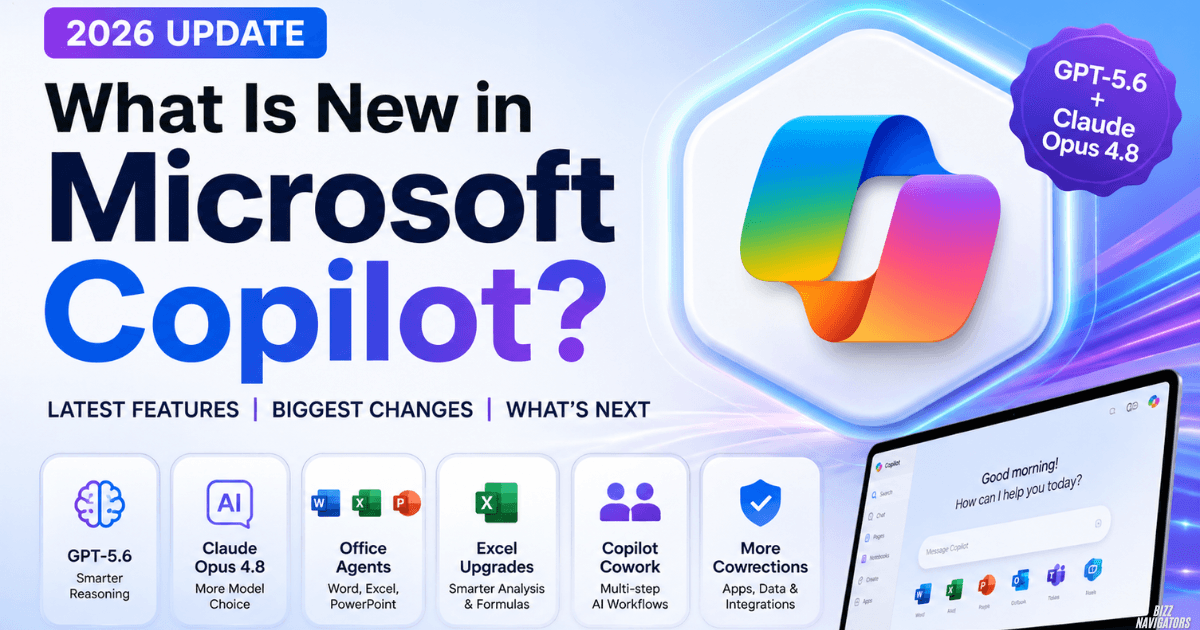
The most important changes can be summarized in one view:
| New development | Why it matters |
| GPT-5.6 | Stronger reasoning and complex work |
| Claude Opus 4.8 | More model choice |
| Redesigned Copilot | Simpler, more adaptive experience |
| Word/Excel/PowerPoint agents | Easier file creation |
| Excel enhancements | Better analysis and spreadsheet workflows |
| Copilot Cowork | Longer, multi-step task execution |
| More connectors | Better access to business data |
| Copilot Notebooks | More useful research and project outputs |
| Teams/Outlook updates | Faster handling of communication |
| Consumer app update | New unified experience |
The larger pattern is clear: Microsoft is building Copilot around models, agents, connected data, and actions, rather than treating AI as a standalone chat box.
13. Is Copilot better than ChatGPT?
Neither is automatically better for everyone.
Copilot’s strongest advantage is its connection with Microsoft’s ecosystem. If your work revolves around Word, Excel, PowerPoint, Outlook, Teams, SharePoint, and Microsoft 365 data, Copilot can fit naturally into that workflow.
ChatGPT may be a better fit for people who want a more general-purpose AI platform outside the Microsoft ecosystem.
The right choice depends mainly on where you already do your work.
14. What can Copilot do in Excel?
Copilot can help with spreadsheet creation, analysis, formulas, formatting, data interpretation, and other workbook tasks.
Its biggest advantage is that it works within Excel rather than forcing users to copy spreadsheet information into a separate chatbot. Microsoft is also expanding Excel skills and Power BI context to make Copilot more useful for specialized analysis.
15. Is Microsoft Copilot free?
Some Copilot experiences are available without a separate Microsoft 365 Copilot license, but advanced features depend on the product, account, subscription, platform, and organizational settings.
That is why older articles saying simply “Copilot is free” or “Copilot requires payment” can be misleading. Availability varies by Copilot experience.
16. What are the disadvantages of Microsoft Copilot?
Copilot is still an AI system, so it can produce incorrect or incomplete information.
Access can also vary between personal and work accounts, while new features may roll out gradually or require specific subscriptions.
The safest approach is to use Copilot to accelerate work while still checking important numbers, documents, decisions, and business information before relying on them.
FAQ
What is new in Microsoft Copilot in 2026?
The biggest updates include GPT-5.6, Claude Opus 4.8, a redesigned experience, stronger Excel capabilities, Word/Excel/PowerPoint agents, Copilot Cowork, expanded connectors, and improved Microsoft 365 integrations.
Can Copilot create Excel sheets?
Yes. Copilot can help create and work with spreadsheets, while Excel agents can generate workbook-based outputs from natural-language instructions.
Can AI create Excel formulas?
Yes. Copilot can help generate and explain Excel formulas based on the data and task you describe.
What is the most useful Copilot feature?
For Microsoft 365 users, the biggest advantage is arguably the combination of AI models + Office apps + agents + connected business data. That combination lets Copilot help with actual workflows rather than just answering questions.
What makes Copilot different from other AI tools?
Its biggest differentiator is Microsoft ecosystem integration. Copilot is deeply connected to Microsoft 365 applications and, increasingly, business data and agents.
Bottom Line
So, what is new in Microsoft Copilot? The 2026 update is less about one flashy feature and more about a broader transformation. GPT-5.6 improves the underlying intelligence, Claude expands model choice, agents make Office tasks easier, and Copilot Cowork pushes AI toward longer autonomous workflows.
For users already living inside Microsoft 365, that makes the latest Copilot considerably more capable and practical than the older chatbot-style experience.

At BizzNavigators, we answer the questions you’re actually searching for, honestly and clearly. We check our facts before we publish anything, and if we’re not sure about something, we tell you instead of guessing. Whatever you’re looking for- a tech fix, a business tip, or a simple how-to- we want to give you an answer you can trust.
2 thoughts on “What Is New in Microsoft Copilot? Latest 2026 Features”